Creating a Futures Combo Bot requires setting specific parameters that define your trading strategy. This article will guide you through the parameters and their functions when creating a Futures Combo Bot.
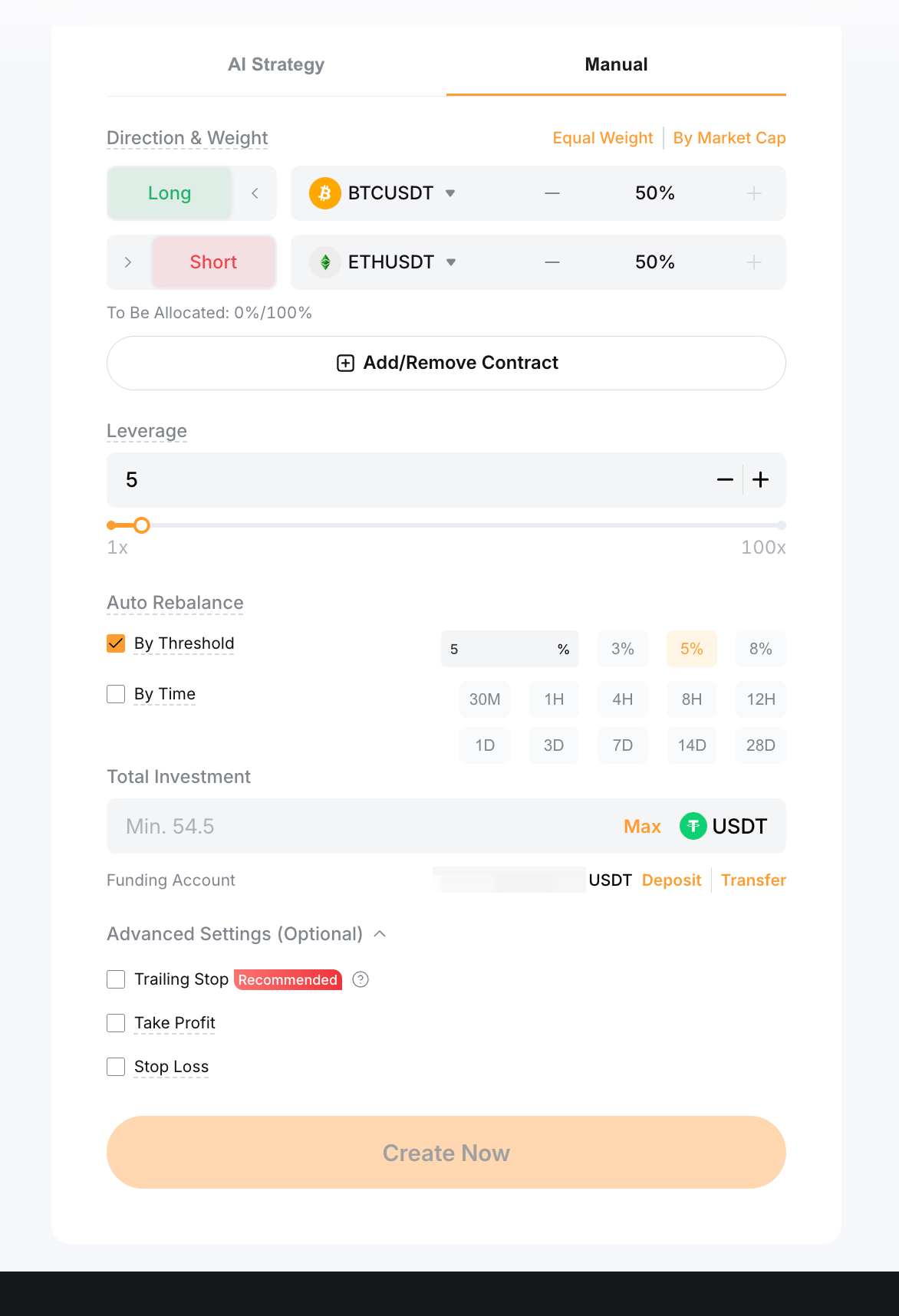
Bot Creation Page
When setting up a Futures Combo Bot, you can choose between two (2) modes: AI Strategy or Manual mode. In AI Strategy mode, the parameters are automatically adjusted by AI to execute the optimal strategy based on historical data.
For Manual mode, please refer to the explanation of parameters below to configure your bot better.
Parameters Explained
Parameter | Explanation |
Direction & Weight | Long/Short: Determines the position direction. Contracts: Choose the contracts for your bot portfolio to trade. Proportion: Defines the relative weight of each contract within the entire Futures Combo Bot portfolio, with the total summing up to 100%. You can easily set this up using the Equal Weight and By Market Cap buttons. |
To be Allocated | This indicates the percentage of your portfolio that hasn't been allocated yet. To successfully create a Futures Combo bot, you must allocate the full 100%. |
Leverage | You can select leverage within the range from one (1) to the lowest maximum leverage among all selected contracts, which will then be applied to all positions. |
Auto Rebalance | Allows the bot to automatically rebalance positions either by proportion threshold or by fixed time interval. For instance, with a 5% threshold, if the preset proportion of a contract is 30%, rebalancing will be triggered if the contract's proportion falls below 25% or rises above 35%. |
Total Investment | The amount of USDT you wish to invest in the bot. The system determines the minimum investment required based on your parameters. |
Trailing Stop (Optional) | The Trailing Stop automatically adjusts your exit point based on your account's highest recorded equity.
For example, if your equity fluctuates between 500, 450, 600, 900, 800, 1,000, and 800 at different points throughout the week, and you set a 20% retracement rate, your exit equity will be 400, 400, 480, 720, 720, 800, and 800, respectively.
When your account equity drops to 800, matching the exit equity, the Trailing Stop will trigger, closing all positions and terminating the bot at the market price. Please note that due to slippage, your final account equity may differ from the exit equity. |
Stop Loss (Optional) | The maximum total loss ratio you are willing to bear. When the loss reaches this ratio, the bot will terminate. The stop loss ratio is calculated based on your latest equity and should not exceed 100%.
Example: A trader created a Futures Combo Bot at 09:10 UTC without a Stop Loss. The bot’s equity at that time was 50 USDT.
At 20:38 UTC, the trader placed a Stop Loss ratio of 35% when the equity was 33 USDT. Since the Stop Loss was set up at a later timestamp, the Stop Loss ratio was calculated based on the latest equity of 33 USDT.
Similarly, any subsequent adjustments to the Stop Loss ratio would be based on the bot’s equity at the time of modification. |
Take Profit (Optional) | The maximum total profit ratio you aim to achieve. When the profit reaches this ratio, the bot will terminate. The take profit ratio is calculated based on your latest equity.
Example: A trader created a Futures combo Bot at 09:10 UTC without a Take Profit. The bot’s equity at that time was 50 USDT.
At 20:38 UTC, the trader placed a Take Profit ratio of 35% when the equity was 33 USDT. Since the Take Profit was set up at a later timestamp, the Take Profit ratio was calculated based on the latest equity of 33 USDT.
Similarly, any subsequent adjustments to the Take Profit ratio would be based on the bot’s equity at the time of modification. |
Note: Ensure you have sufficient funds (USDT) in your Funding Account to create a bot.
Bot Details Page - Status Tab
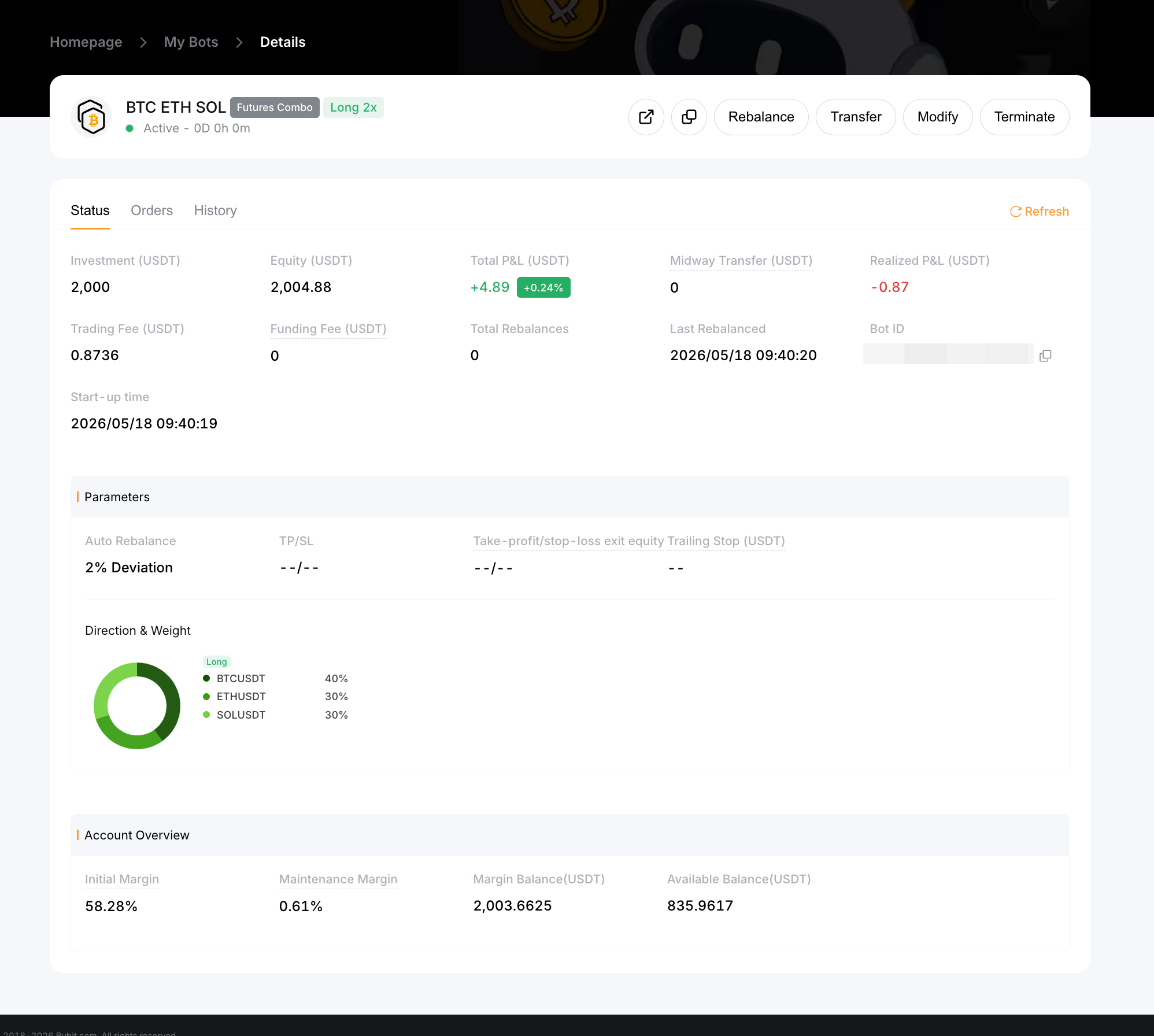
On the Bot Details Page - Status Tab, you'll find comprehensive information about the Futures Combo Bot, including the parameters you've configured. Below are additional crucial pieces of information available on this page:
Parameters Explained
Parameter | Explanation |
Total P&L (USDT) | Total P&L is the sum of Unrealized P&L and Realized P&L. - Realized P&L includes profit and loss from closed positions and incurred trading fees and funding fees.
- Unrealized P&L is based on the price difference between the average holding cost and the current mark price. Please note, however, that position closures are filled at market price.
|
Equity (USDT) | The latest value of the assets held and unrealized P&L in the Trading Bot Account. |
Total Rebalances | The total number of times the bot has automatically rebalanced positions. |
Last Rebalanced | The most recent time the bot performed an auto-balance. |
Initial Margin | The amount of margin required to create a Futures Combo Bot. This is a portion of your total investment that must be maintained to initiate trades. |
Maintenance Margin | The minimum amount of margin that must be maintained in your Trading Bot Account to keep your Futures Combo Bot open. |
Margin Balance (USDT) | The current balance of your Trading Bot Account, reflecting the funds available for trading, including unrealized profits and losses. |
Available Balance (USDT) | The balance that is available for opening new positions. |
Bot Details Page - Orders Tab
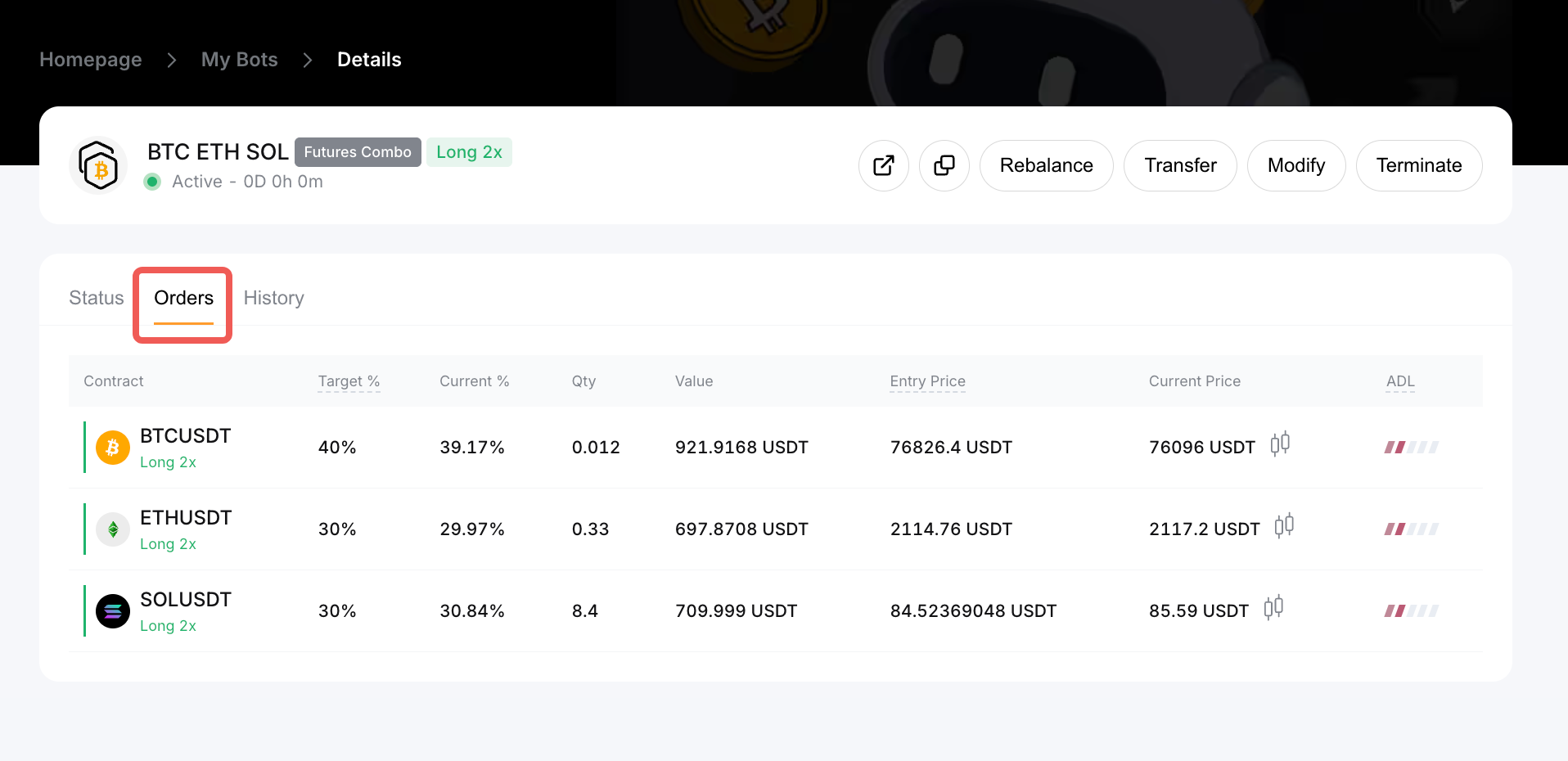
This page displays the status of your open positions for each contract in your Futures Combo Bot.
Bot Details Page - History Tab
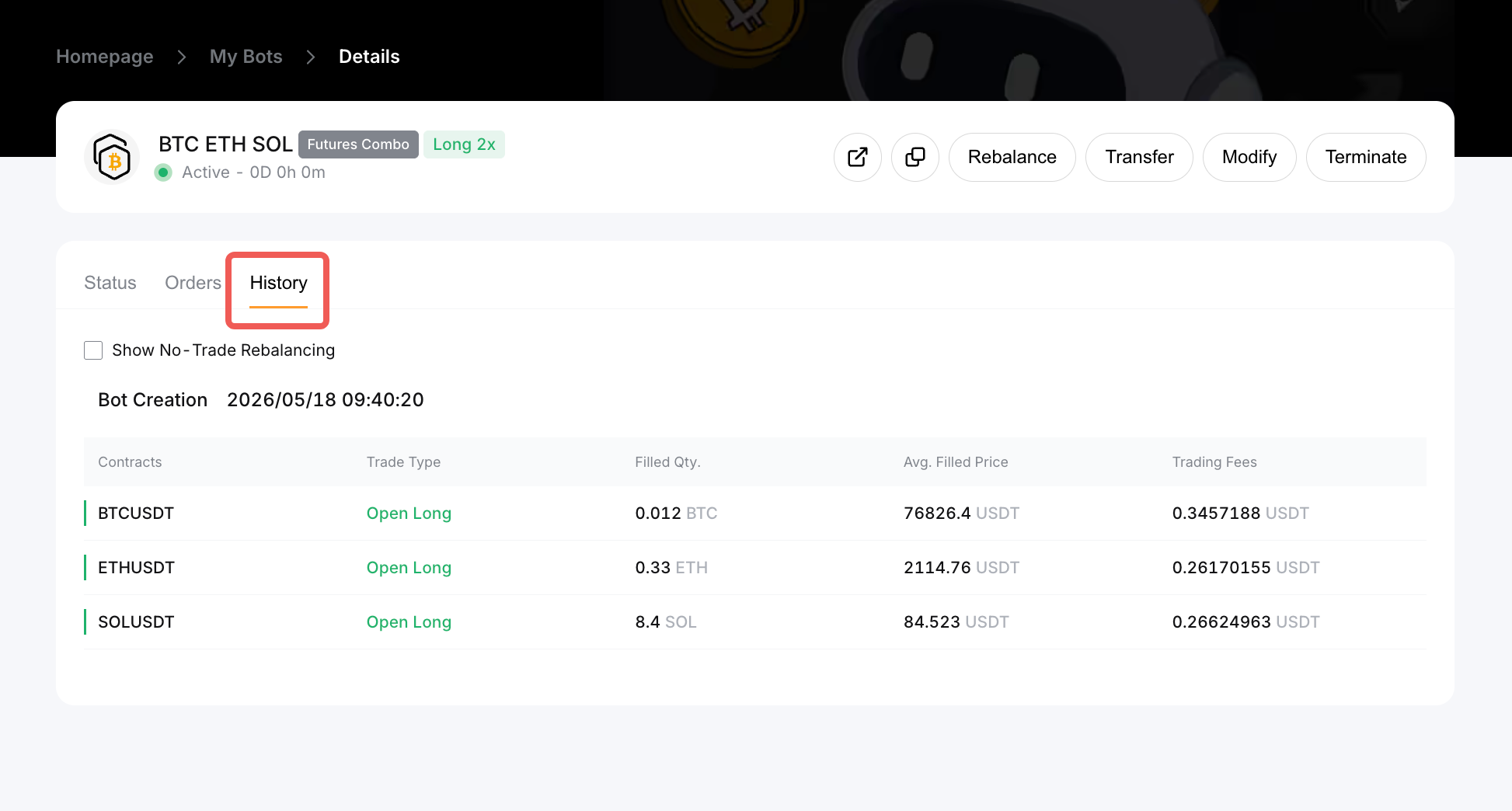
The History Tab provides trading information for historical trades, including bot creation, termination, and each rebalance round.