
To enhance the security of P2P trading, users identified as potential risks through our comprehensive system evaluation are required to provide a security deposit. These users must provide the required amount and lock it on our P2P platform to maintain their P2P advertising privileges. Please refer to this FAQ for more information.
Here’s a guide to help you understand how to deposit and cancel a security deposit in P2P trading.
Make a Security Deposit
Unfreeze a Security Deposit
Make a Security Deposit
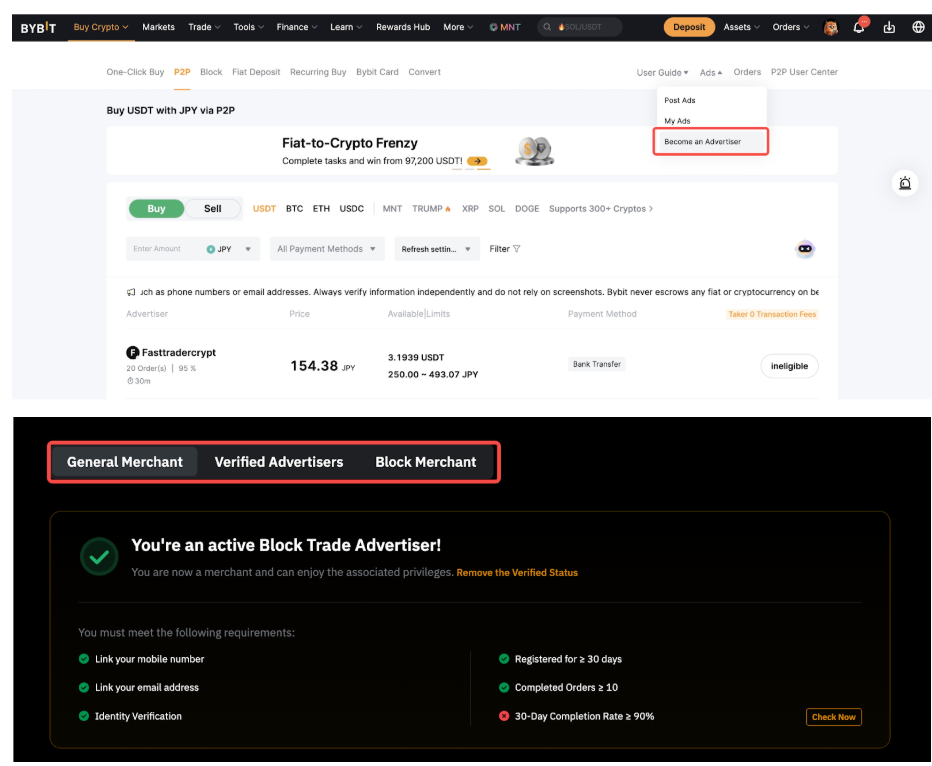
Step 1: Go to the Become an Advertiser page on the Bybit Website, scroll to the bottom, and select the type of advertiser you want to be.
Step 2: Click on Make a Security Deposit and confirm that you're depositing a security deposit by clicking on Confirm.
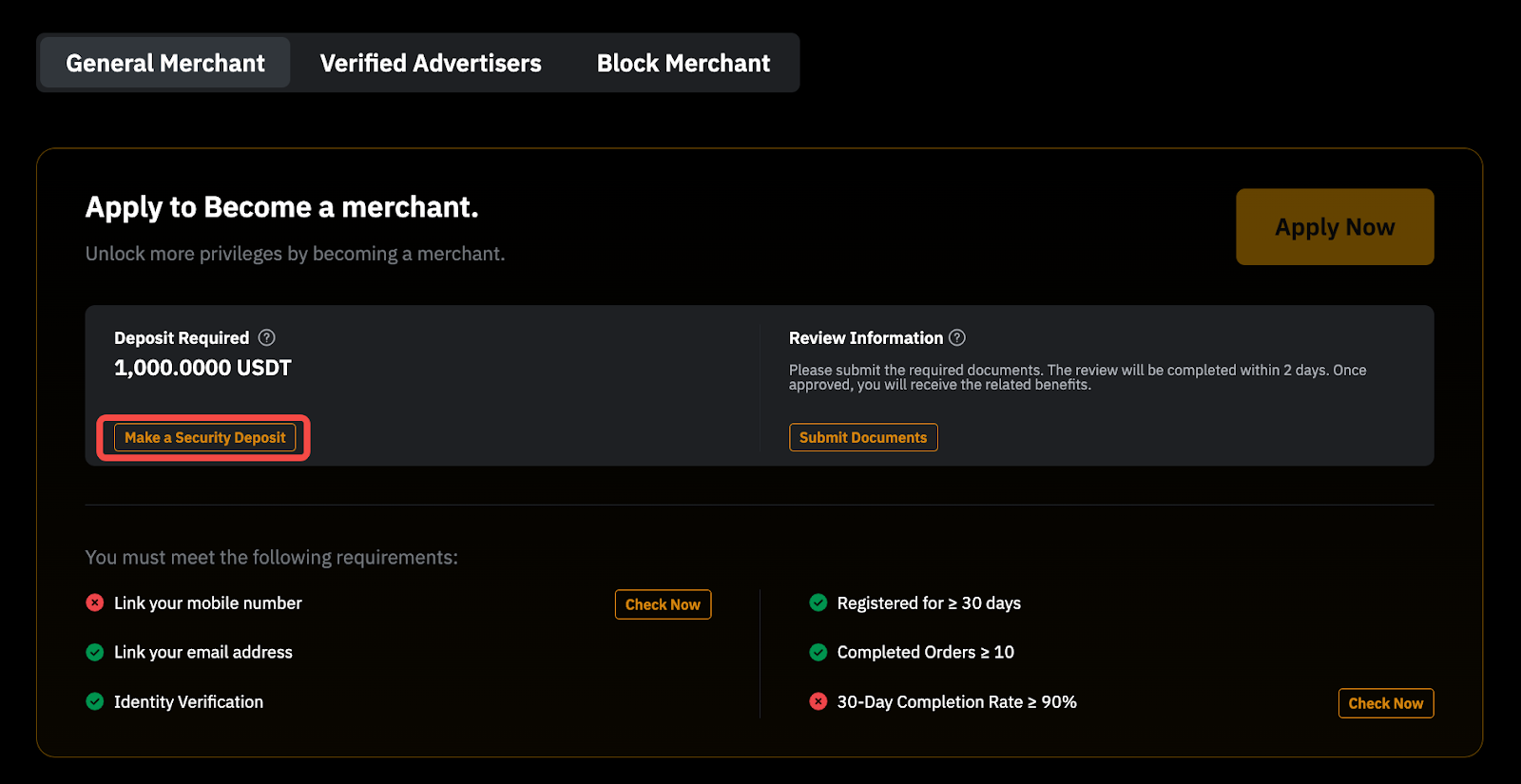
Note:
- If the payment button is grayed out because you don't have enough funds, you need to transfer assets to your Funding Account. Here's how:
- Tap on the Transfer Now button in the lower-right corner.
- Move assets from other accounts to your Funding Account. To learn more about how to transfer the assets, please refer to this guide.
- Return to the deposit page and complete the payment by tapping the payment button.
- For a General Advertiser, the required security deposit is 200 USDT. For higher-level advertiser types (e.g., Verified Advertiser or Block Advertiser), the necessary deposit is 1,000 USDT.
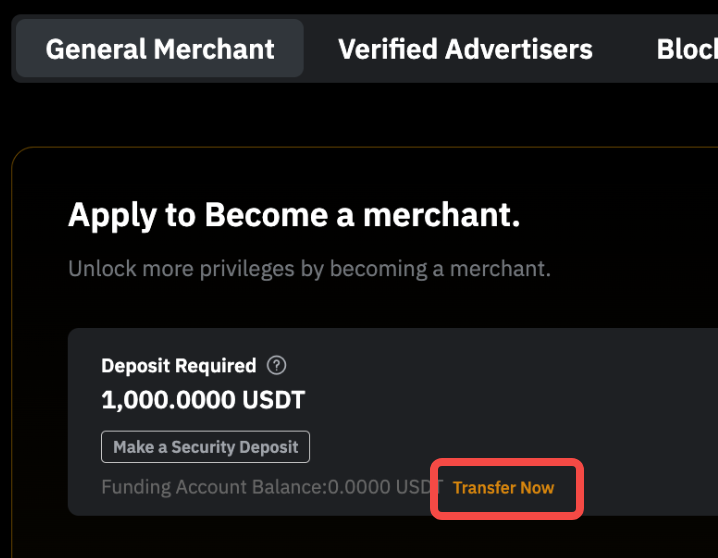
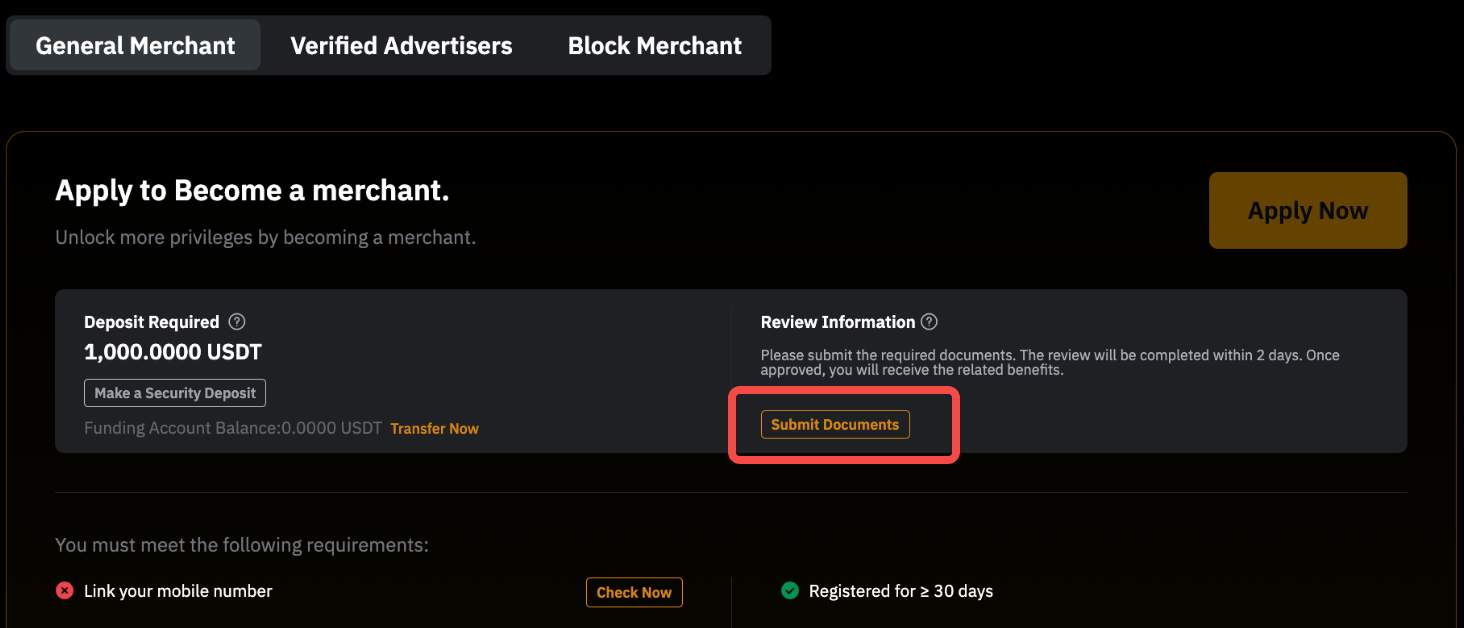
Step 3: In certain circumstances, you might need to provide additional documents for further assessment before your advertisement can be posted. There will be a Submit Document button for you to submit the documents or you may get it done on this page.
Please submit the required documents for review by the appropriate team and the review process may take up to 48 hours. If you are not providing the requested documents, you will be not allowed to post advertisements.
Unfreeze Security Deposit
Step 1: Go to the Become an Advertiser page, scroll to the bottom and select the type of advertiser you have applied for.
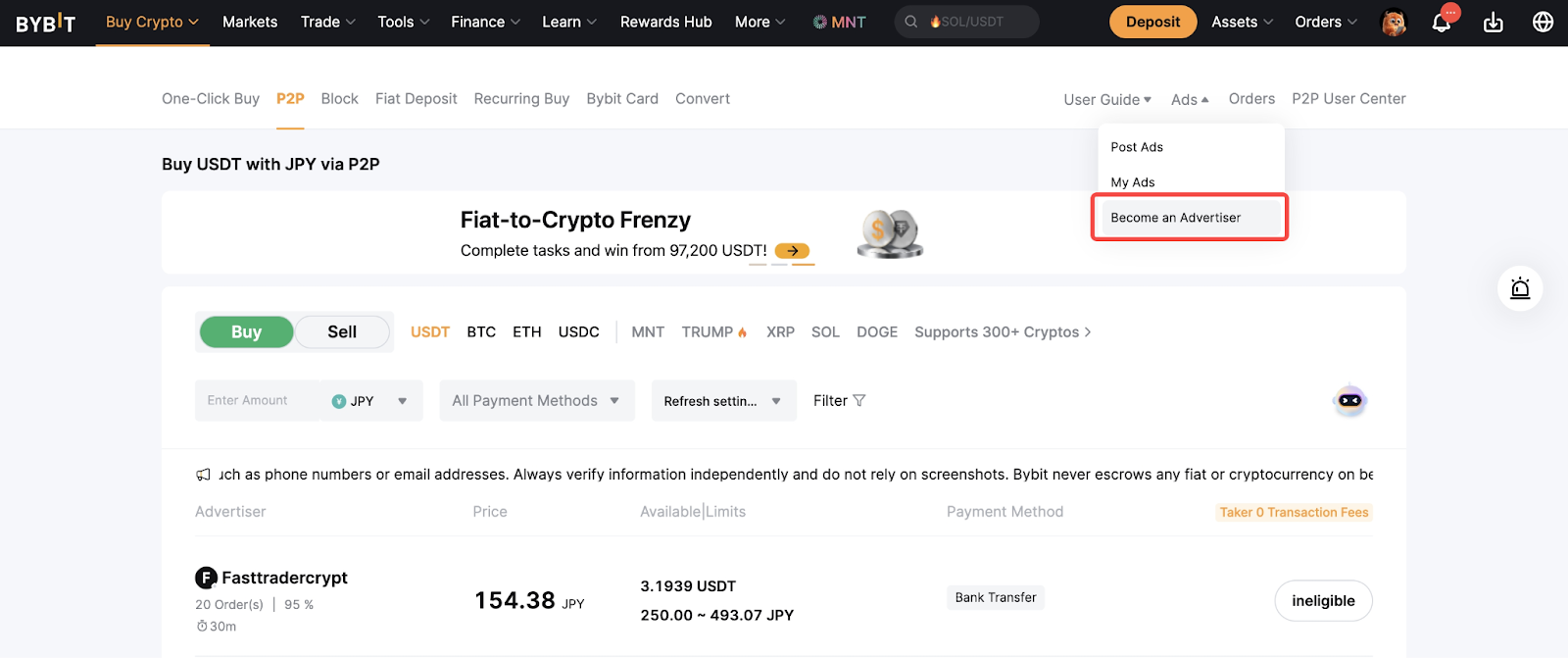
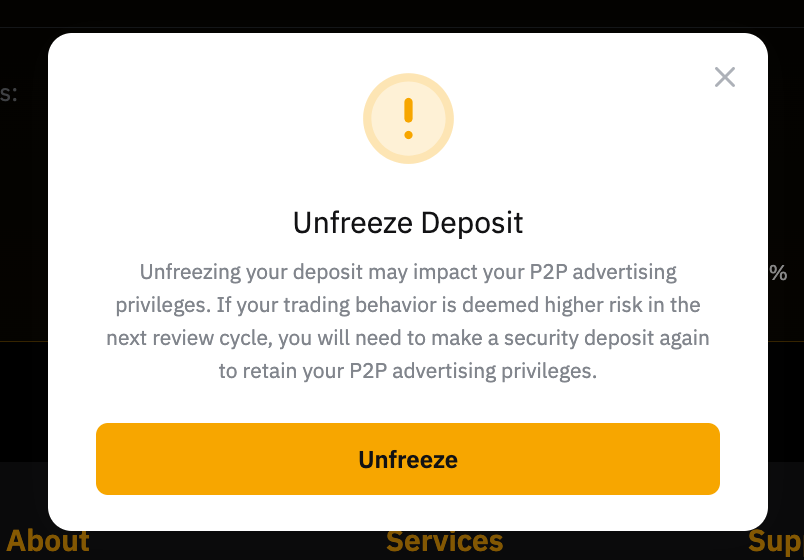
Step 2: Click on the Unfreeze Deposit button. A pop-up window will ask for a second confirmation. Click on Unfreeze to complete the unfreezing process.
Notes:
— Please note that if you have active orders, ongoing appeals, or an account at risk, you will not be able to unfreeze your security deposit. Orders that were completed or canceled within the last 5 days are still considered active during the appeal period, even if they no longer appear as active orders. Please ensure all orders have passed the appeal period and your account is in good standing before attempting to unfreeze the security deposit.
— Be aware that the unfreezing of your security deposit entails forfeiting the privilege to publish P2P advertisements. For more information, please refer to the FAQ — Security Deposit Requirements in P2P Trading.
— You might also be prompted to submit additional documents when applying for unfreezing the security deposit. You will be alerted via the email notification and system notification when the action is required. Kindly follow the instructions stated on the Security Deposit page. You will receive the result within 48 hours upon document submission.