Place an Order
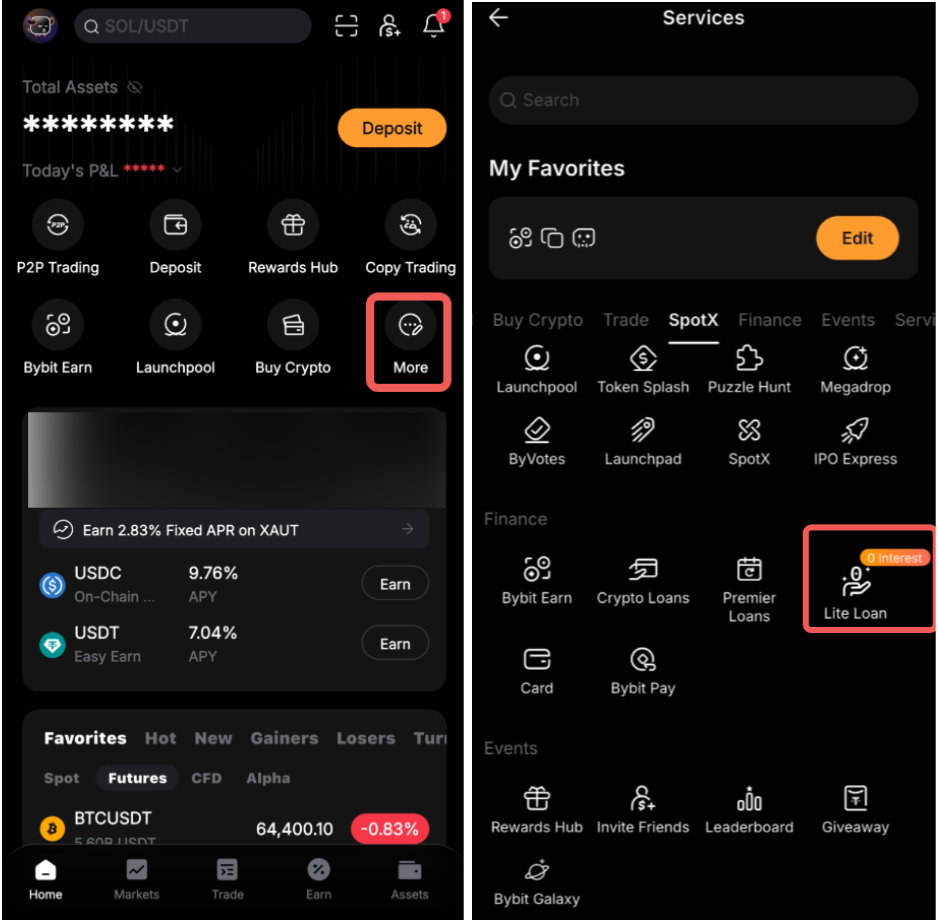
Step 1: On the Bybit App homepage, tap More. On the Services page, tap Lite Loan under Finance.
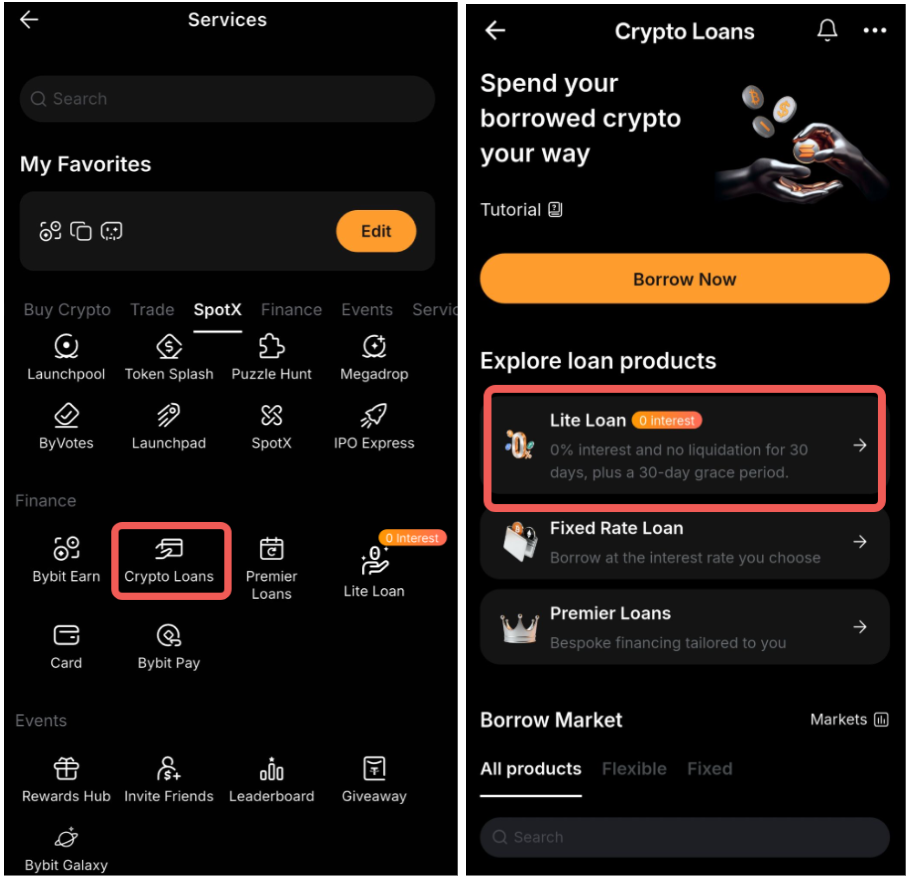
Alternatively, you can access Lite Loan through the Crypto Loans page under Finance.
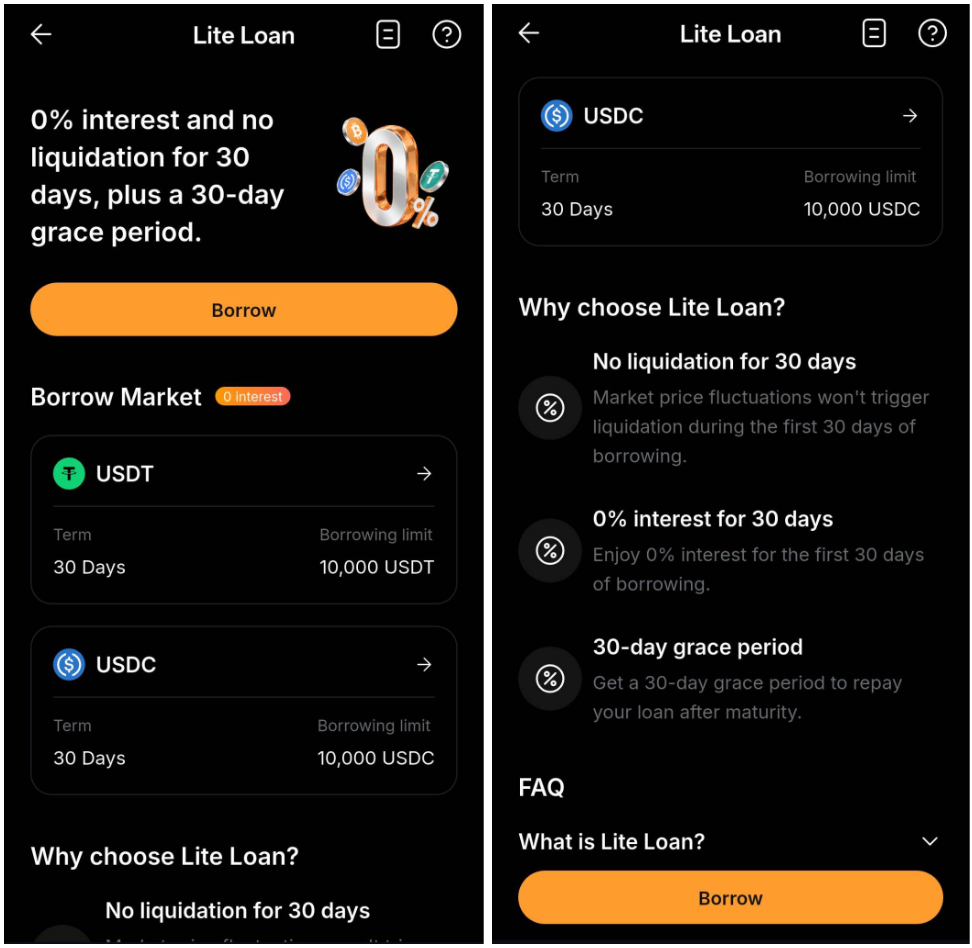
Step 2: Next, select the coin type you want to borrow and tap on Borrow.
Step 3: On the borrowing page, review the selected collateral token, your Funding Account balance, and the borrowing limit.
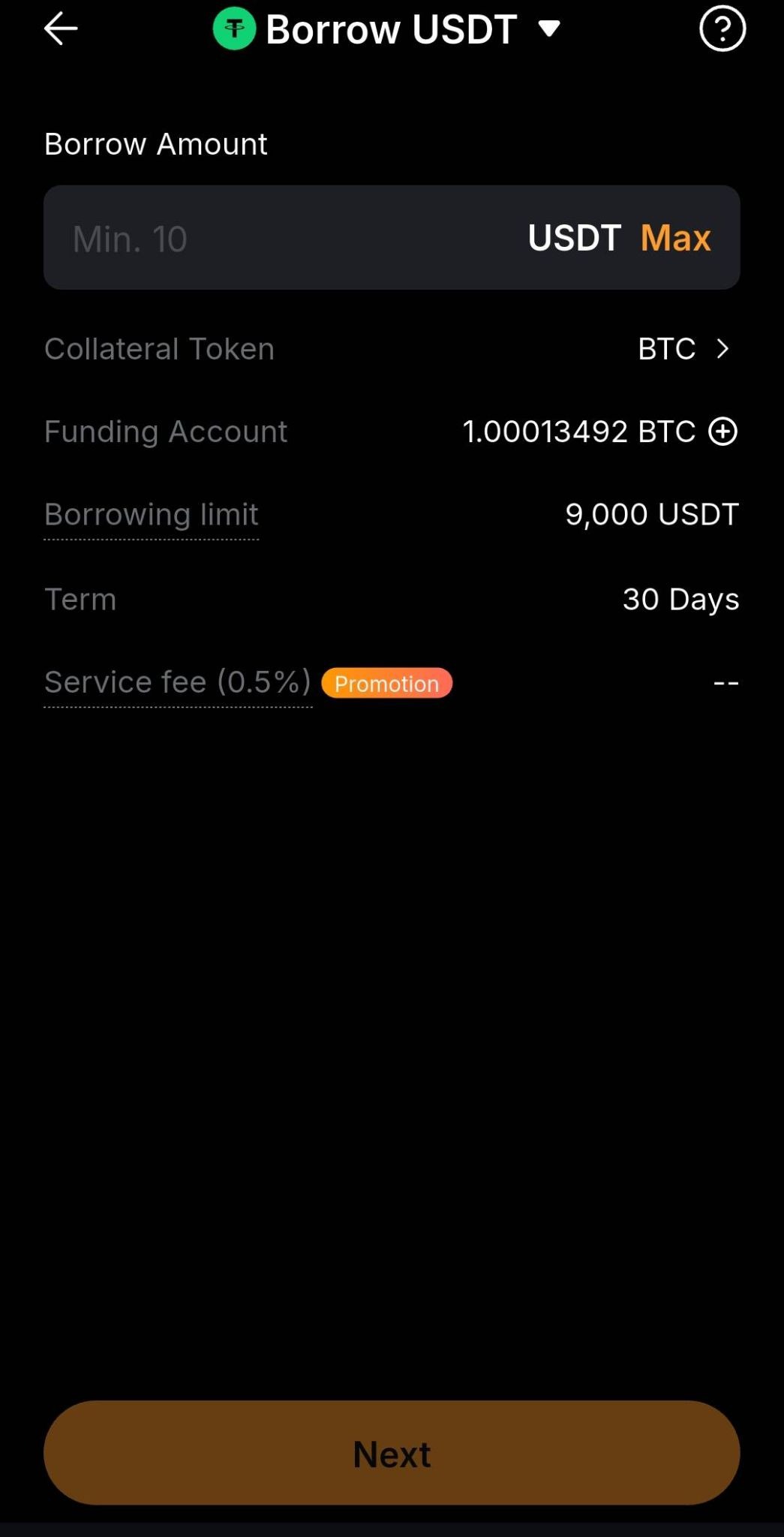
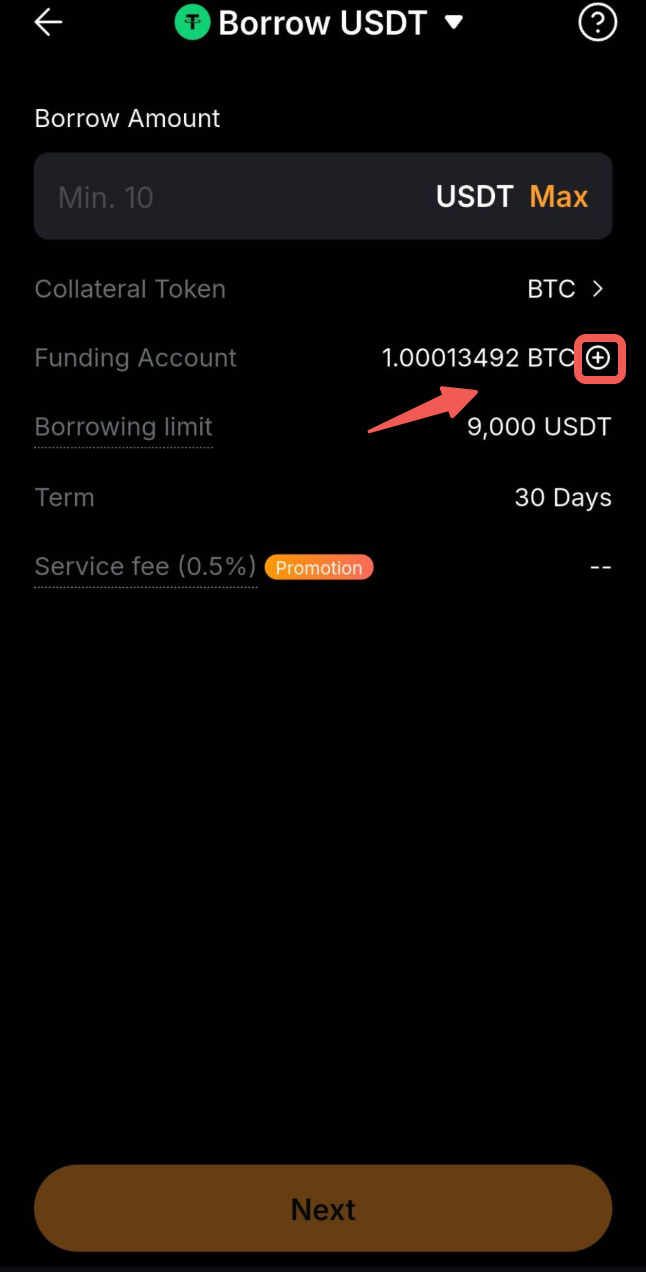
To transfer assets from your Unified Trading Account (UTA) to your Funding Account, click the “+” icon next to the Funding Account balance.
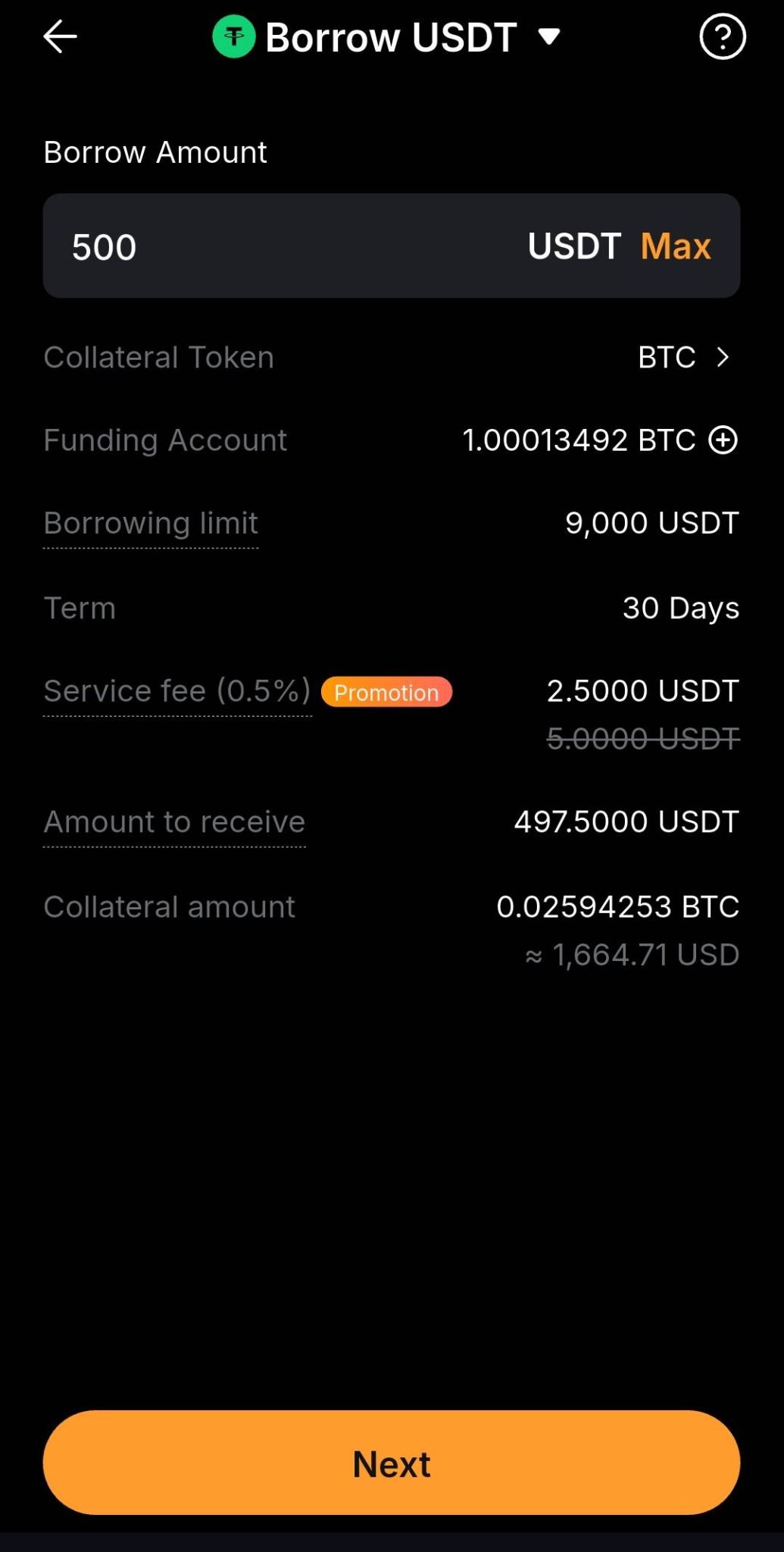
Step 4: Enter the amount you wish to borrow. The page will display the service fee, required collateral, and the amount you will receive.
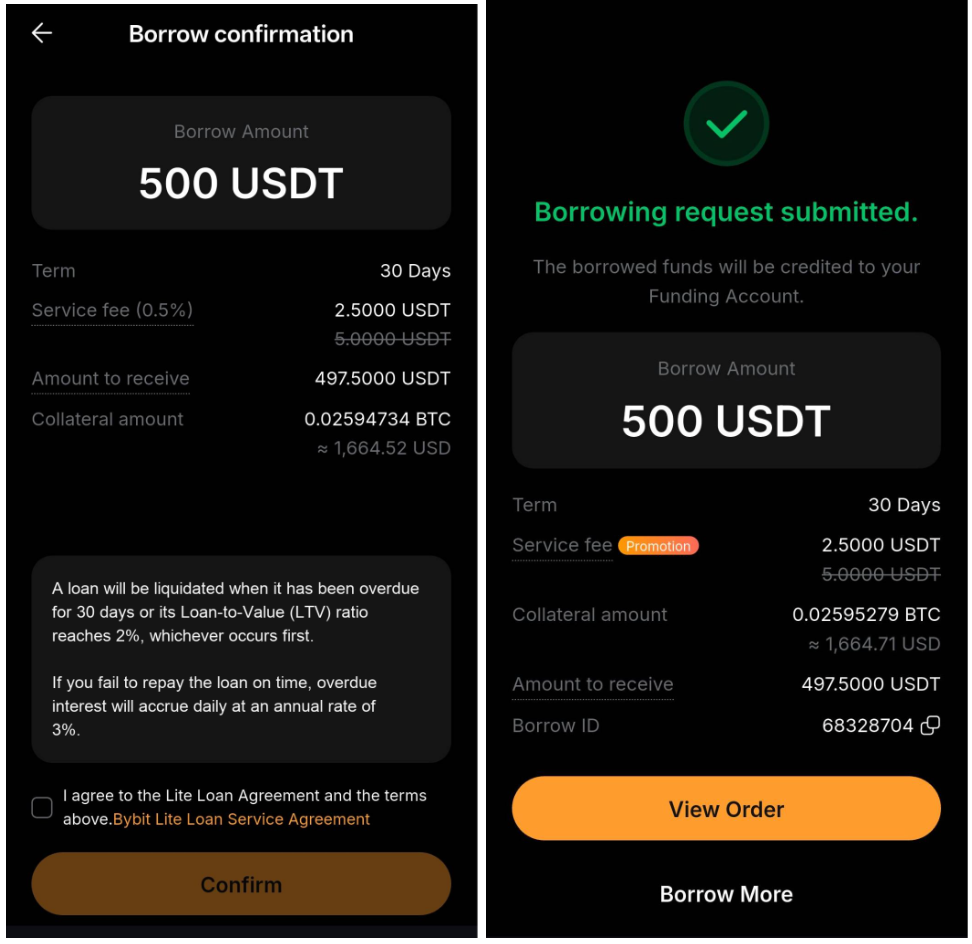
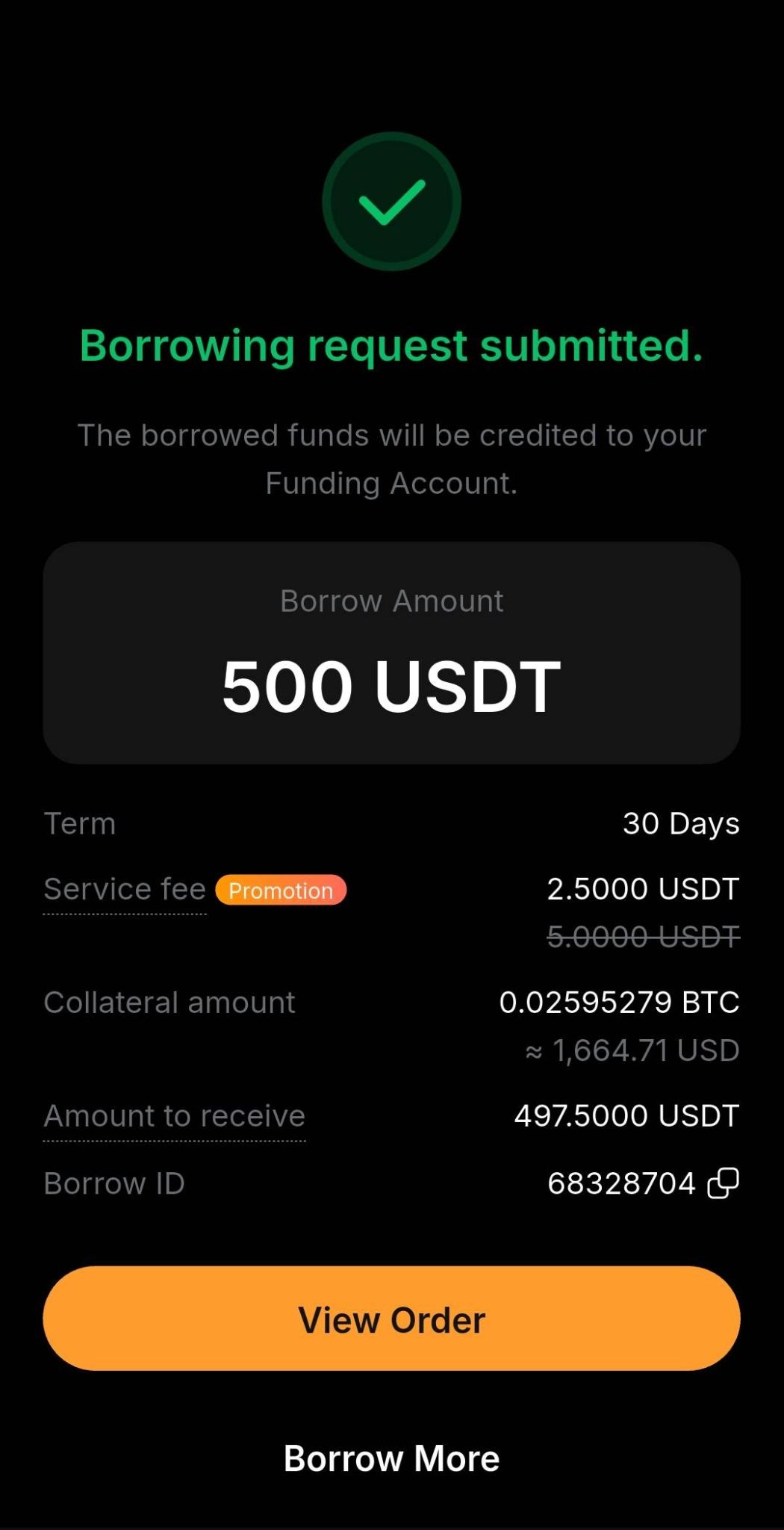
Step 5: Tap Next to review the order details. Read the terms and risk information, select the acknowledgment checkbox, and tap Confirm. A confirmation page will appear once your order has been successfully submitted.
Check Loan Orders
After submitting your loan order, tap View Order to view your order details.
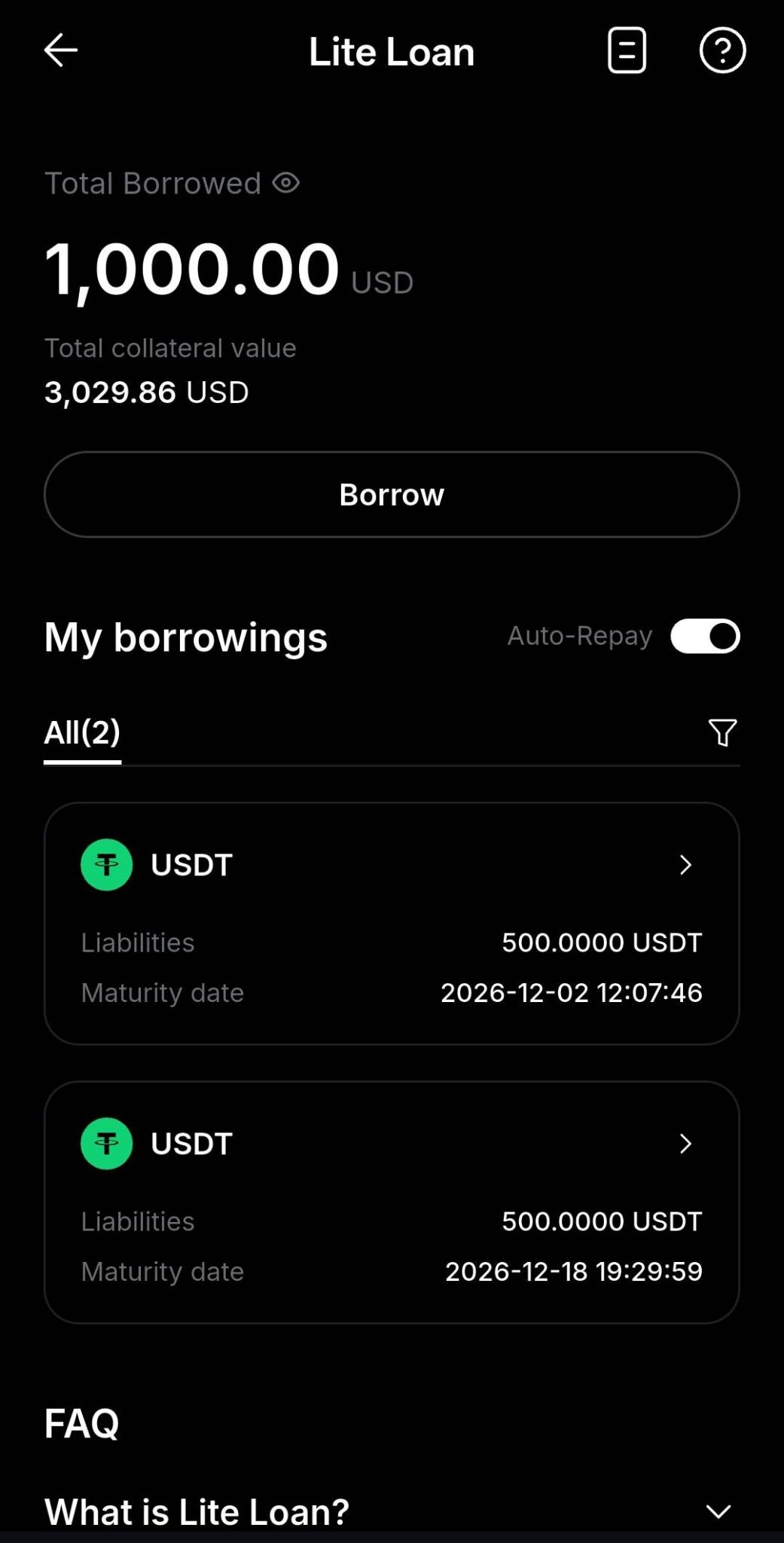
Alternatively, on the Lite Loan homepage, if you have an active loan, your Total Borrowed and Collateral Value are displayed. You can view your active loans under My borrowings.
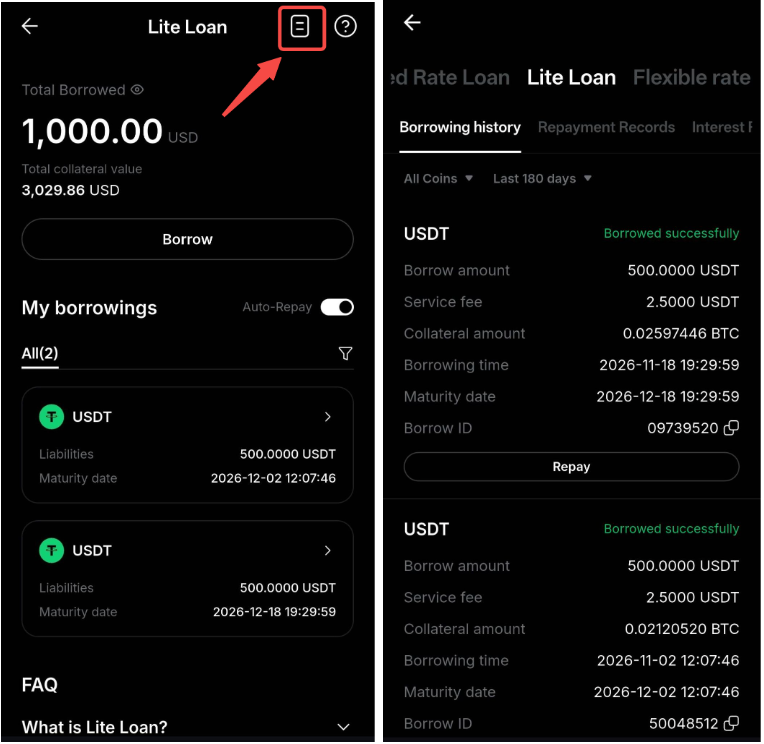
Tap the order history icon in the upper-right corner of the Lite Loan page to view your borrowing history, repayment records, and interest records. You can also tap Repay next to an active loan in your borrowing history.
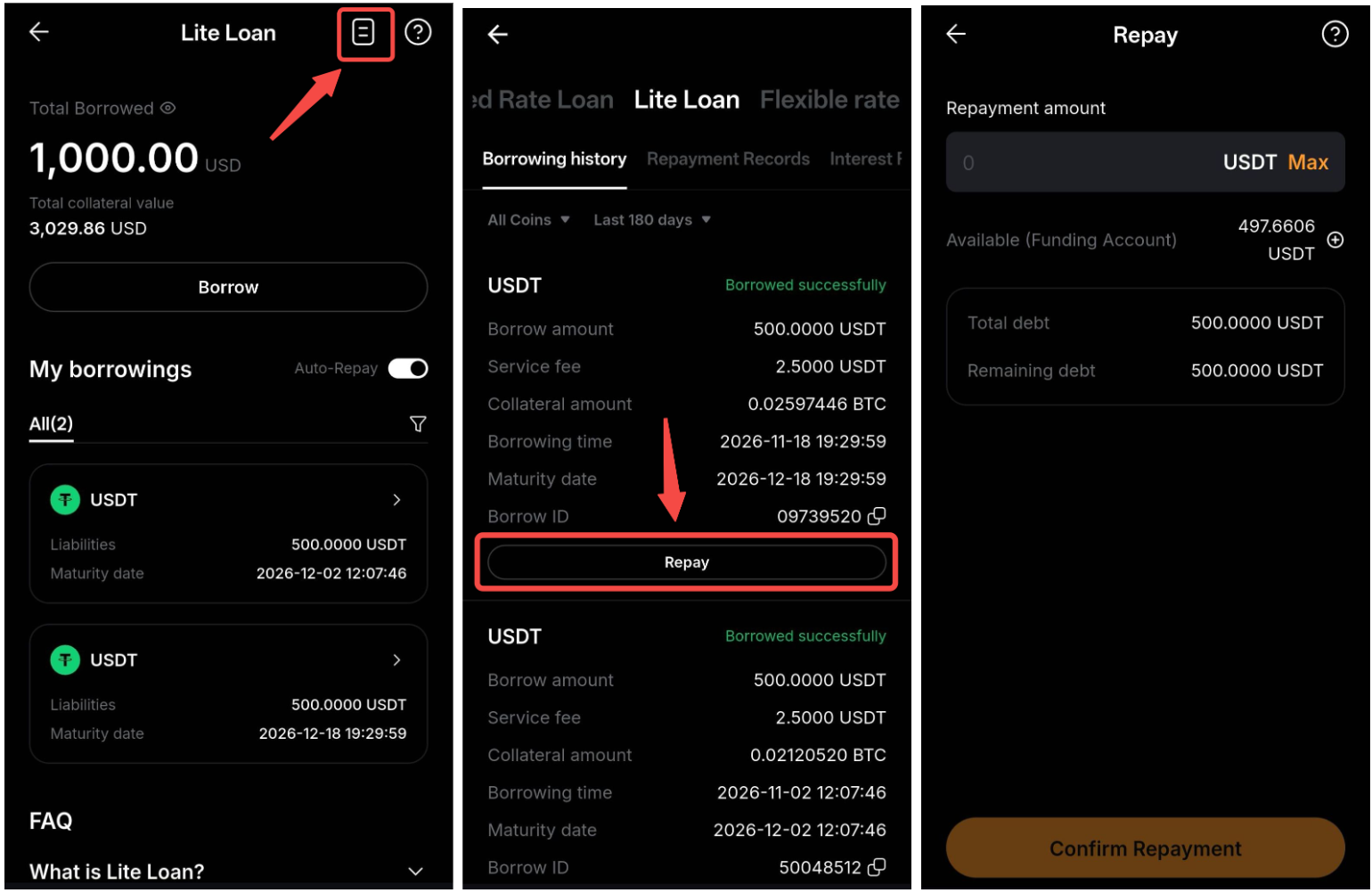
Repay Loan
To repay a loan, tap the order-history icon on the Lite Loan page. Under Borrowing history, locate the relevant loan and tap Repay. On the repayment page, enter the amount you want to repay and tap Confirm Repayment. Both partial and full repayments are supported.
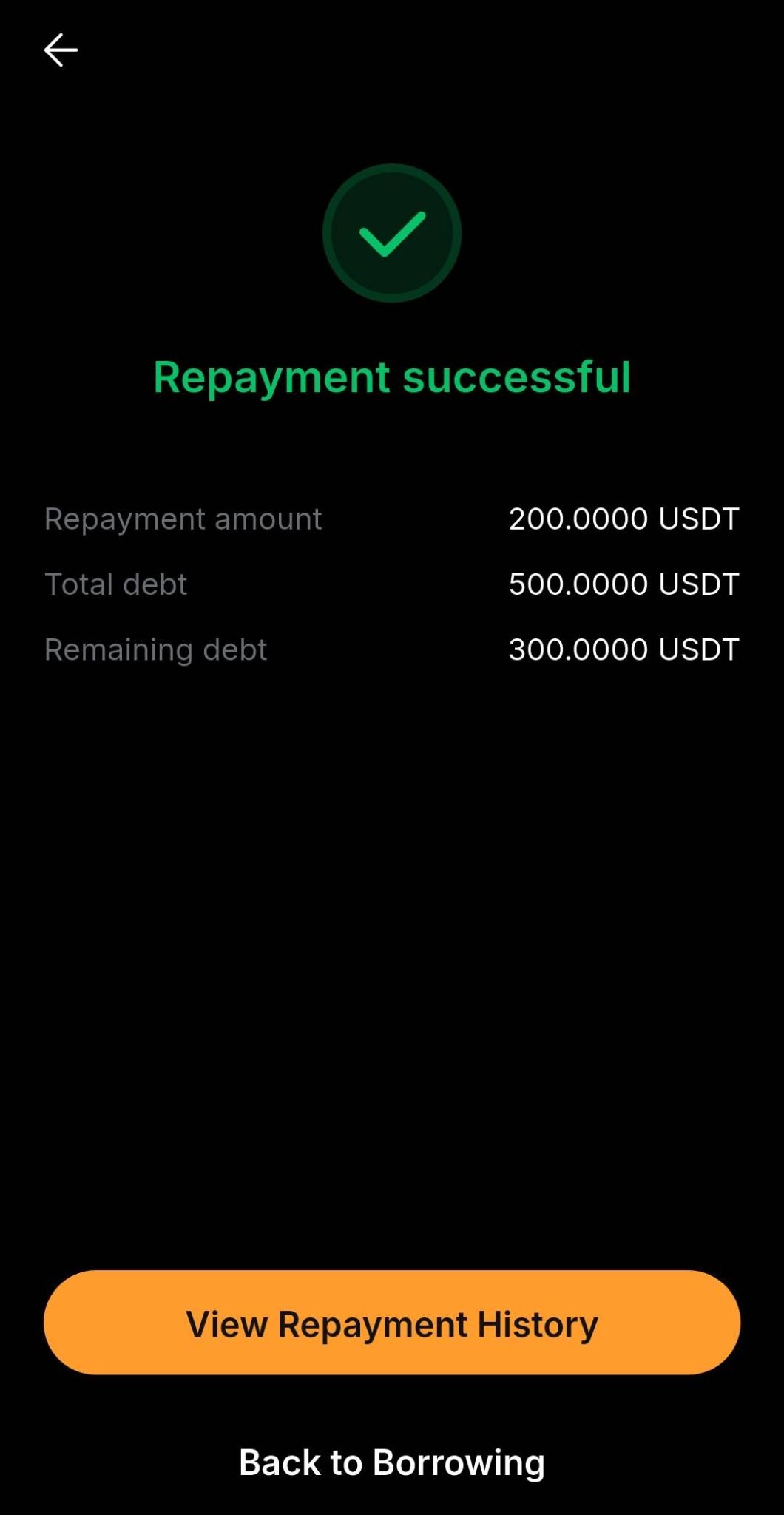
Once your repayment is successful, a confirmation page will appear. Tap View Repayment History to view your repayment records.