
Here is a step-by-step guide on how to navigate Pre-Market Perpetuals trading on Bybit on the Website.
Create Your Pre-Market Perpetuals Order
Step 1: Navigate to the Trade section on the navigation bar, move to Futures and click on Pre to see the ongoing Pre-Market Perpetuals contracts.
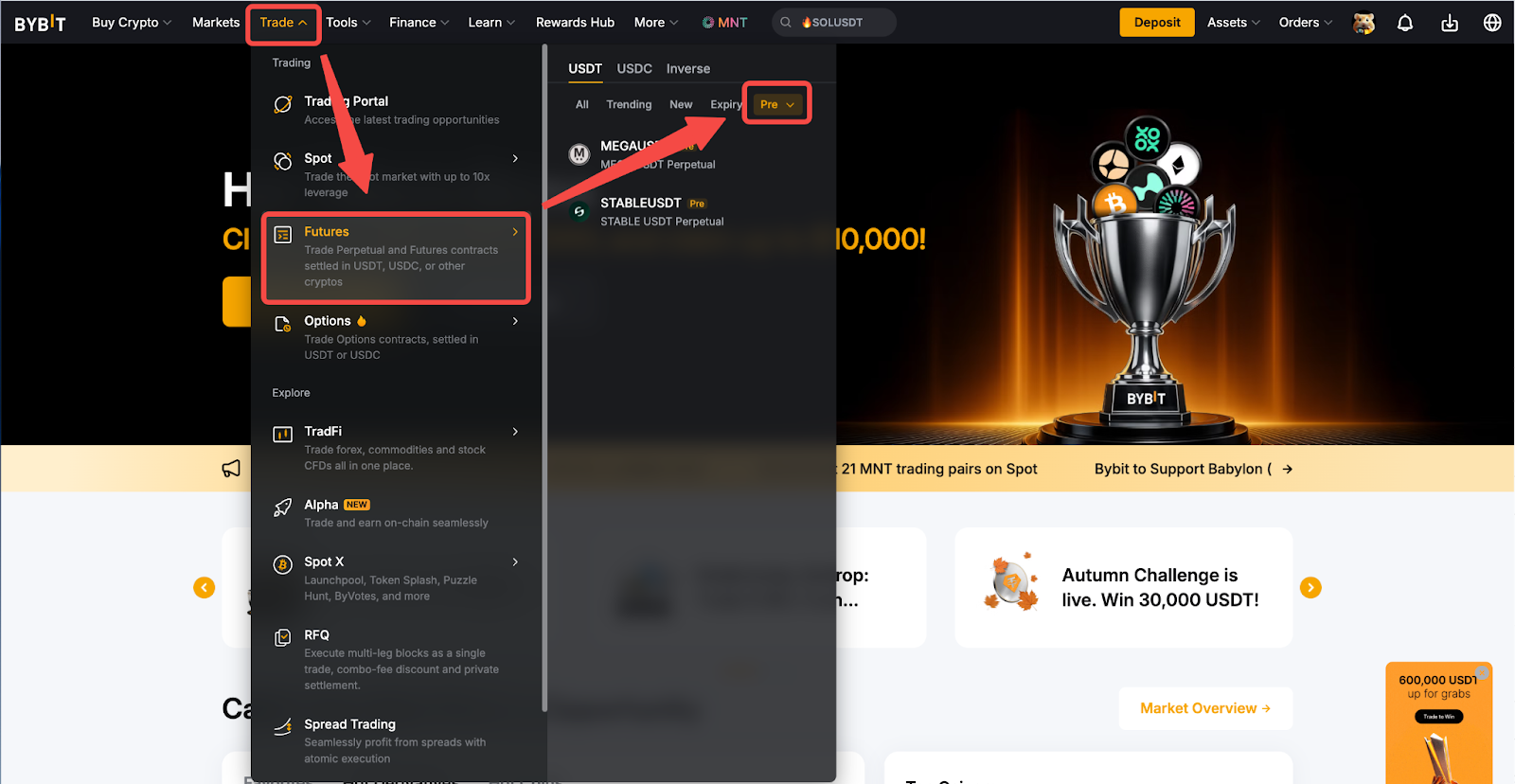
Step 2: Click on the Pre-Market Perpetuals contract name to start trading.
Step 3: Start Auction.
- For Contracts that have not yet started auction:
View detailed information such as the auction time, listing time, and subscribe to the contract before the auction starts.
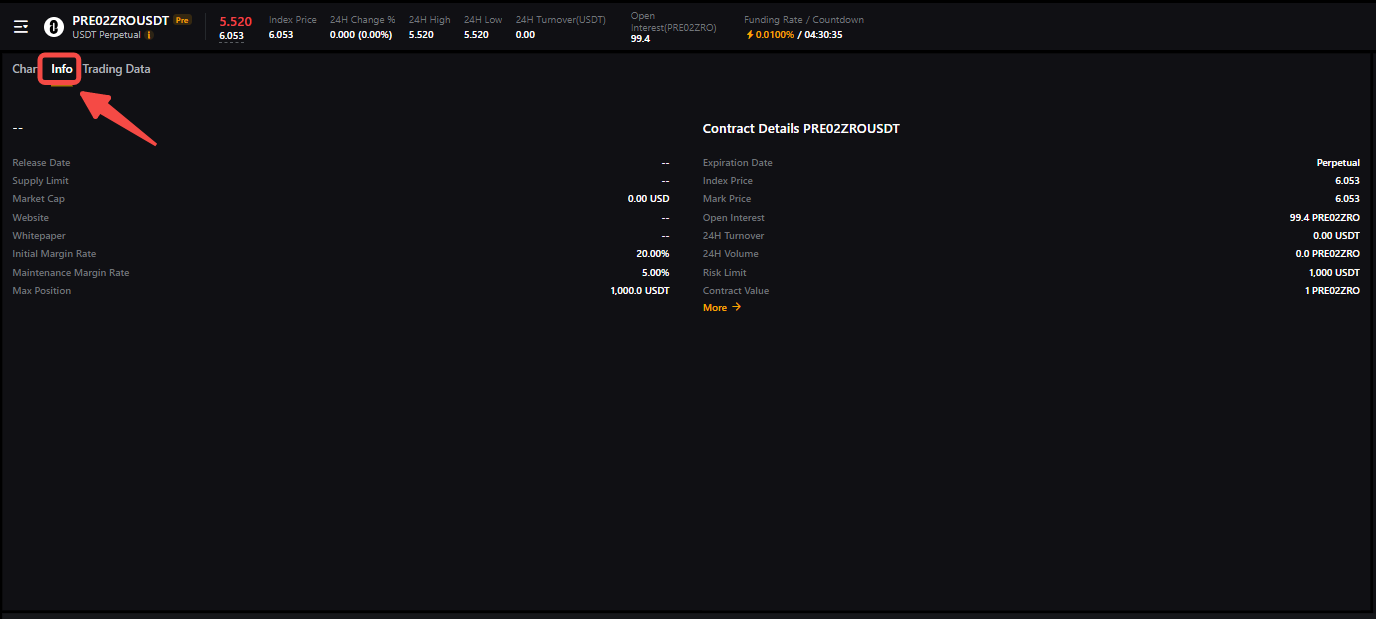
Please note that after subscribing to a contract, you will receive notifications, including the start of formal trading, and the transition of the contract to a formal contract.
b) For Contracts that have started auction:
1. Call Auction Mode - Trading begins with a call auction phase
2. Continuous Auction Mode - Trading begins with the continuous auction phase - Step 5
Click on Auction Now to go to the contract order page and enter the required order parameters.
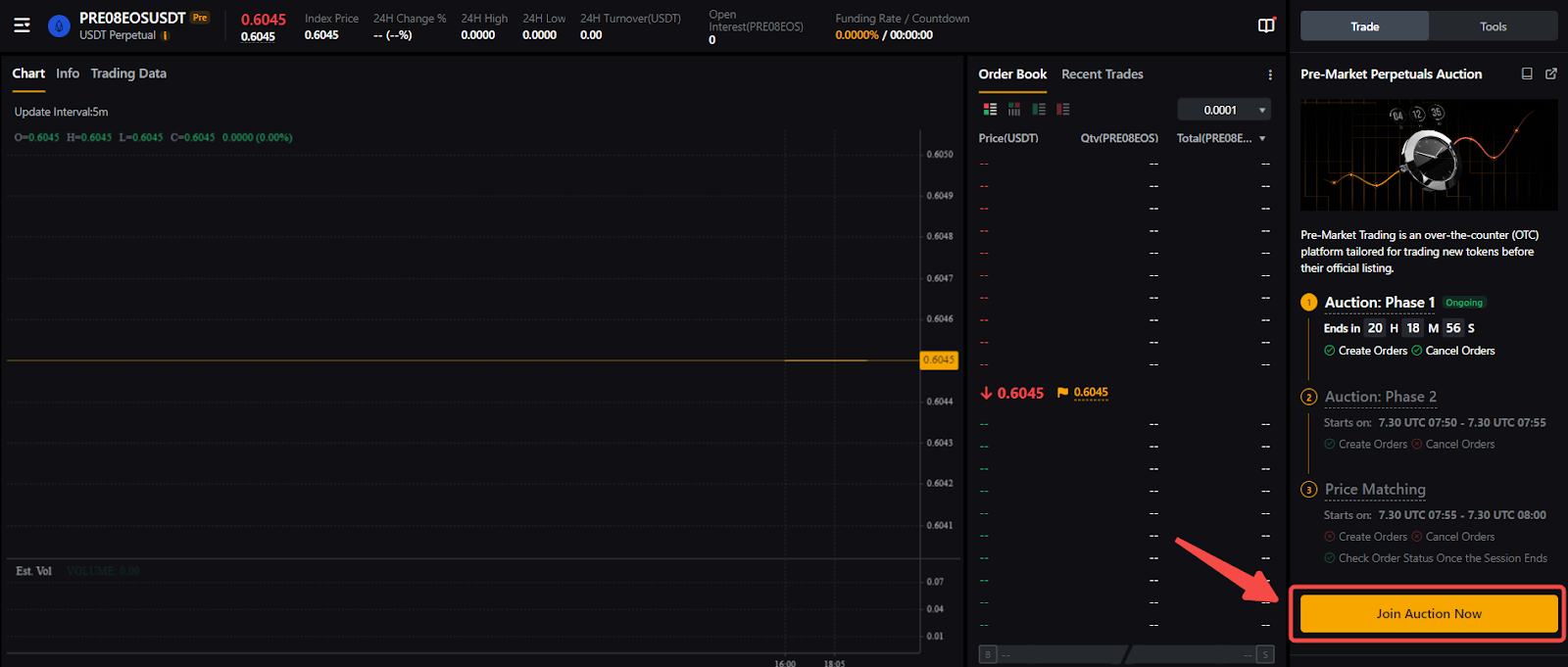
Please note that only limit orders are supported during the call auction phase. Prices for Pre-Market Perpetuals are determined through the interaction of long and short traders. This process involves setting a price quote through matching the highest quantity based on the buy and sell orders. It's important to be aware that the price of the Pre-Market Perpetuals determined during this pre-market phase may differ from the price of the token once it is officially listed.
Step 4: Upon a successful opening, the system will match all buy and sell orders that can be fulfilled at the determined opening price.
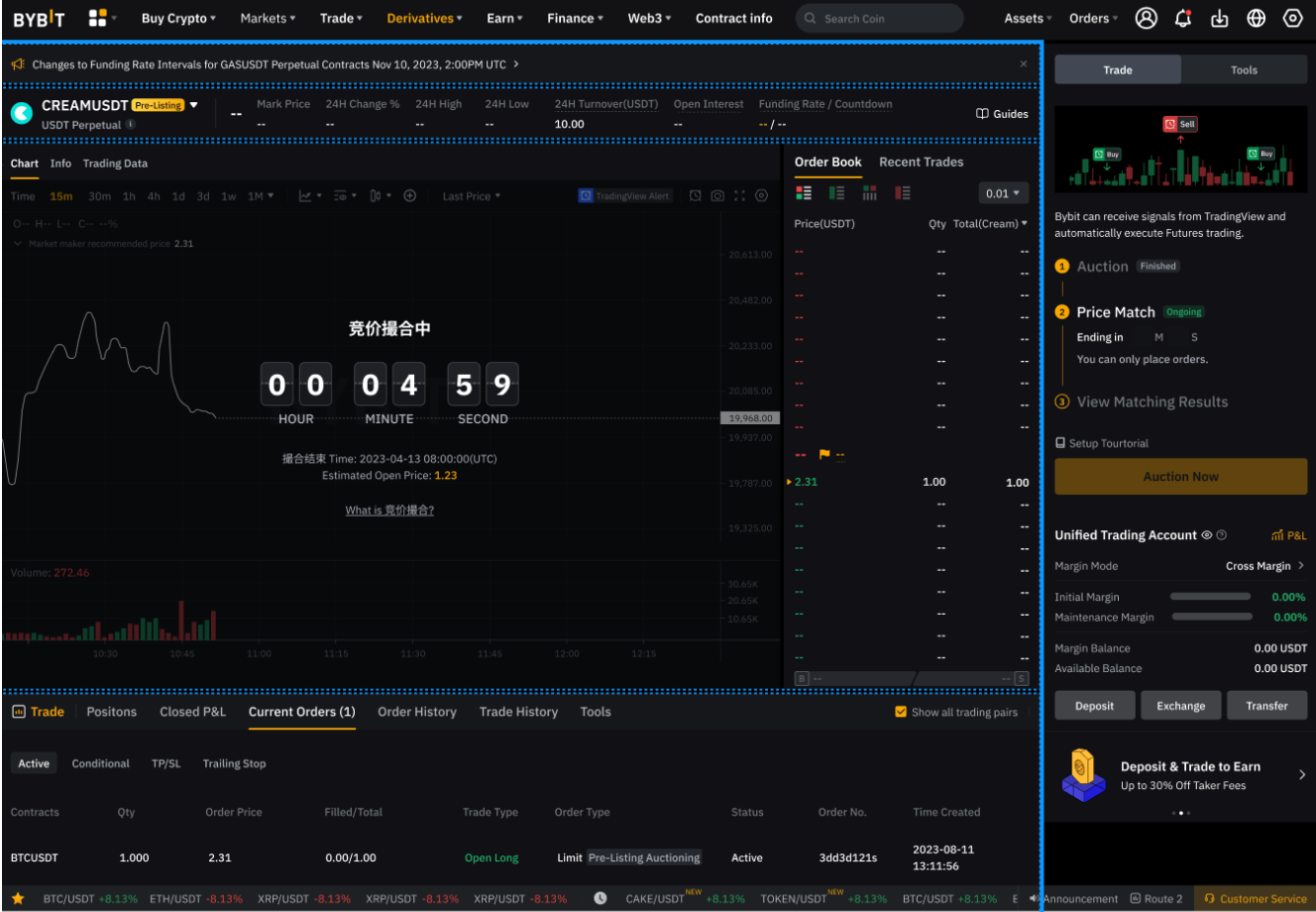
Step 5: Once the call auction ends and the contract is officially listed on the Pre-Market platform, it will enter the Continuous Auction stage.
During this phase, Pre-Market Perpetuals trading functions similarly to standard Derivatives contract trading, with the primary difference being in the calculation of the index price. Once the contract becomes an official Perpetual contract, an announcement will be made.
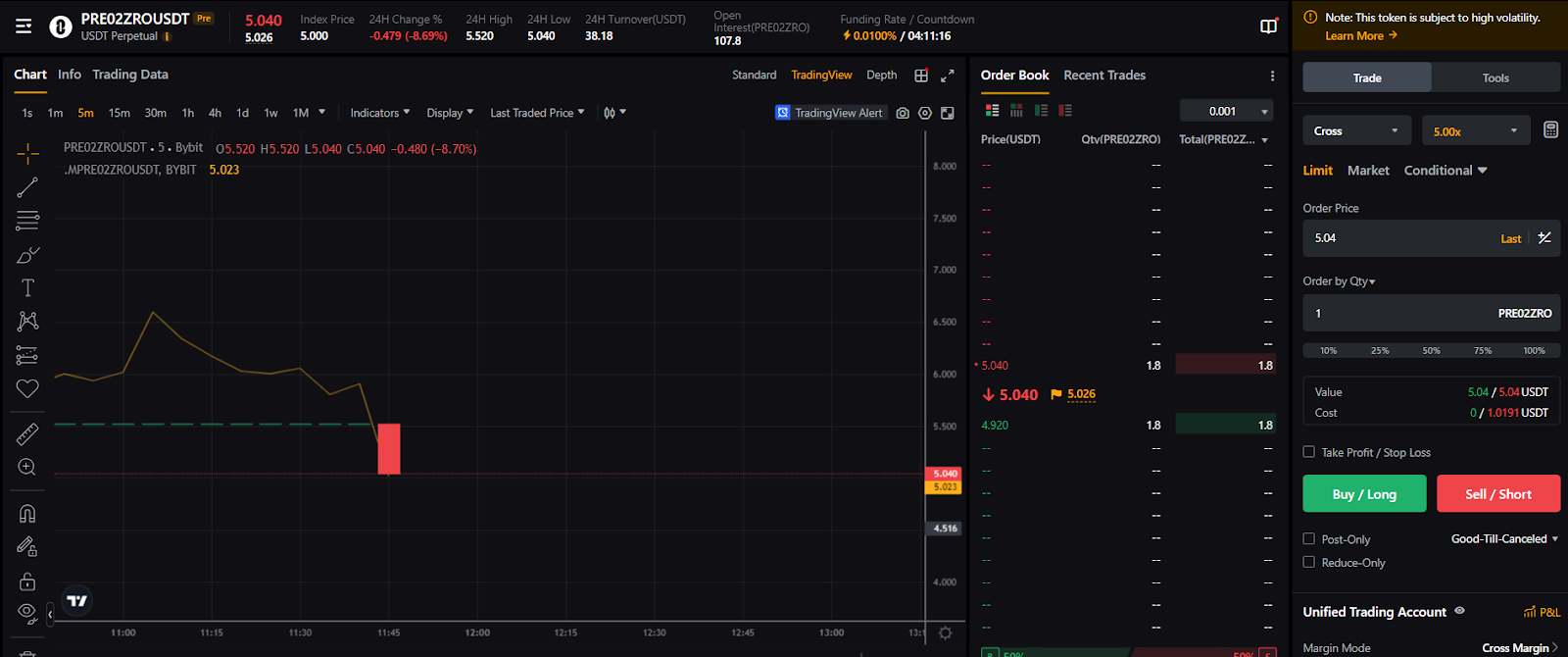
Please note that if the minimum order quantity on either the long order or short order does not meet the required threshold of 10, the auction will fail. In such cases, all orders will be canceled, and the contract will be delisted.
To learn more about how to trade Perpetual contracts, please visit this page.
Cancel Your Pre-Market Perpetuals Order
You can cancel a Pre-Market Perpetual order in the following scenarios:
- Within 20 minutes after the call auction starts.
- During the Continuous Auction phase.
To cancel, please go to your Current Orders tab and click on the Cancel button.

Please note that after this 10-minute period, order cancellations will no longer be possible.