The following guide presents detailed steps on how to sell or withdraw fiat currency to your bank card using cryptocurrencies.
Please note that the payment methods displayed on the order page will vary depending on the coin and fiat currency you’ve selected. Please find below the list of currently supported fiat currencies for each payment method.
Supported Fiat Currencies | Available Payment Methods | Remarks |
NGN | Bank Transfer | Only NG verified accounts are allowed. ID card verification is mandatory. |
ZAR | Only ZA individual verified accounts are allowed. |
AED, AUD, BDT, BND, CRC, DKK, EUR, GHS, HUF, IDR, INR, JPY, LKR, MYR, NPR, NOK, PKR, PLN, SAR, SEK, VND | Available only to accounts with KYC verified in the corresponding country. For example, AED is only for AE-verified users. |
USD | Only available for CR and VN individual verified accounts. |
EUR | Bank Card | Only available for the selling of USDT and USDC |
USD |
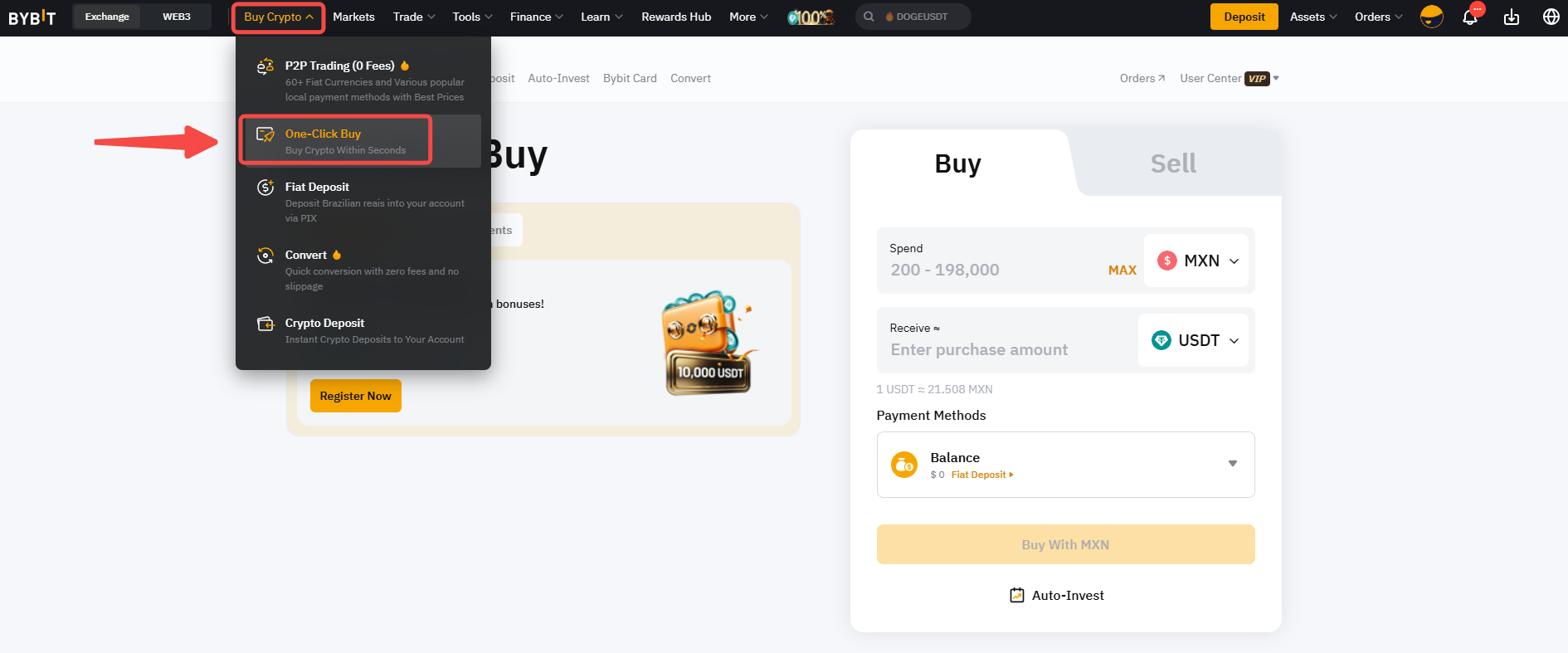
Step 1: Click on Buy Crypto → One-Click Buy on the top left corner of the navigation bar to enter the One-Click Buy page.
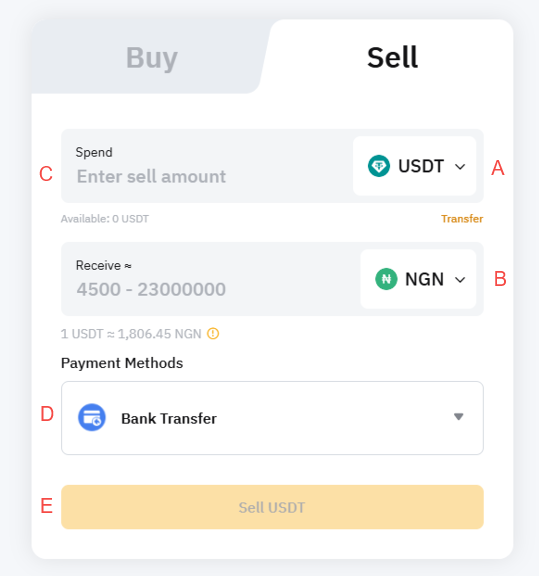
Step 2: Place an order by following these steps:
- Select the fiat you would like to receive.
- Select the cryptocurrency that you want to pay with.
- Enter the purchase amount. You can enter the transaction amount based on fiat currency or coin, according to your needs.
- Select your preferred Payment Method.
- Click on Sell with Crypto
Step 3: Choose the receiving account and check the payment details carefully before confirming your order.
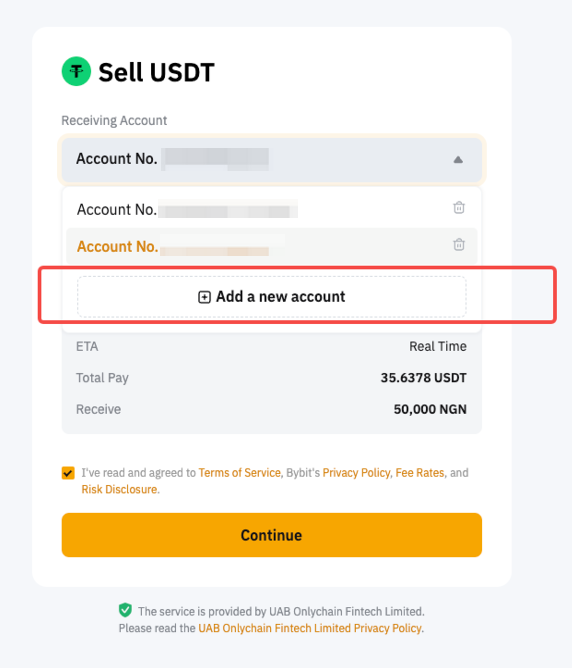
Step 4: You may need to create or link your bank card for the initial withdrawal. If you previously linked your card while buying coins with One-Click Buy, the card details will be displayed. Once you have successfully linked/chosen your bank card, click on Confirm to proceed.
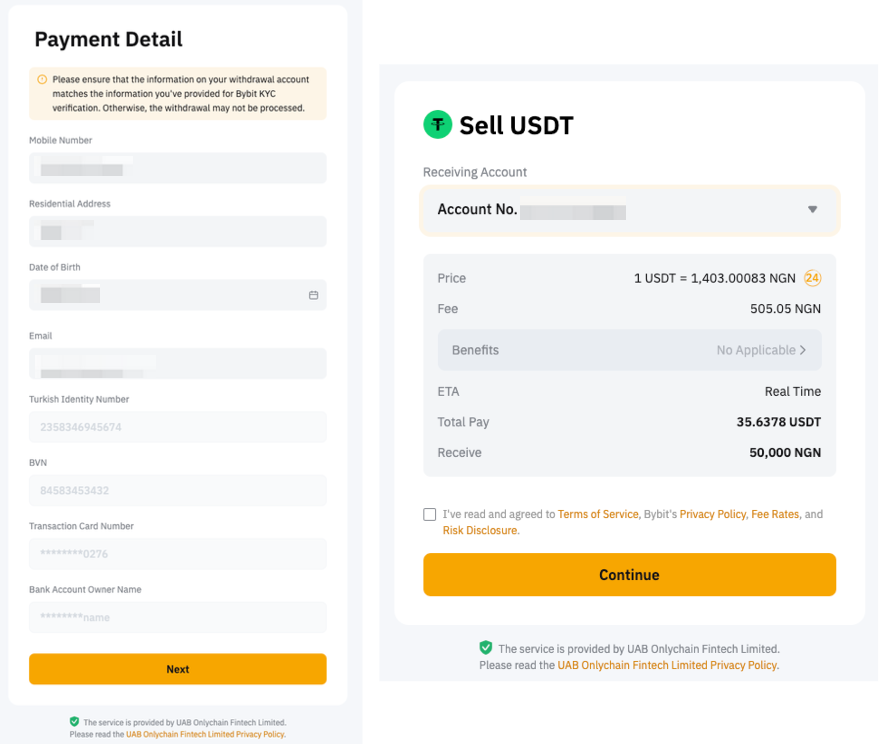
Please find below some important information to take note of when linking your bank account.
Supported Fiat Currencies | Available Payment Methods | Required Information | Remarks |
NGN | Bank Transfer | - Names
- Country
- Mobile number
- Residing Address
- DOB
- Email
- ID Type and Number
- Additional Type such as BVN
- Bank Account Information
| Only Visa and Mastercard issued in Nigeria are supported.
Please ensure that the bank account you use for this transfer is held by you and is the same as the one you have submitted on Bybit while creating the order. |
ZAR | Bank Transfer | - First and Last Name
- ID Type
- ID Number
- Email
- Mobile Number
- Date of Birth
- Address
- Bank Name
- Account Number
- Account Type
- Account Name
| Please ensure you enter the correct information while entering the required information during the card linking process. Please ensure that the bank account you use for the transfer is in your name and matches your verified KYC name on Bybit. If you use the previously linked card for buying coins, you may still be required to submit additional documents for risk review. |
AED, AUD, BDT, BND, CRC, DKK, EUR, GHS, HUF, IDR, INR, JPY, LKR, MYR, NPR, NOK, PKR, PLN, SAR, SEK, VND, USD | Bank Transfer | - First and Last Name
- Country
- Address
- Bank Name
- Account Number
- Bank SWIFT Code
| Please note that the bank account you use for the transfer must match your verified KYC name on Bybit. Bank SWIFT code is mandatory for the payment. You will need to provide it if your previously linked card does not include one. |
EUR, USD | Bank Card | - Email
- First and Last name
- Card details
- Country/region
- Billing address
- Phone number
| If you have previously made a fiat transaction using a bank card, you can use the linked card to sell crypto. Otherwise, please complete a fiat deposit or a crypto purchase with this card first to verify it. A phone number is required. If you have not linked one, you will be prompted to enter the phone number for verification purpose when selling crypto for the first time. |
Note: You can only link up to 3 Visa and Mastercards in One-Click Buy.
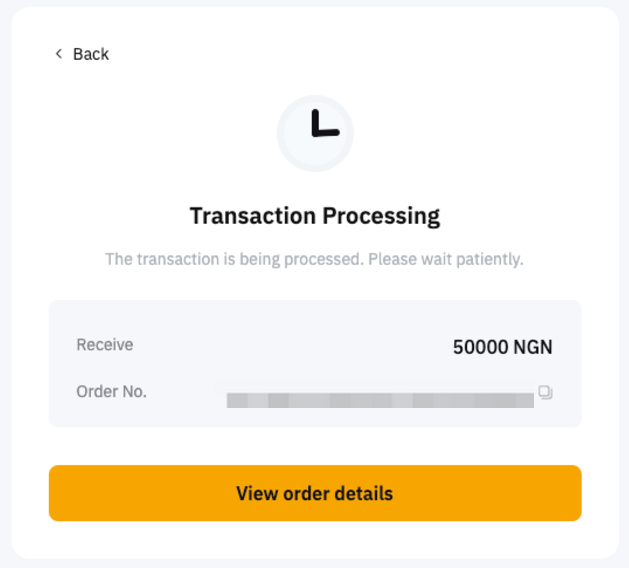
Step 5: Once completed, you will receive a notification on your withdrawal status. If successful, the assets will be withdrawn from your Funding Account to your destination account instantly. If not, the notification will indicate the failure reason and you will be advised to try again later.
If you have made the payment but have not received the asset in your Bybit account after 3 working days, kindly submit your request here with the Order ID and UID.
You can track your deposit on the One-Click Buy order page by clicking on the history icon on the One-Click Buy page.
