
Bybit provides a simple and convenient way for users to submit inquiries and receive support. Follow the steps below to ensure a smooth process and timely resolution of your inquiry.
How to Submit a Ticket
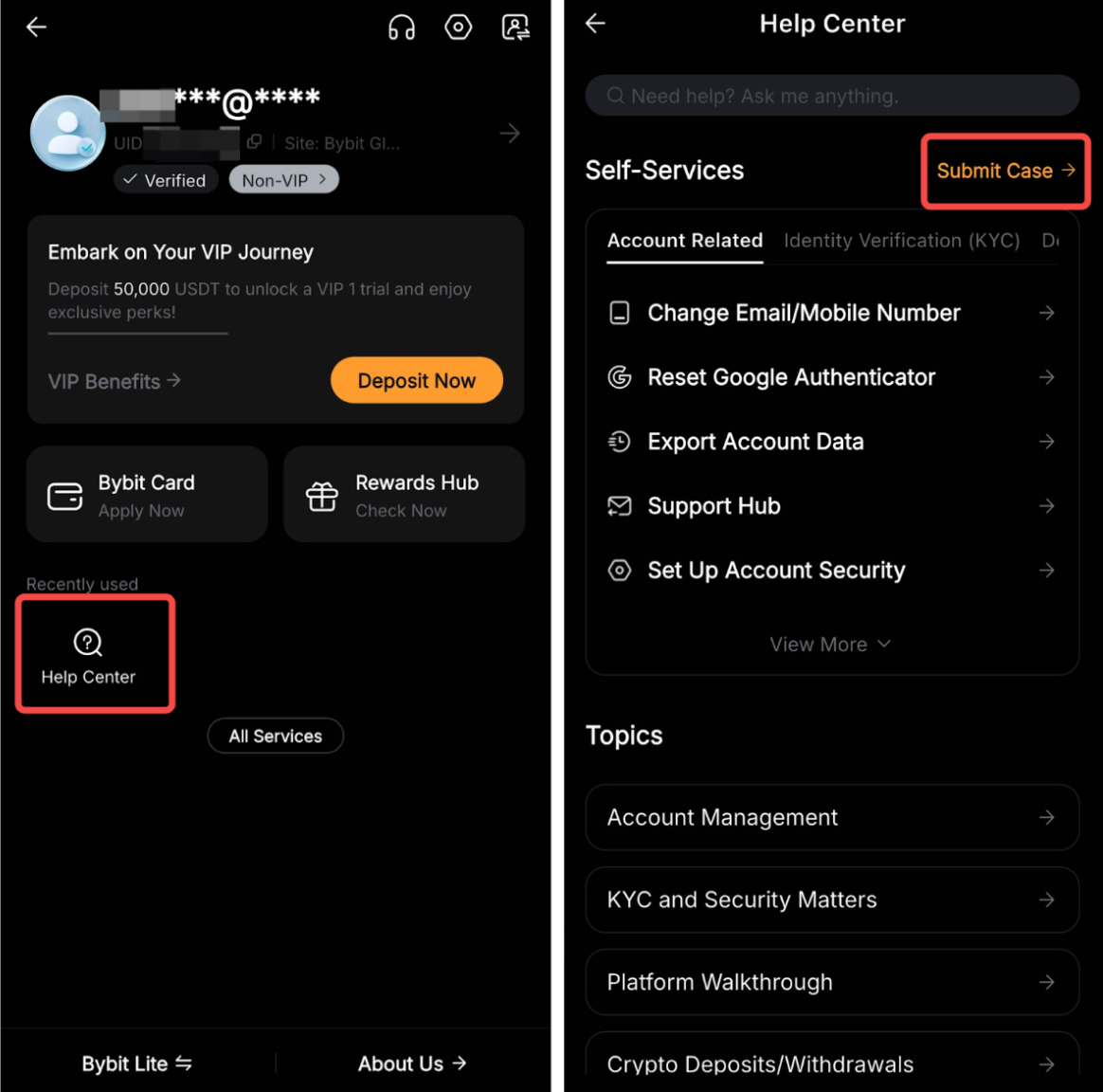
Step 1: Go to your Profile → Help Center and click on Submit Case.
Step 2: On the Submit Case page, select the category that best fits your inquiry. Then, provide the following details:
- User ID (UID): Your unique Bybit account identifier.
- Contactable Email Address: Make sure to input a valid email to receive updates.
- Detailed Issue Description: Clearly explain the issue with as much detail as possible.
- Attachments (if applicable): Upload supporting documents, such as screenshots or transaction records.
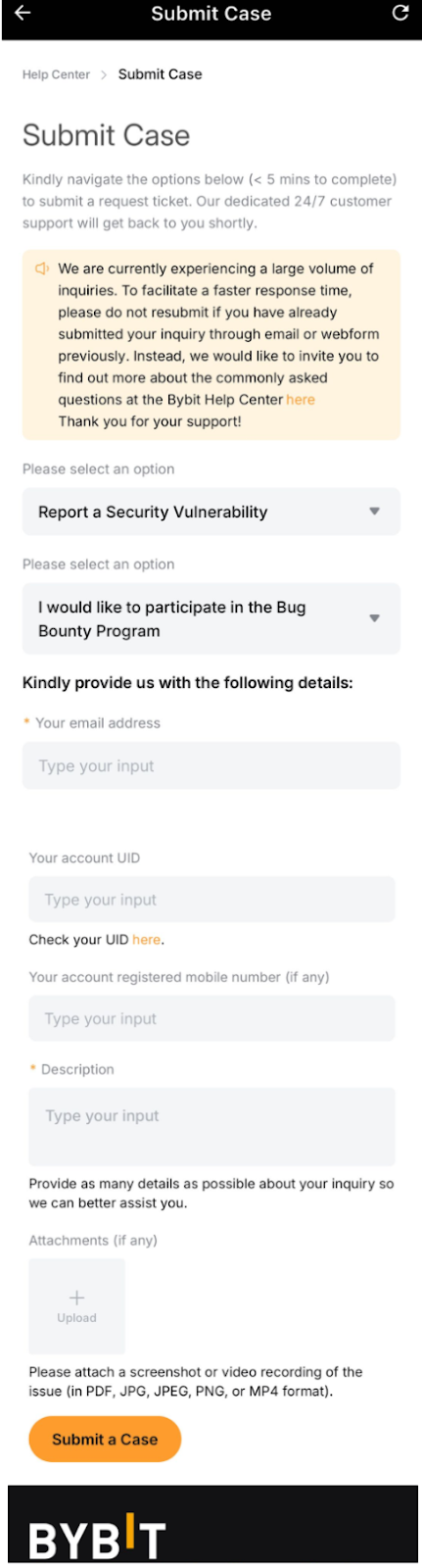
Important: Avoid submitting duplicate requests, as this may delay the response time.
After submitting your request, you will receive an auto-generated email with a confirmation and case number. The Customer Support Team will review your inquiry and respond within 3 to 7 working days.
How to Track Your Support Ticket’s Status
After submitting a support ticket, you can use the Bybit Support Hub to monitor its status in real-time without relying solely on email notifications. This centralized dashboard shows all your open cases, updates, and allows direct interaction with our support team.
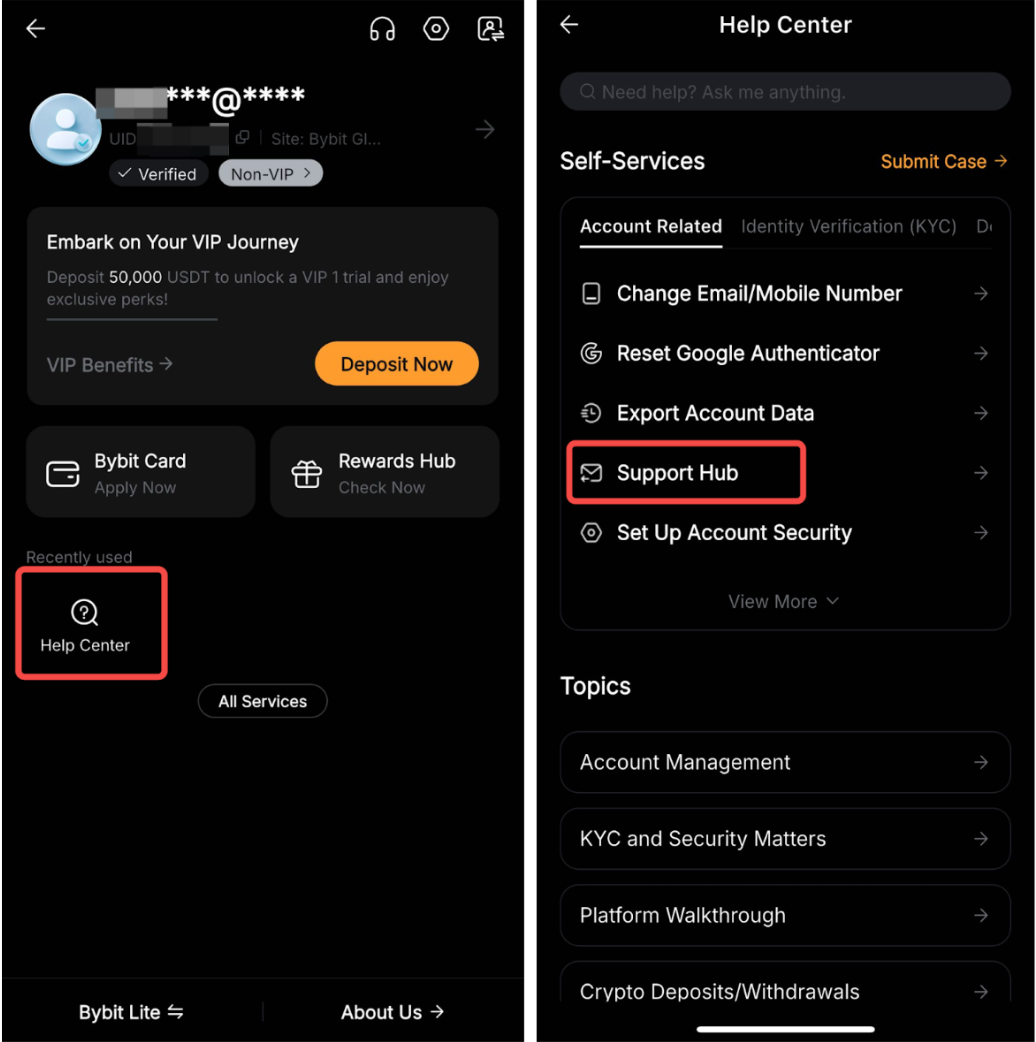
Step 1: Visit the Bybit Help Center and click on Support Hub.
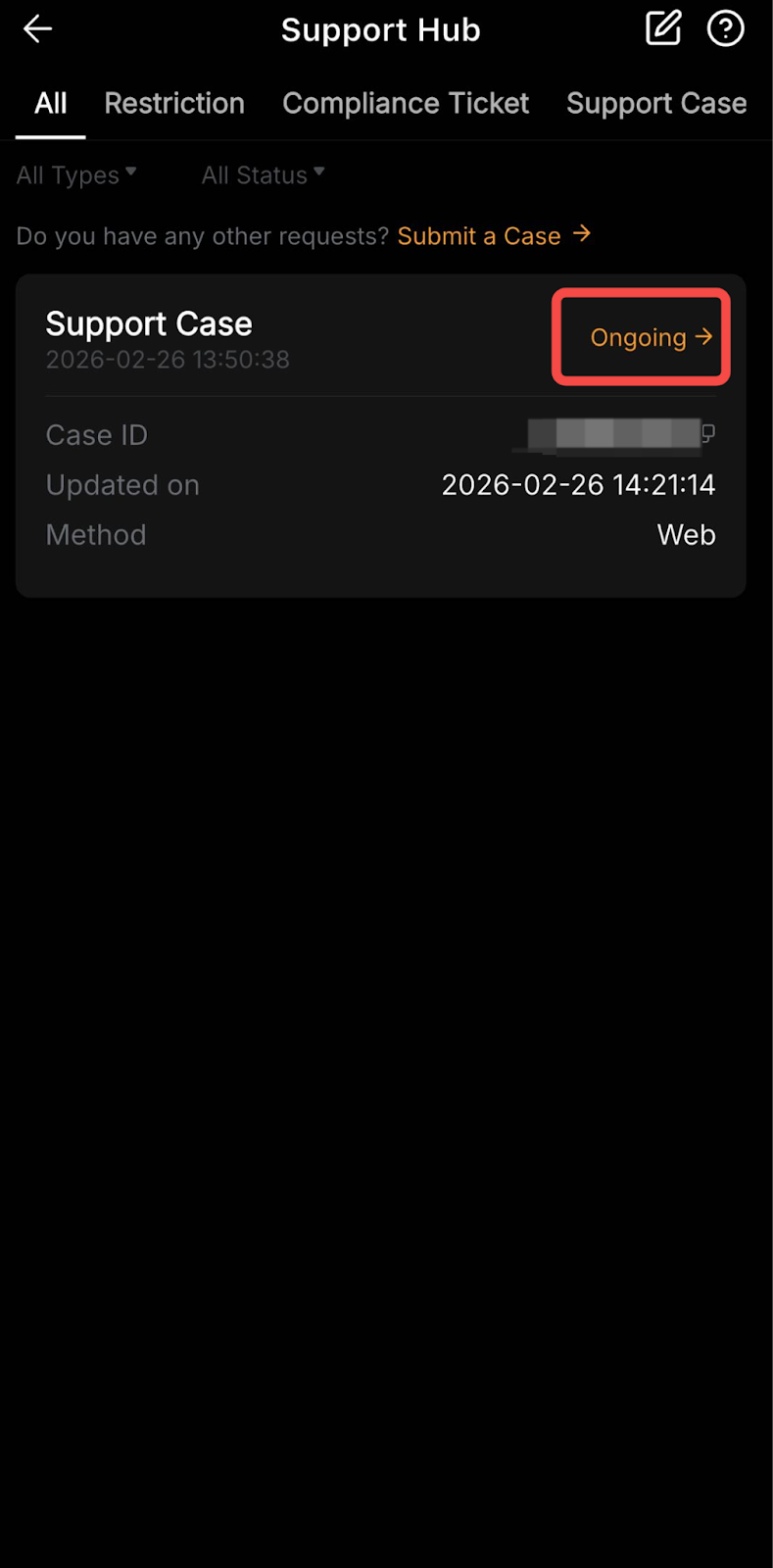
Step 2: Find your ticket using the different filters available.
- Tabs: Choose the specific type of cases you want to view, such as Deposit, Withdrawal, and Support Case, or select All to see all the tickets you submitted.
- Filters: Use the type and status filters to find your ticket more easily.
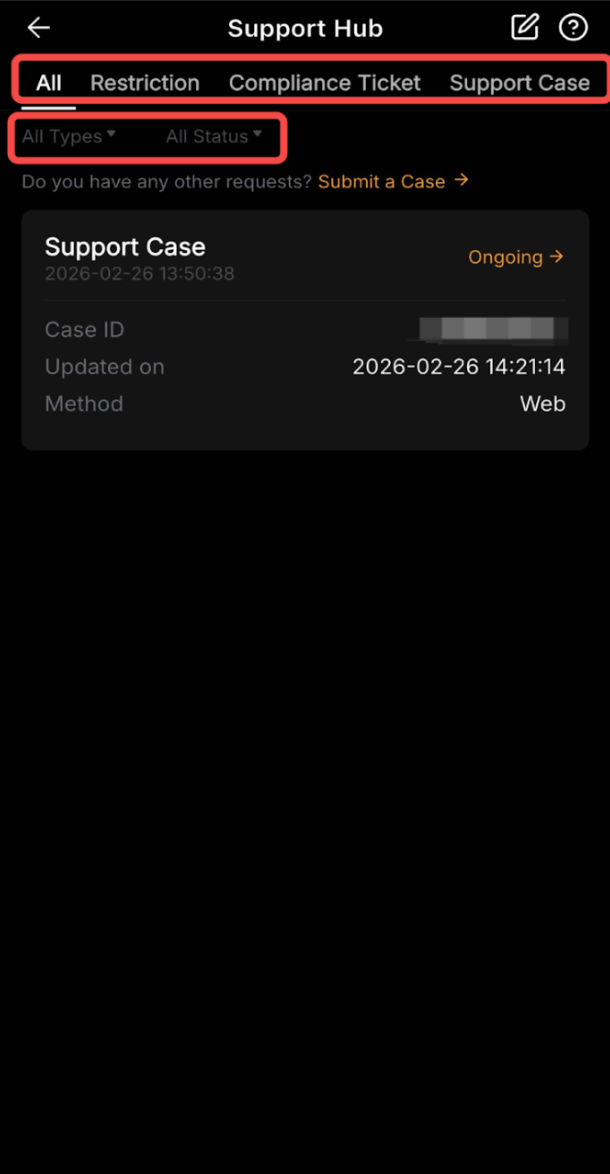
Step 3: Once you have found the relevant ticket, click on Ongoing to see more information about the case you submitted.
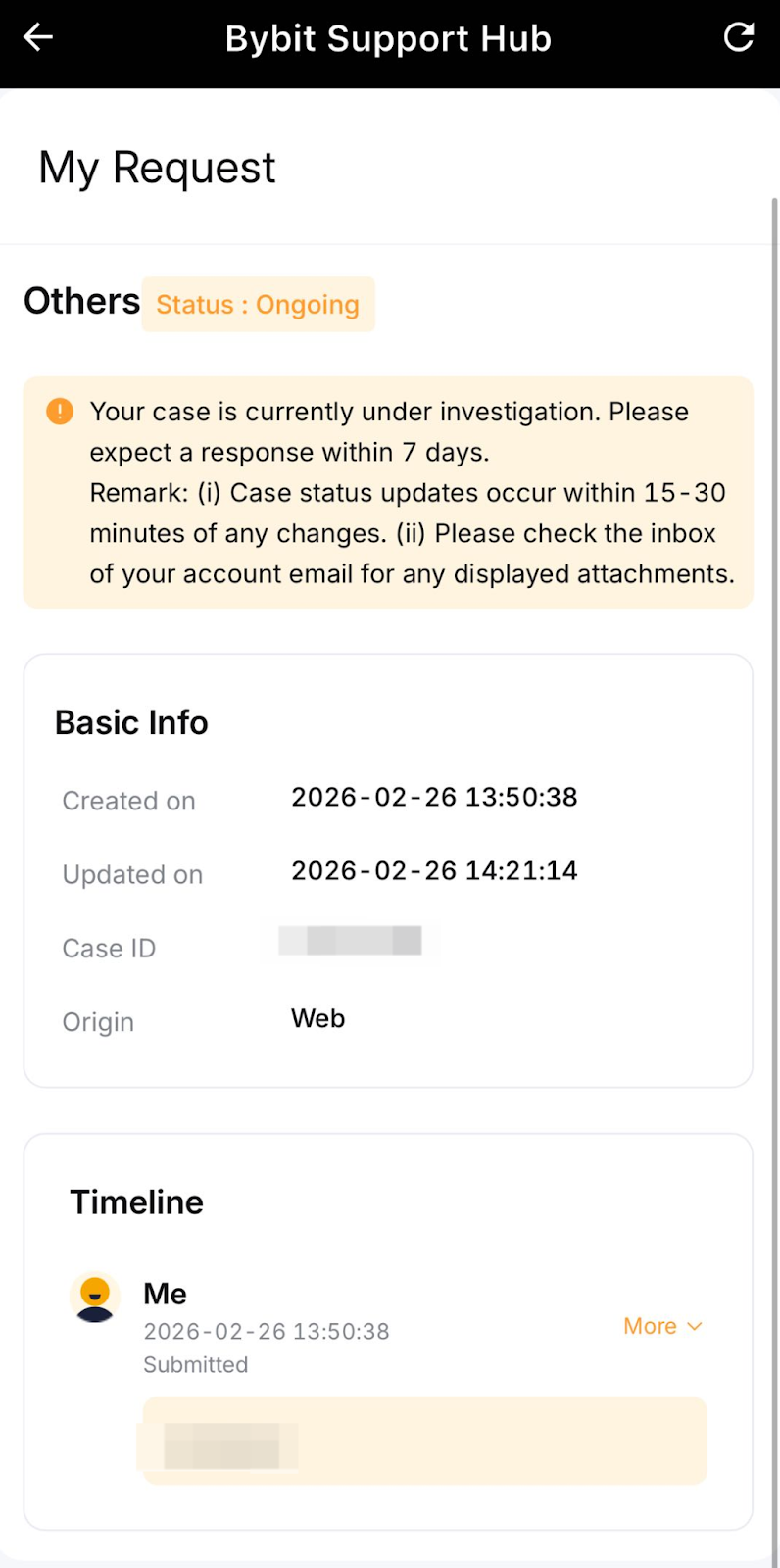
The Details Page will show everything about your case such as:
- The current ticket status,
- General ticket information like the case ID or the creation date,
- A message from support indicating when the next update can be expected,
- The timeline of your case with your messages and any updates, so you can easily track your request.
For further assistance, visit the Bybit Help Center.