Bybit Website:
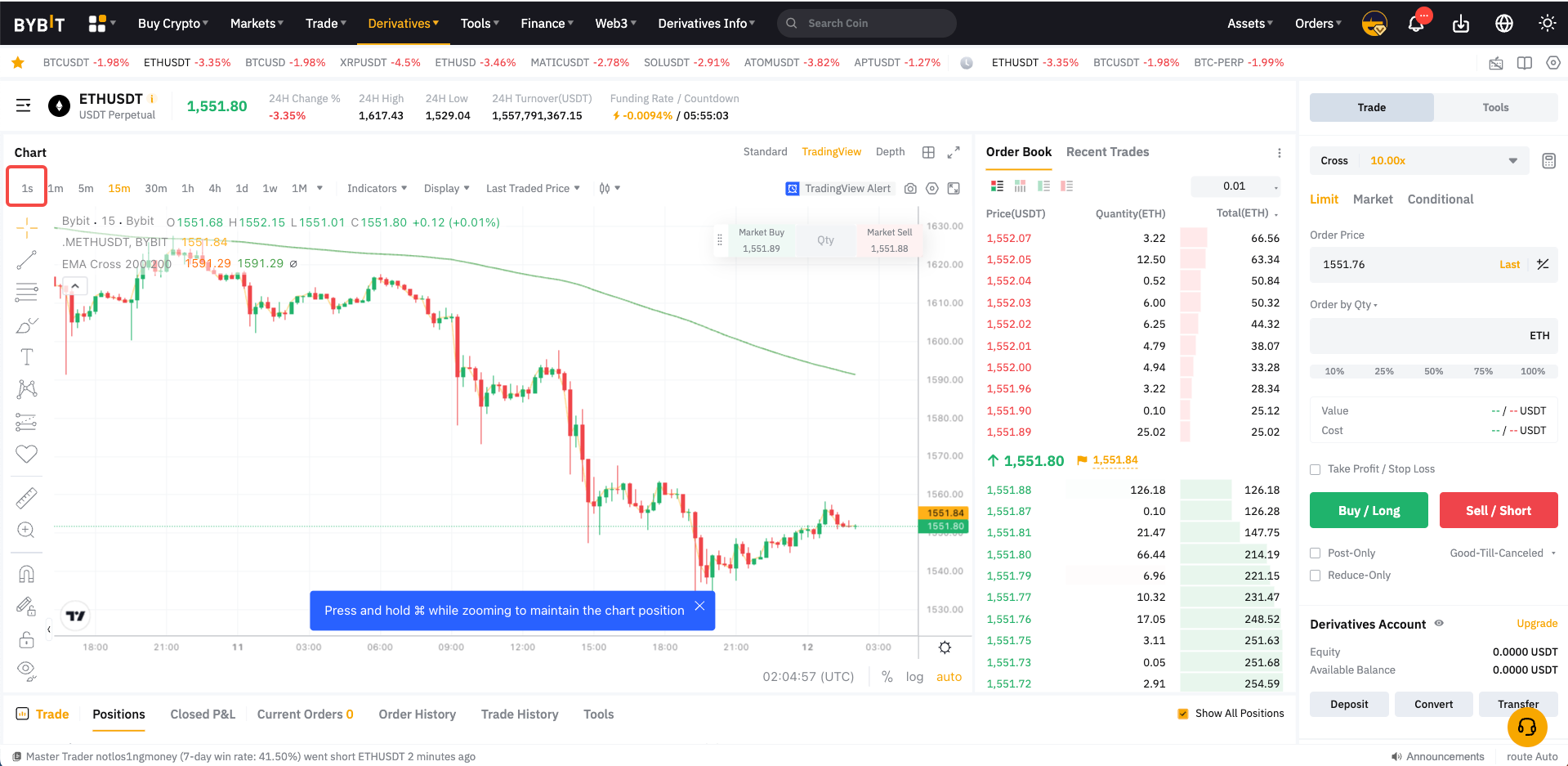
1. Access your desired contract's trading page to display its' price chart.
2. Click on the "1s" option just above the price chart (at the top left of the screen) to change the time interval to 1 second.
Bybit App:
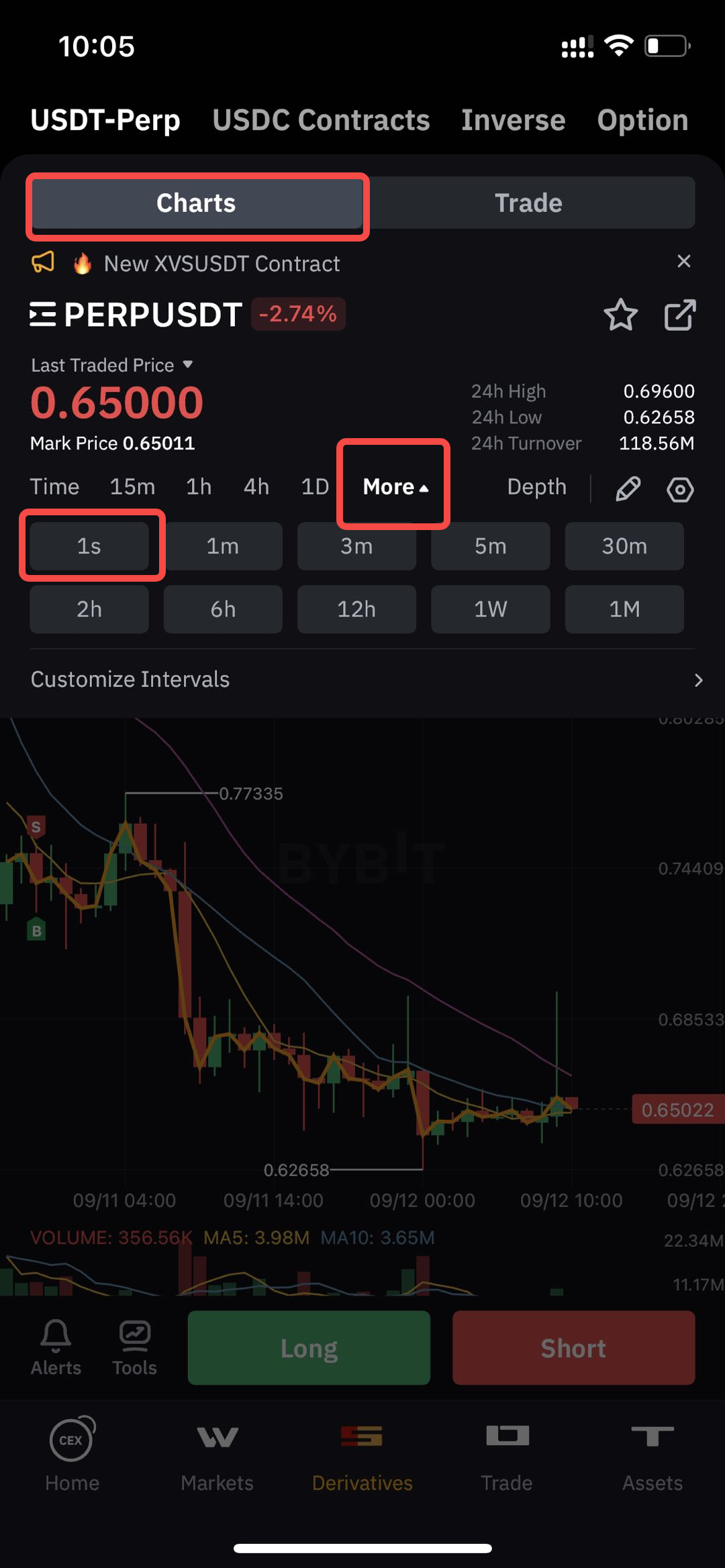
1. Access your desired contract's trading page to display its' price chart.
2. Click on the "1s" option just above the price chart (at the top left of the screen) to change the time interval to 1 second. If this option is not visible, click on "More" and then select the "1s" option.