
Bybit Pay provides convenient tools, such as payment links/QR codes and the Split Bill feature, to help you collect crypto payments or share expenses quickly and at no cost. This article will walk you through how to use these features. These features are currently available only on the Bybit App.
How to Create a Payment Link/QR Code
Step 1: Log in to your Bybit App and tap More → Bybit Pay → Receive.
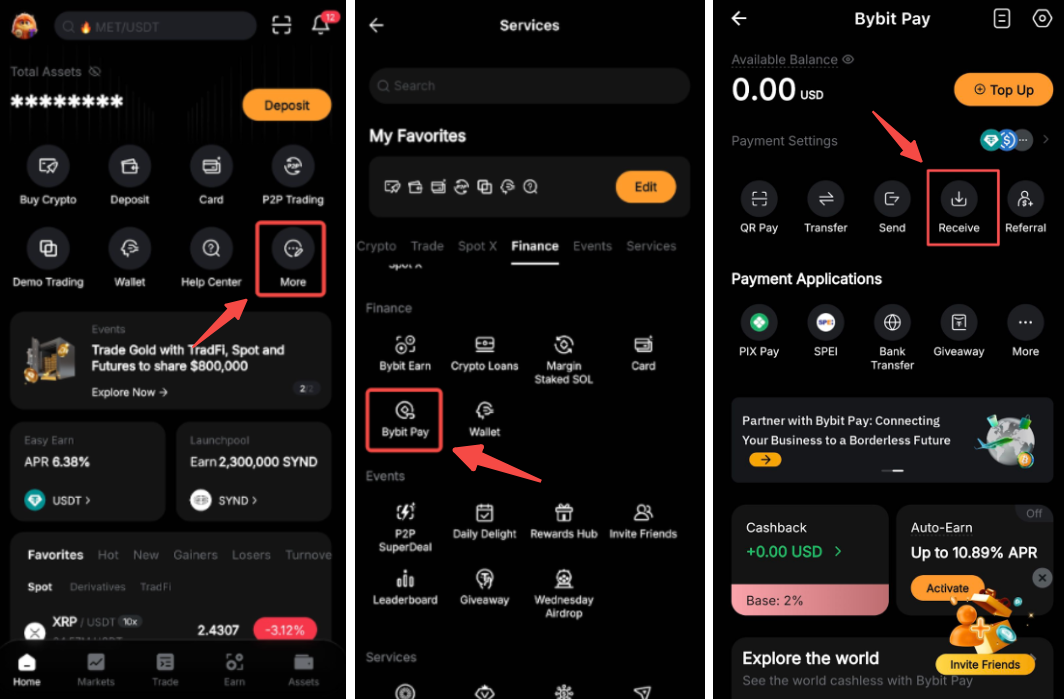
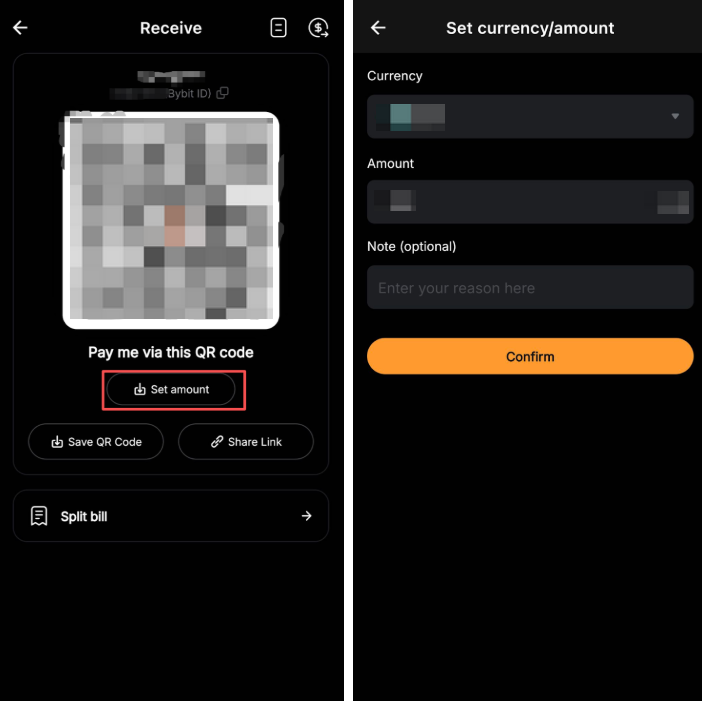
Step 2: Tap Set amount, and specify the currency and amount you'd like to receive. You can also add a note for the payer.
Step 3: Tap Confirm, and you'll see two options.
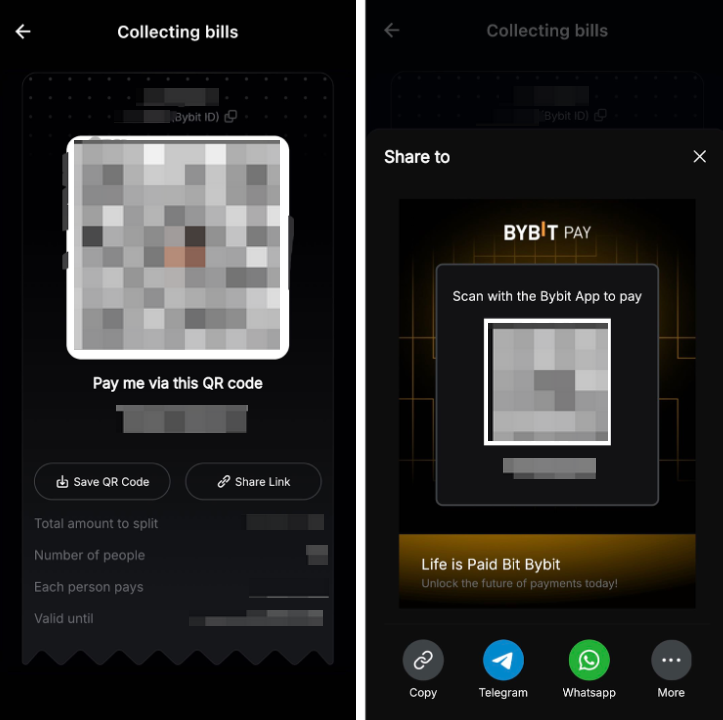
- Save QR Code: Save the payment QR code to your album or share it directly through your preferred social channel.
- Share Link: Copy or share the payment link directly through your preferred social channel.
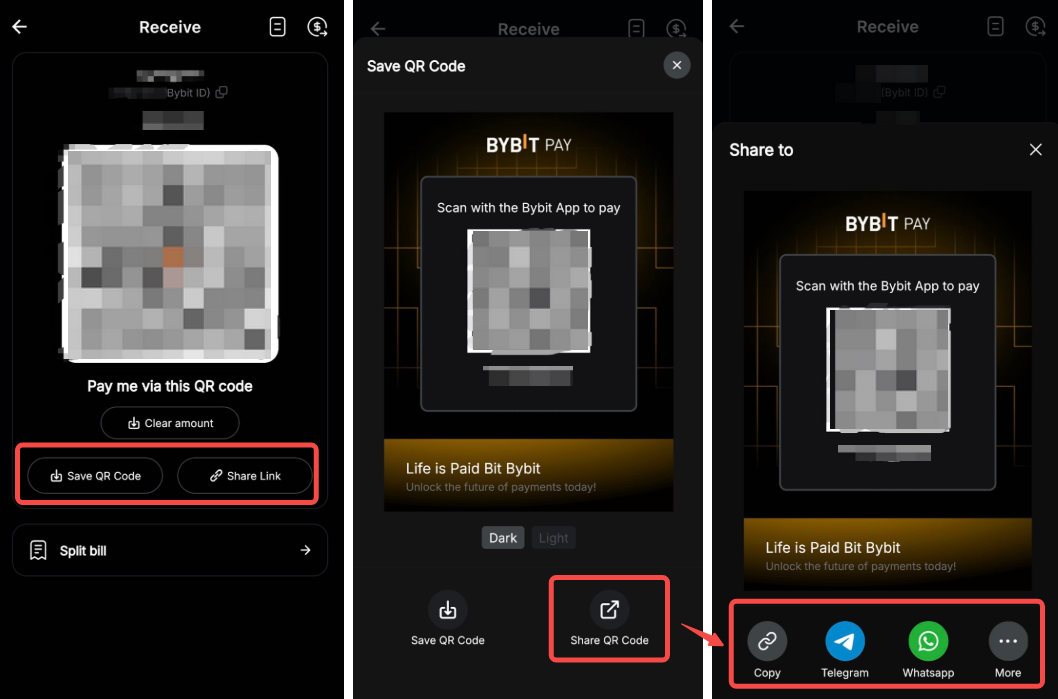
You can now share the link or QR code through social channels such as Telegram or WhatsApp so others can pay you with ease.
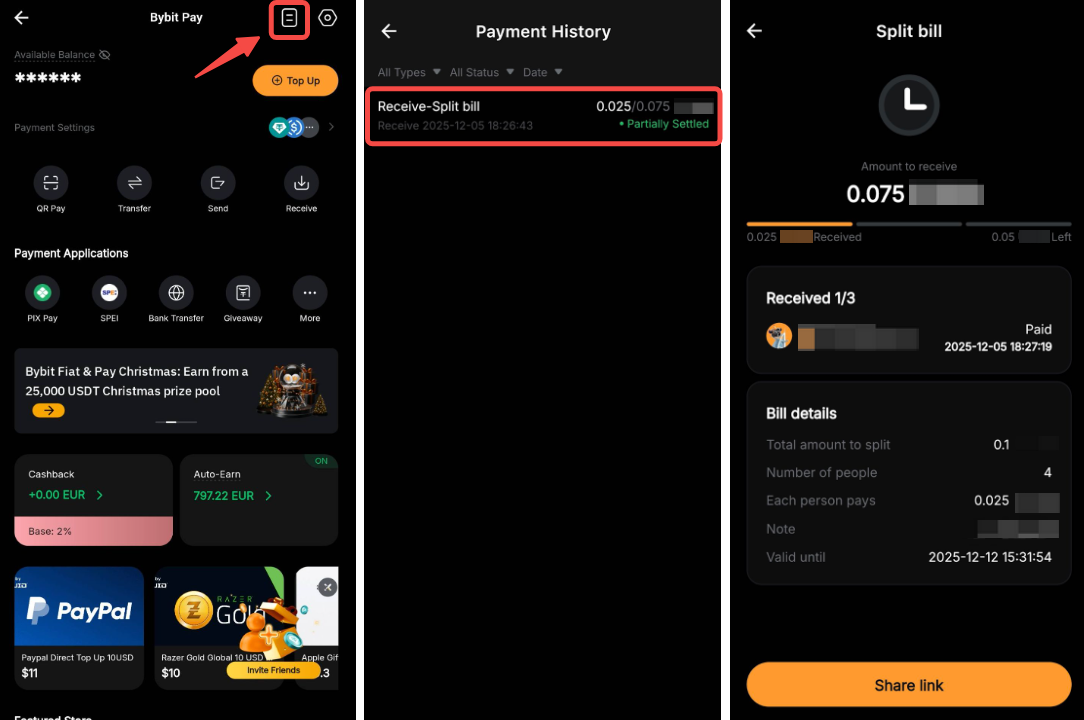
To check the payments you've received, simply tap the history icon in the top-right corner.
How to Create a Split Bill Request
Split Bill is a Bybit Pay feature that enables two or more users to share a single bill with ease. You can create a payment request by entering the total amount and the number of payers. The system will automatically divide the bill evenly and generate a payment link or QR code that you can send through your preferred social channel. You can also track the payment status in real time. Please find below a step-by-step guide to create a split bill request.
Step 1: Log in to your Bybit App and tap More → Bybit Pay → Receive.
Step 2: Tap Split bill. Specify the currency you would like to receive, the total bill amount and the number of people to share the bill (including yourself). You can also add a note for the payers.
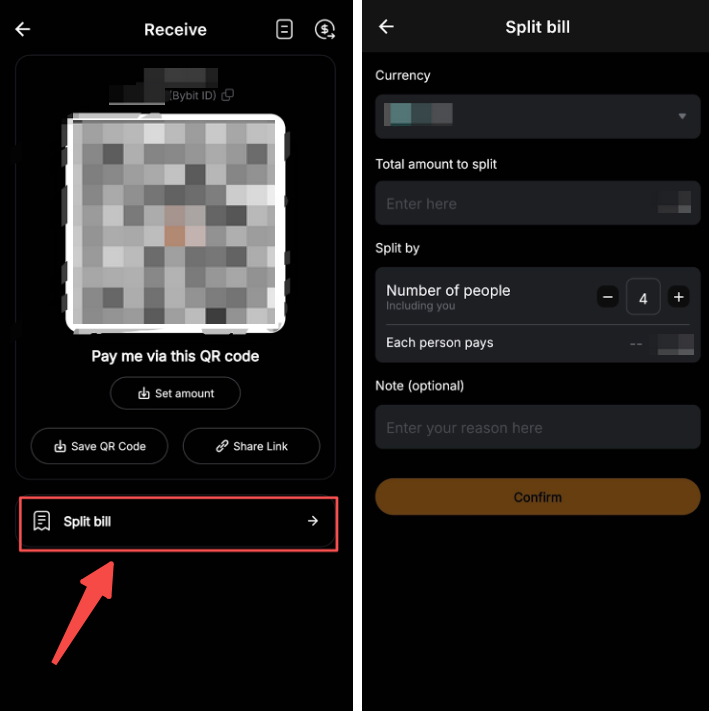
Step 3: Tap Confirm to view the request details, then share the QR code or link via your preferred social channel.
Step 4: To check the request status, simply tap the history icon in the top-right corner. Then tap the specific record for more details.
Notes:
— The payment QR code or link remains valid for 7 days.
— If the payer hasn't installed the Bybit App, they'll be asked to download it before completing the payment.
— No fees are charged for payments made via the QR code or link.