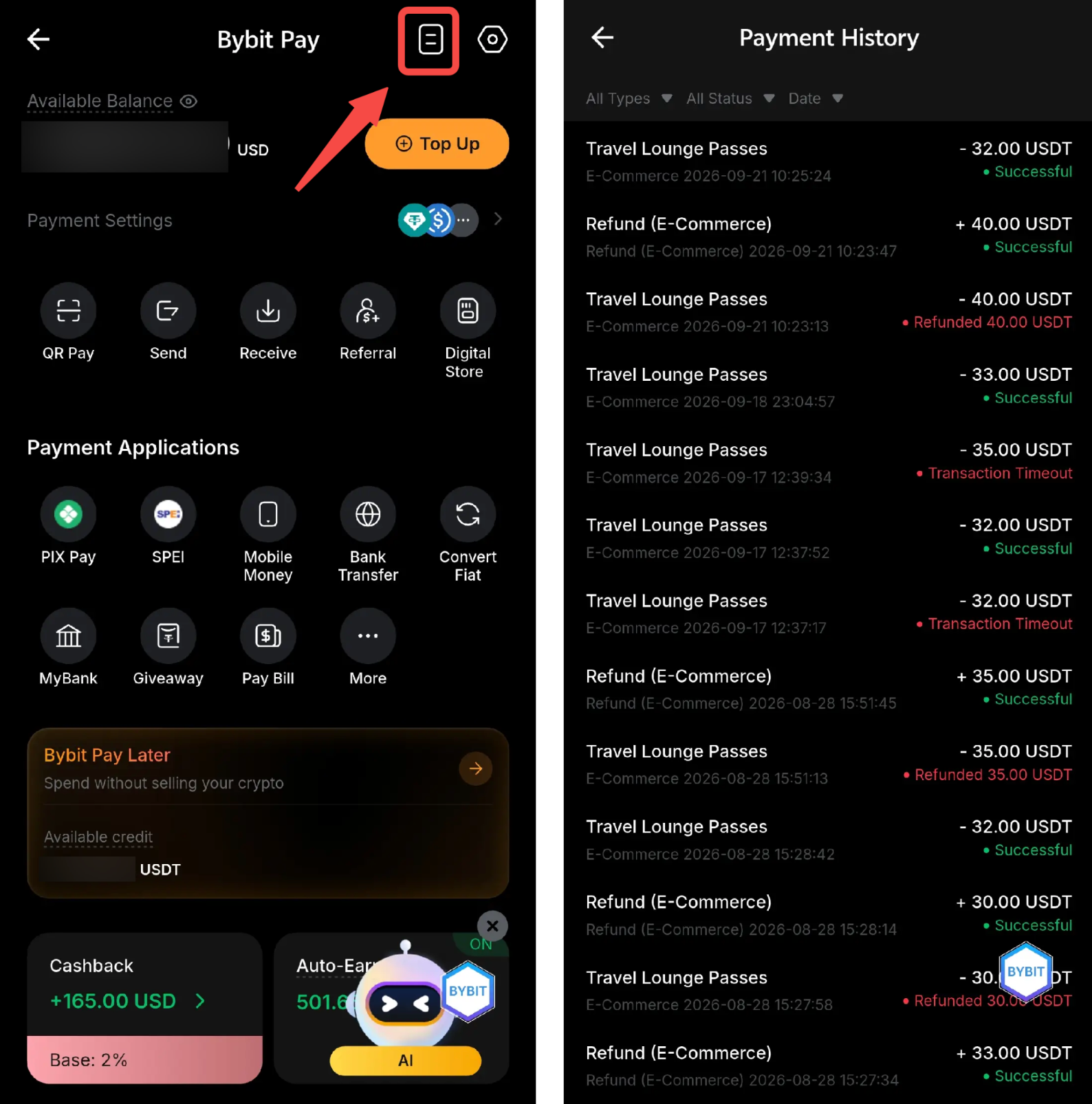
Bybit Card holders can now purchase Travel Lounge passes with crypto via Bybit Pay. The purchase page can be accessed via the Bybit Card dashboard on the Bybit App.
How to Purchase a Travel Lounge Pass
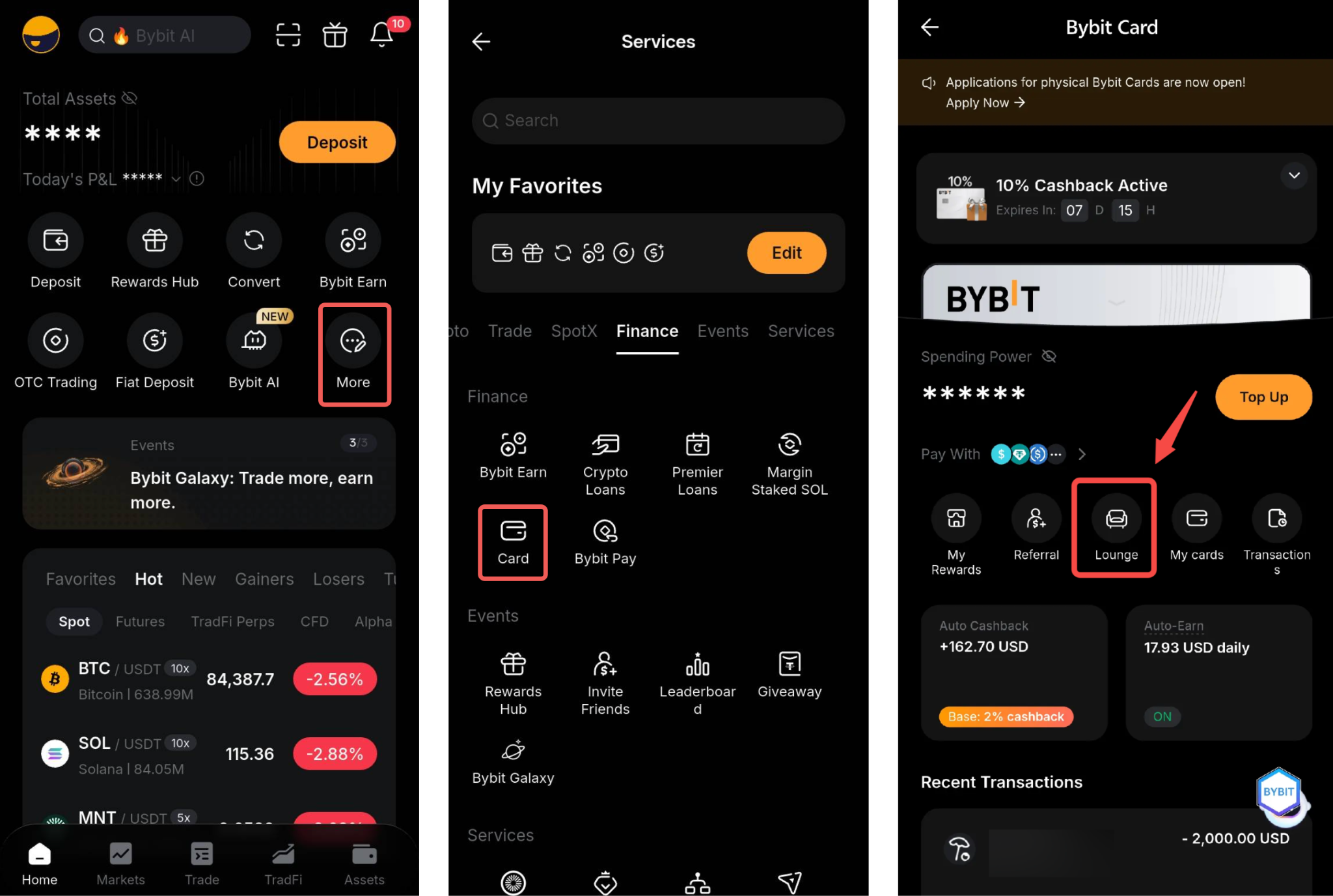
Step 1: On the Bybit App homepage, tap More, then tap Card → Lounge. Alternatively, you can use the search bar and search for Card.
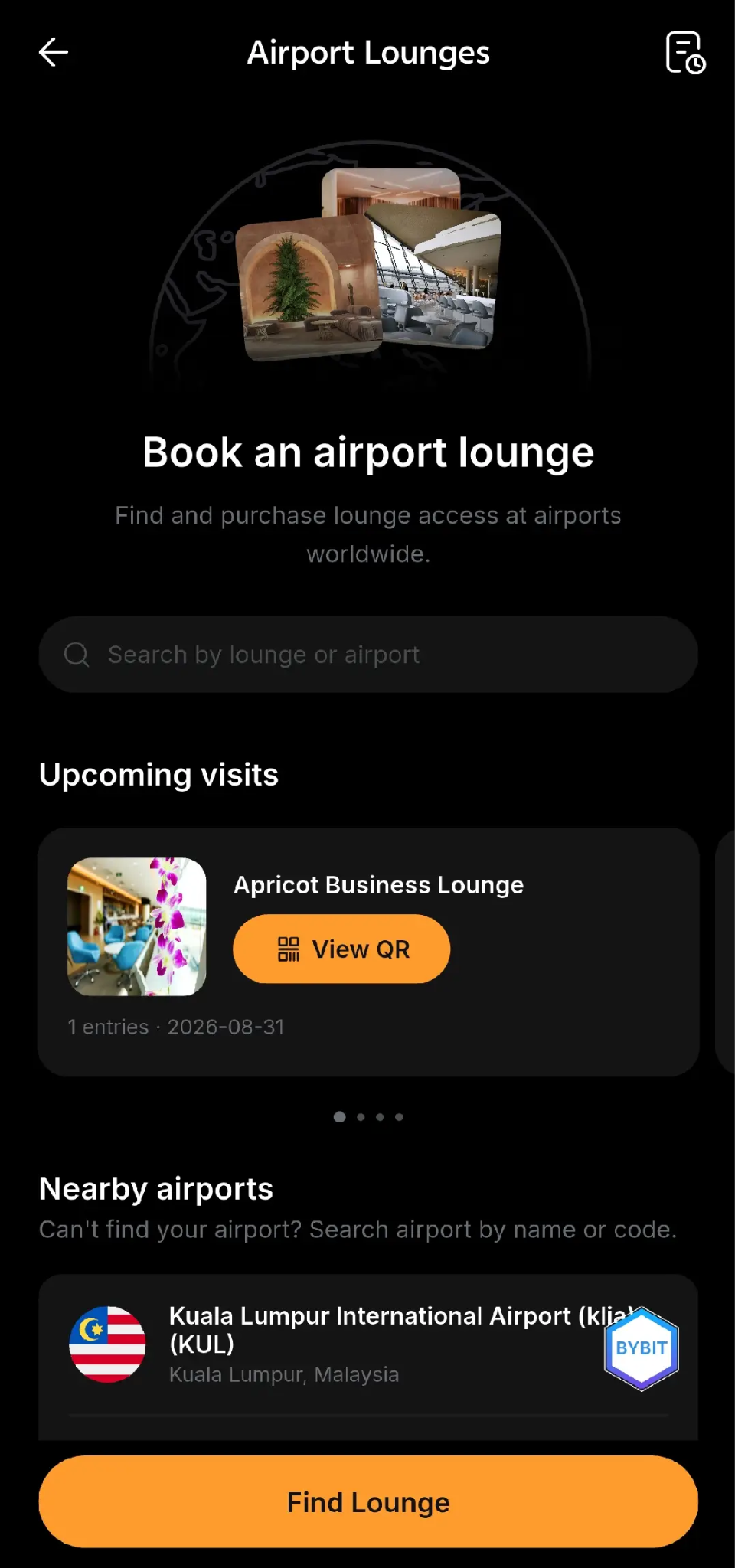
Step 2: Search for the available Travel Lounge access at airports worldwide using the search bar or by tapping Find Lounge.
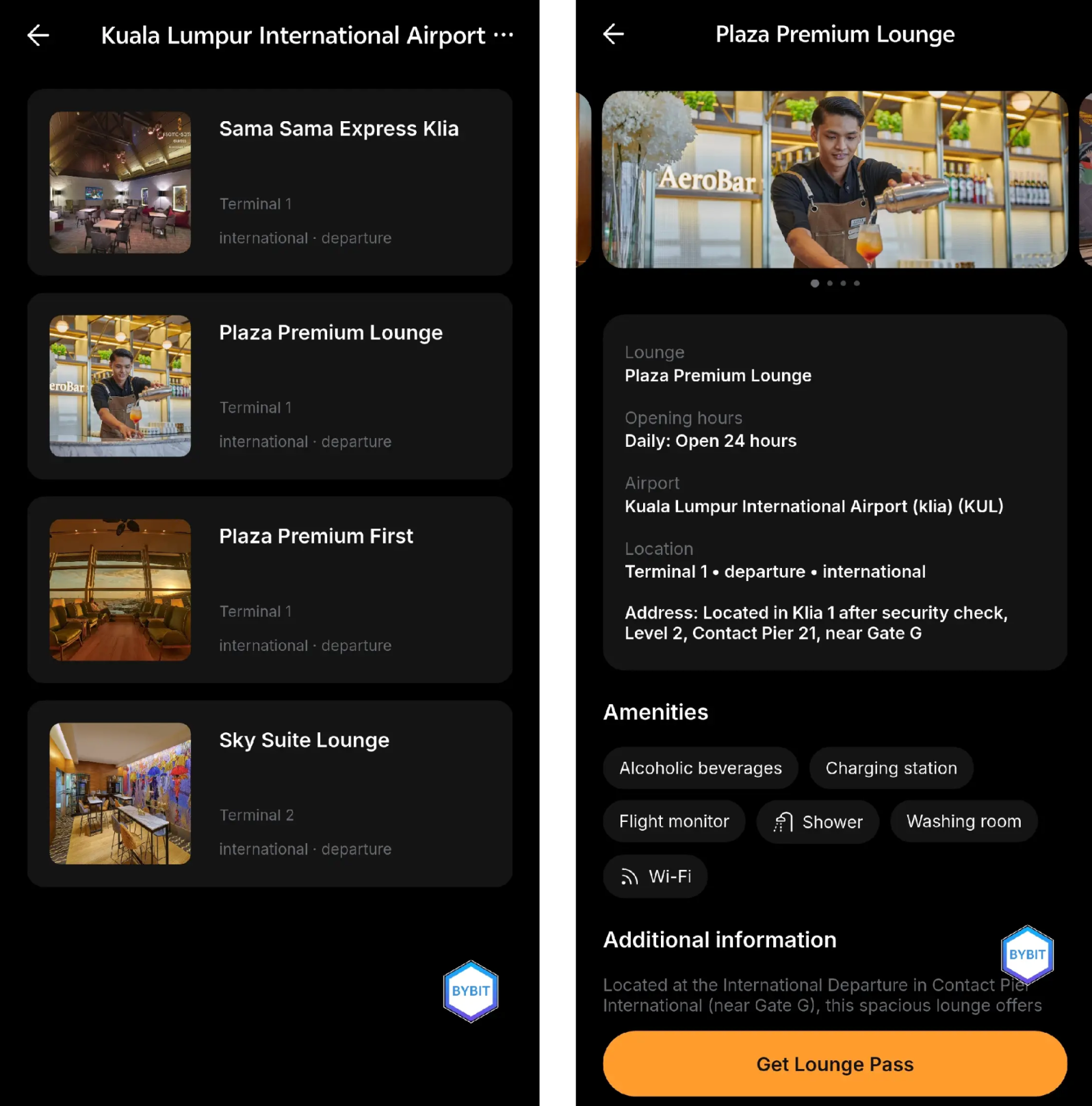
Step 3: Select the Travel Lounge you prefer and tap Get Lounge Pass.
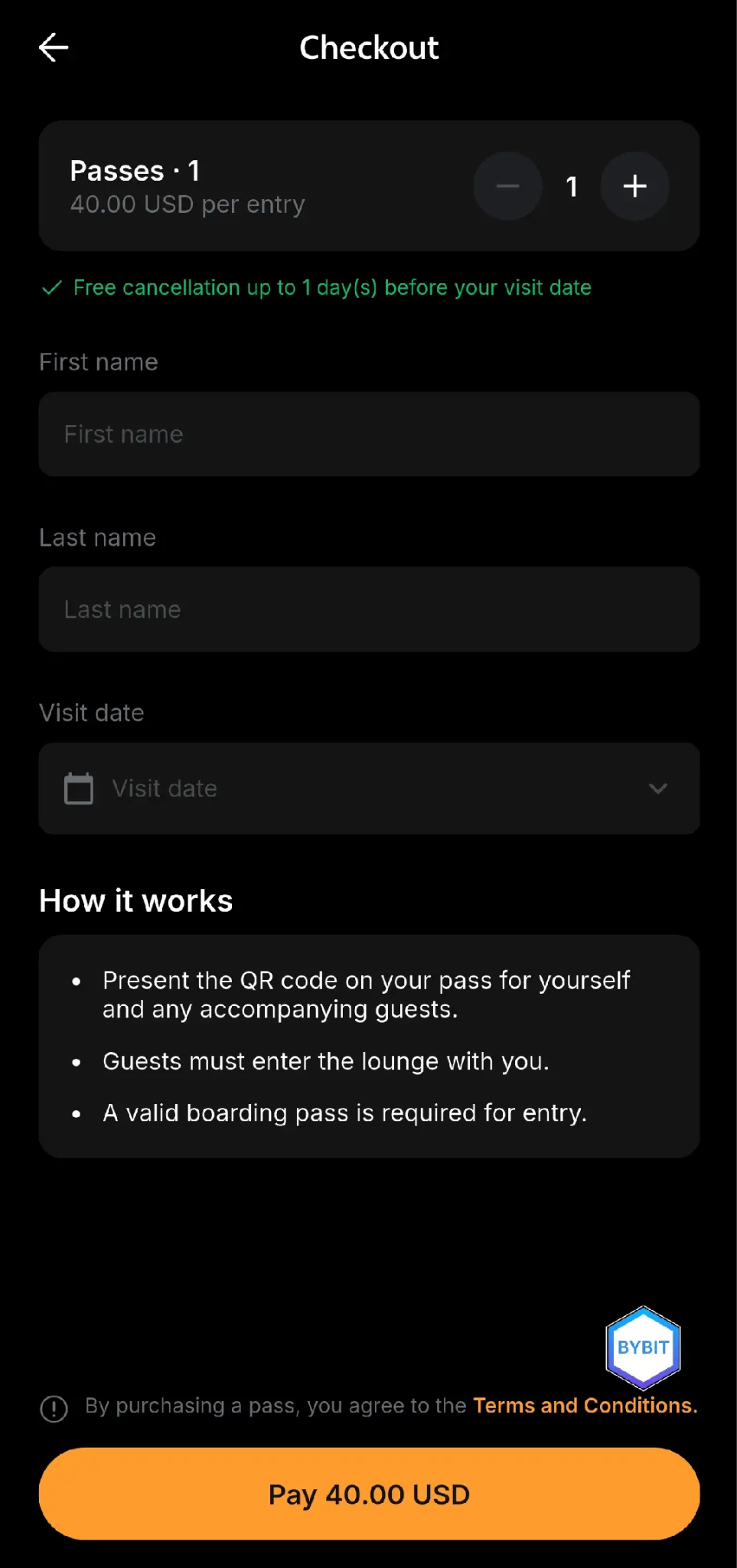
Step 4: Select the quantity, fill in the first and last name of the Travel Lounge pass holder and select the visit date.
Notes:
- You can purchase up to 5 Travel Lounge passes in a single order: 1 main guest and up to 4 accompanying guests.
- The main guest’s first name and last name must match the passport’s first name and last name. This will be checked by the airport lounge front desk.
- Only one QR code will be generated for entry. All accompanying guests must enter together at the same time.
- A valid boarding pass is required for entry.
Step 5: Confirm the order and payment details. You can manage the payment settings by tapping Pay With, which allows you to enable Auto-Deduction or arrange payment priority.
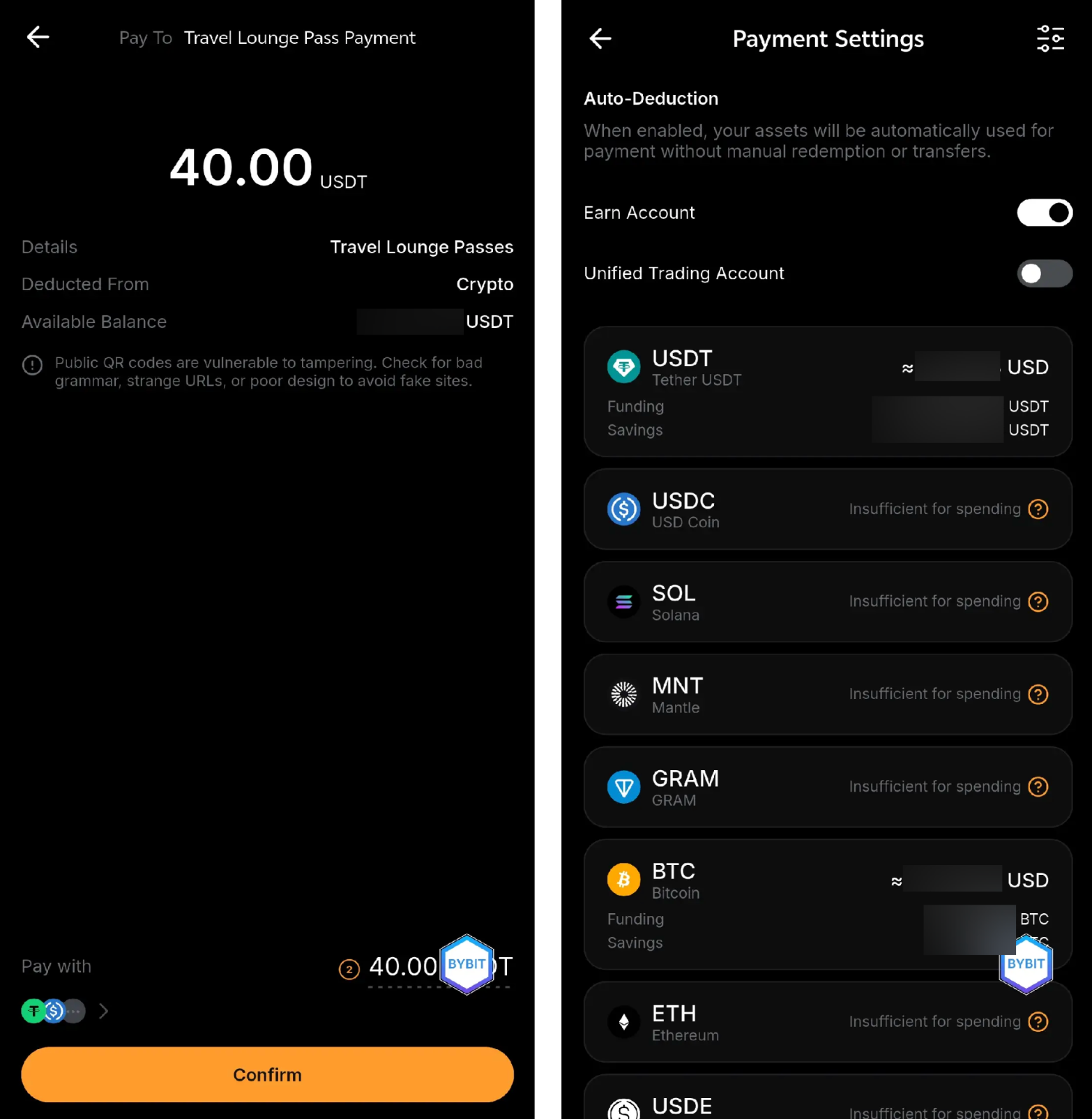
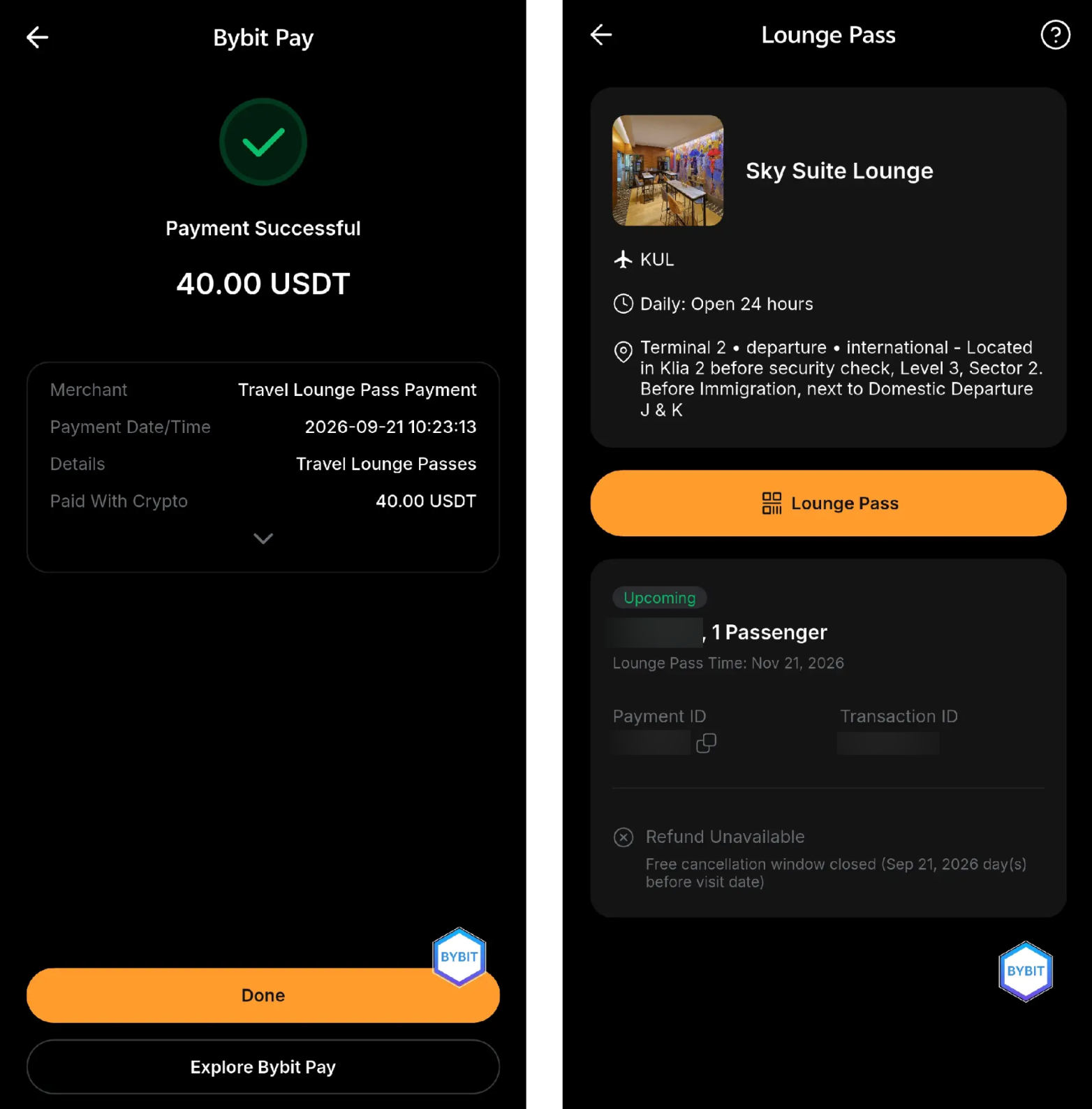
Step 6: Your order is successfully placed, and the Travel Lounge pass QR code will be generated within a few seconds.
To view your Travel Lounge order history, tap the Paper icon at the top right corner. Then, tap View Details to view the QR code and the order details.
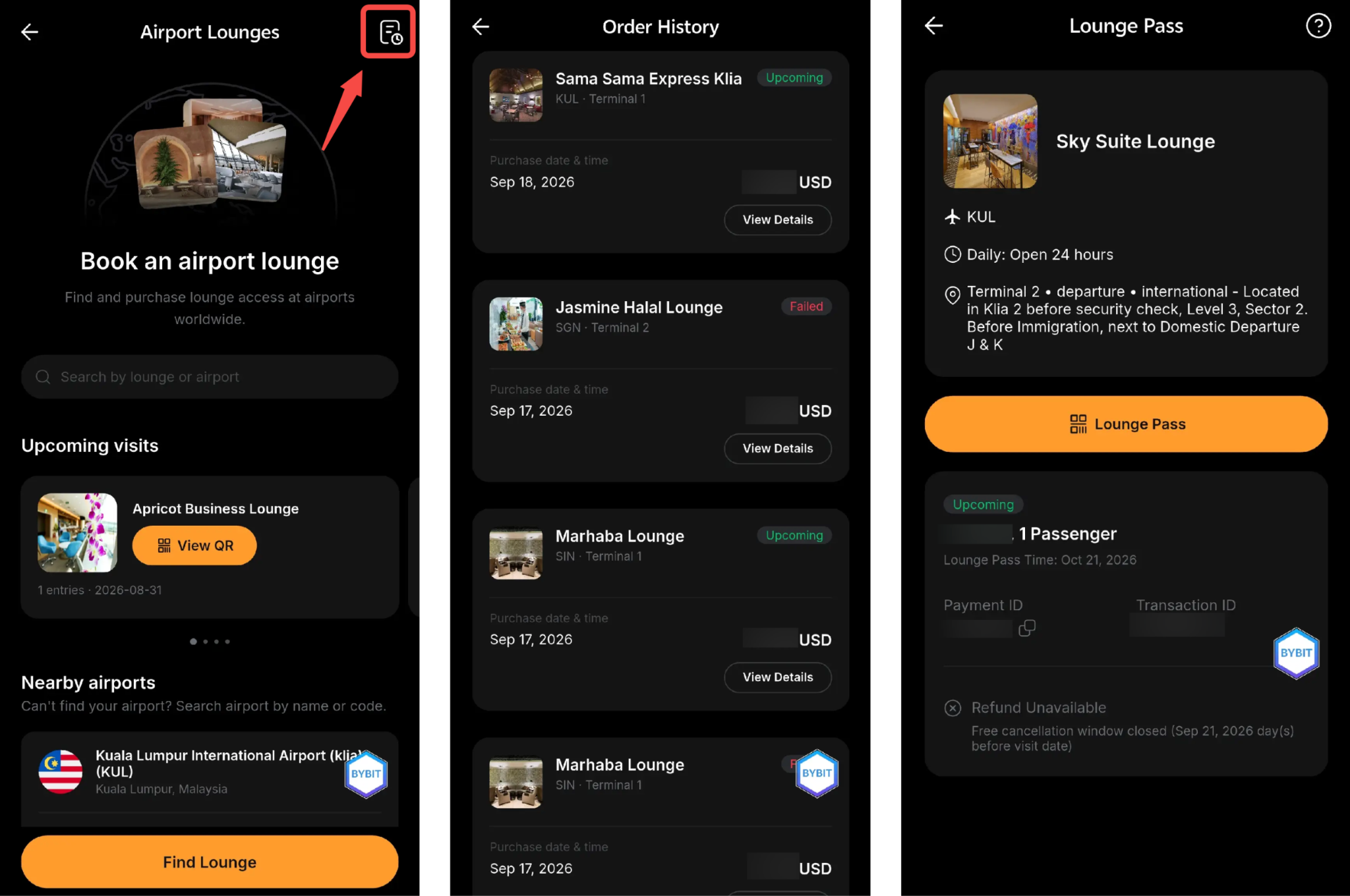
To view the transaction history of Travel Lounge purchases, go to Bybit Pay and tap the Paper icon at the top right corner.