How to Complete KiloEx Tasks for Bybit Web3 Airdrop Arcade
AI Summary
Show More
Quickly grasp the article's content and gauge market sentiment in just 30 seconds!
In this tutorial, we’ll explore how you can complete KiloEx tasks for Bybit Web3 Airdrop Arcade.

Task 1: Deposit at Least 10 USDT in the KiloEx Vault via opBNB
Step 1: Navigate to the KiloEx website and select Earn in the navigation bar to enter the KiloEx Vault.
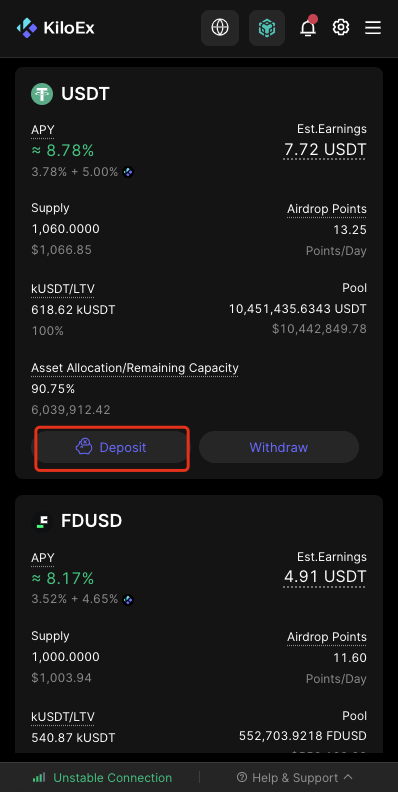
Step 2: Scroll down and click on the Deposit button of the USDT vault.
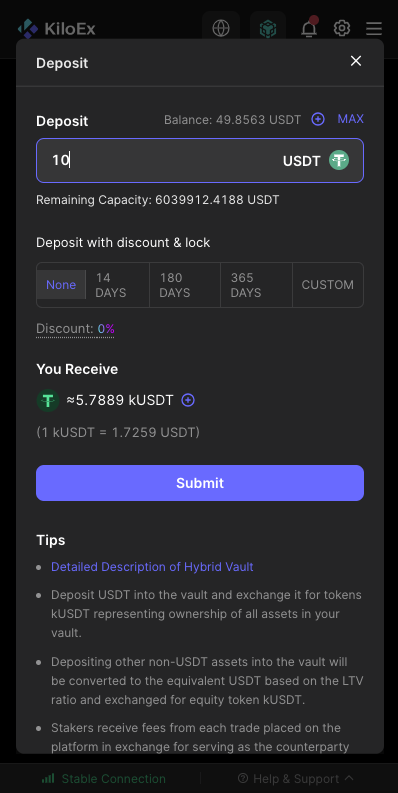
Step 3: Enter at least 10 USDT as the amount you would like to deposit, and click on Submit.
Step 4: Approve the transaction and confirm it.
Step 5: Check your deposit status. Please note that as you’re not able to withdraw immediately, you’ll need to wait for 1–3 epochs.
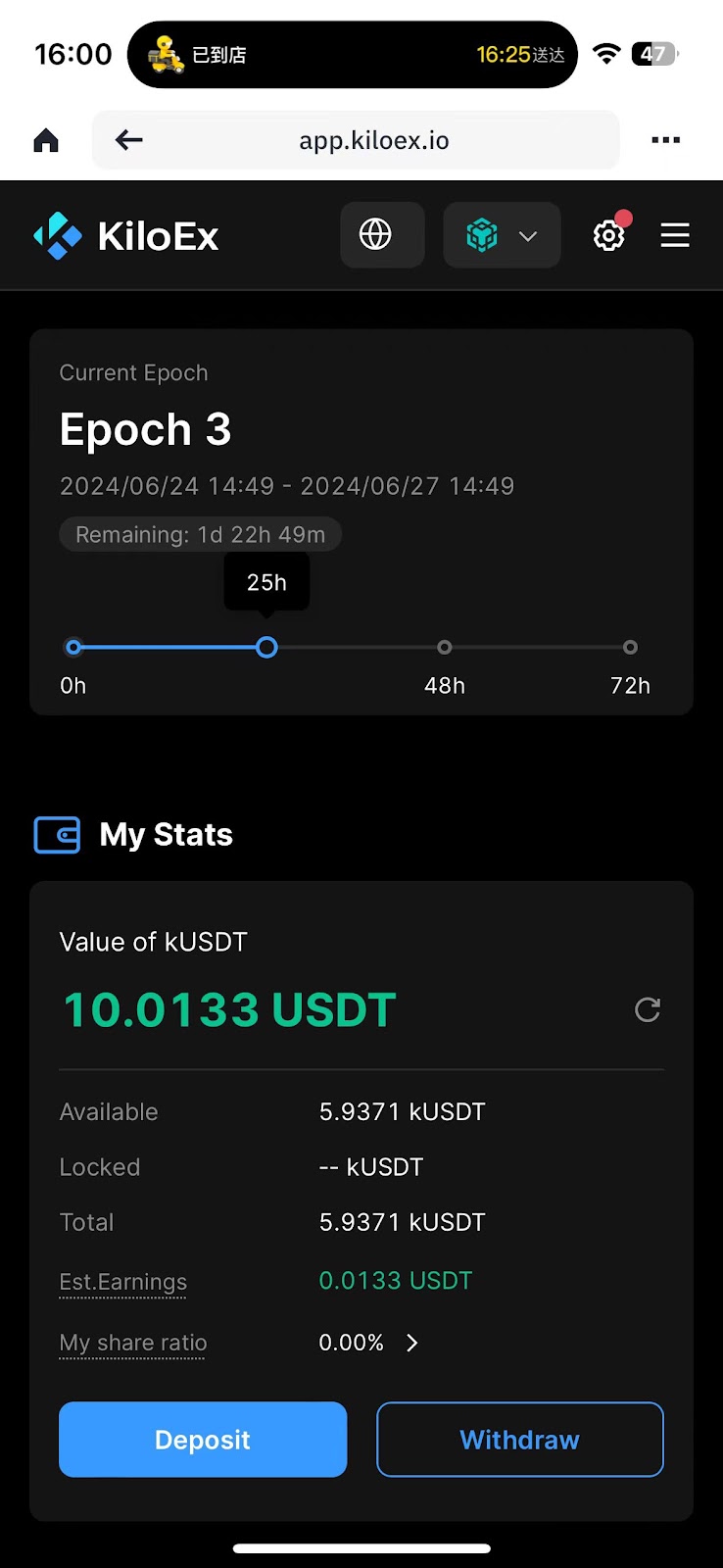
Step 6: Once the above steps have been completed, you can click on the Withdraw button to withdraw your deposited amount.
Task 2: Place a Position With at Least 10 USDT
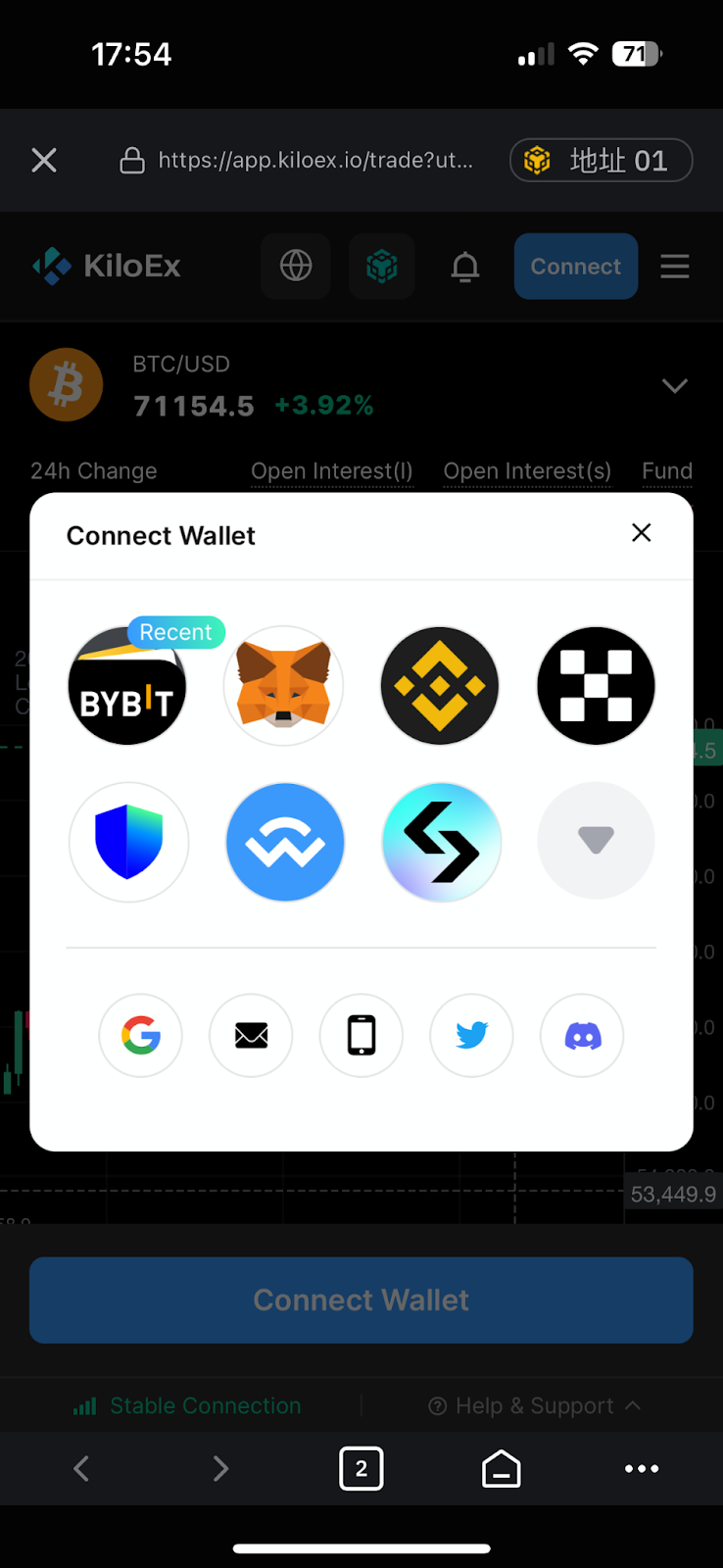
Step 1: Navigate to the KiloEx Trade page and connect your Bybit Wallet by clicking on the Connect button at the top right corner of the page.
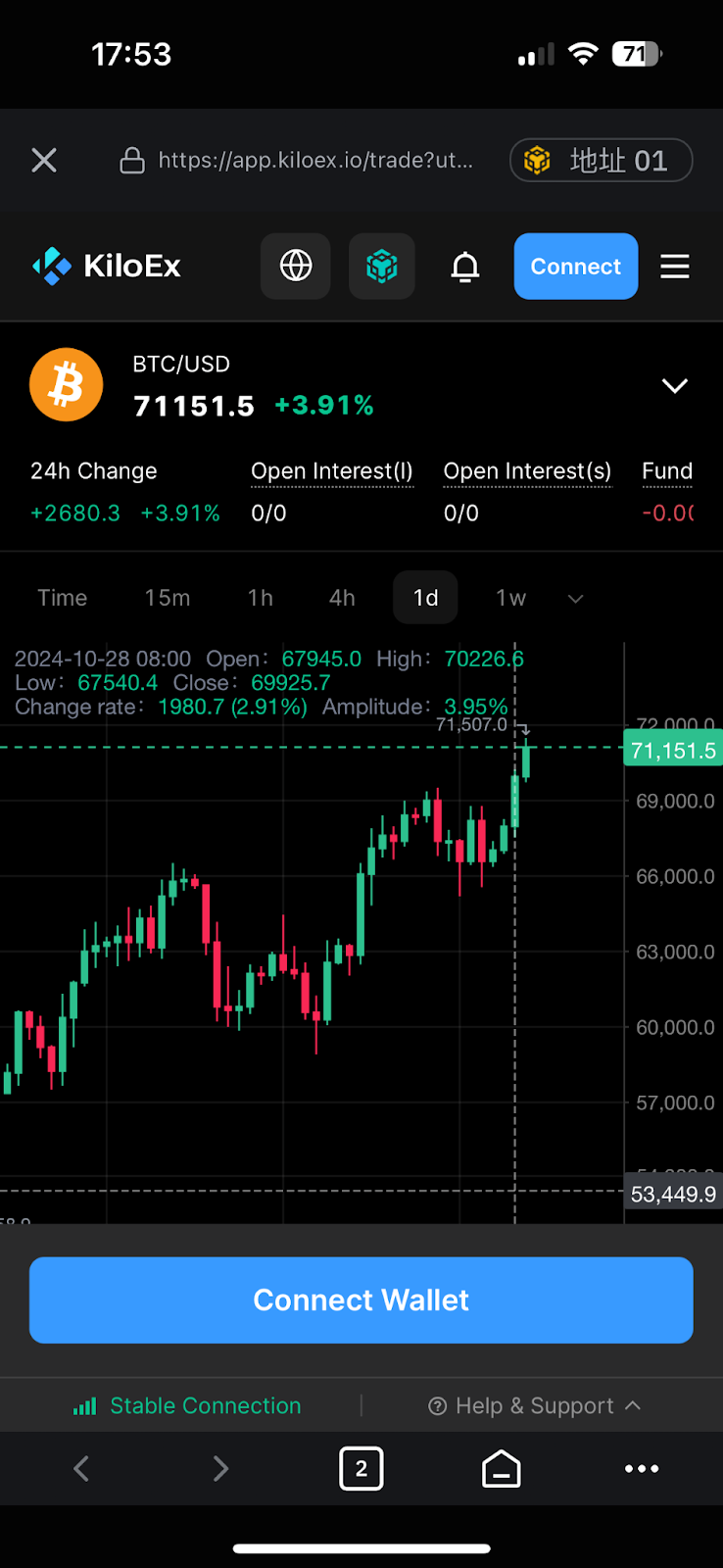
Step 2: Select Bybit Wallet and sign the connection on your wallet.
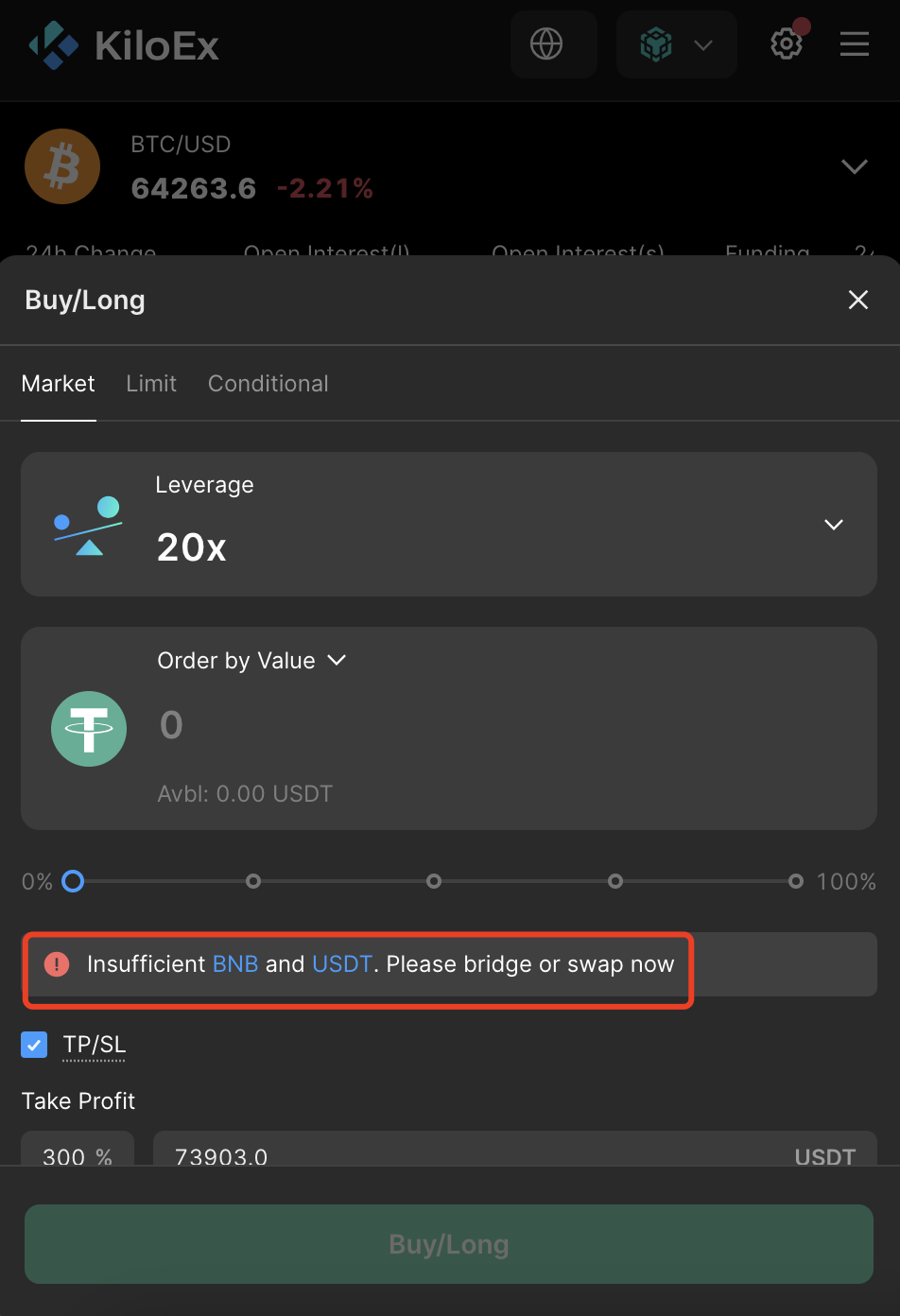
Step 3: If your BNB or USDT is insufficient, you can follow the bridge tutorial here to bridge funds to your Bybit Wallet.
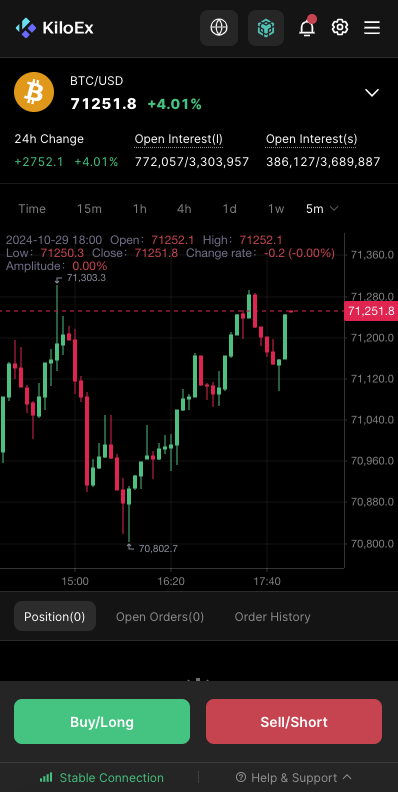
Step 4: After bridging funds, choose your desired trading pair and place an order to Buy/Long or Sell/Short.
Step 5: The minimum position value for this task is $10. To minimize your risk of liquidation, we suggest opening a position with 2x leverage and maintaining a margin of $5. In this example, we’ve used a minimum of 2x leverage to open a position and select Buy/Long.
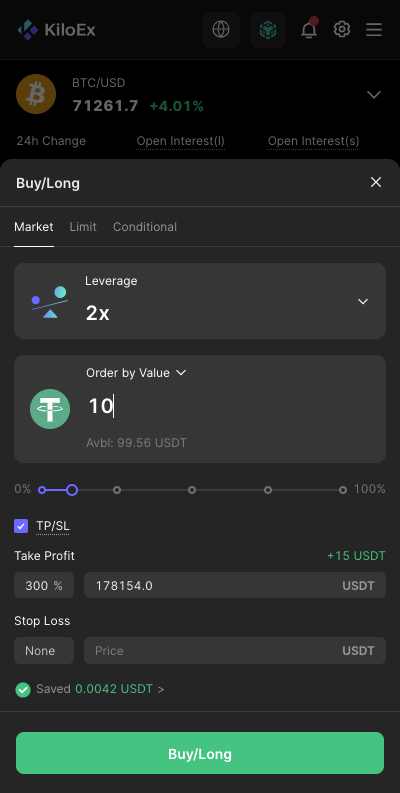
Step 6: Confirm your order and your position will be created.
#LearnWithBybit
Grab Up to 100 USDT in Rewards
Also, enjoy 555% APR on Bybit Earn products!