How to Complete Meson Finance Tasks for the Bybit x B² Network Event
AI Summary
Show More
Quickly grasp the article's content and gauge market sentiment in just 30 seconds!
In this tutorial, we’ll explore how you can complete a series of tasks in Meson Finance for the Bybit x B² Network Event.

Task: How to Swap to B² Network
Step 1: Navigate to the Meson Finance page and click on Connect Your Wallet.
Step 2: Select the initial (FROM) chain that you’ll be using. Then, select B² Network as your target (TO) chain.
Step 3: Enter the amount you would like to swap, and choose the cryptocurrency you would like to receive on B² Network (ETH/BTC/USDC/USDT).
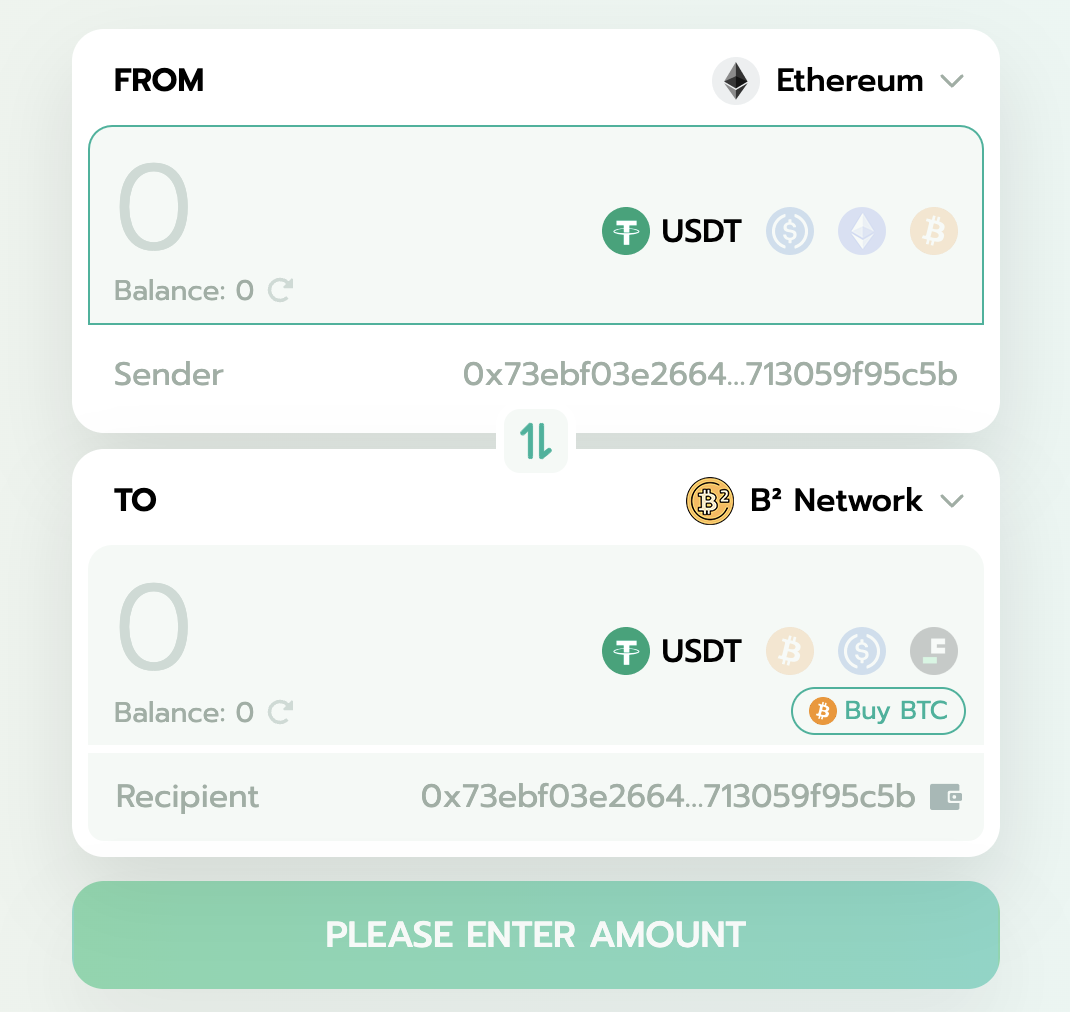
Step 4: After initiating the swap, ensure that the swap details are correct and click on CONFIRM to agree to the cross-chain transaction.
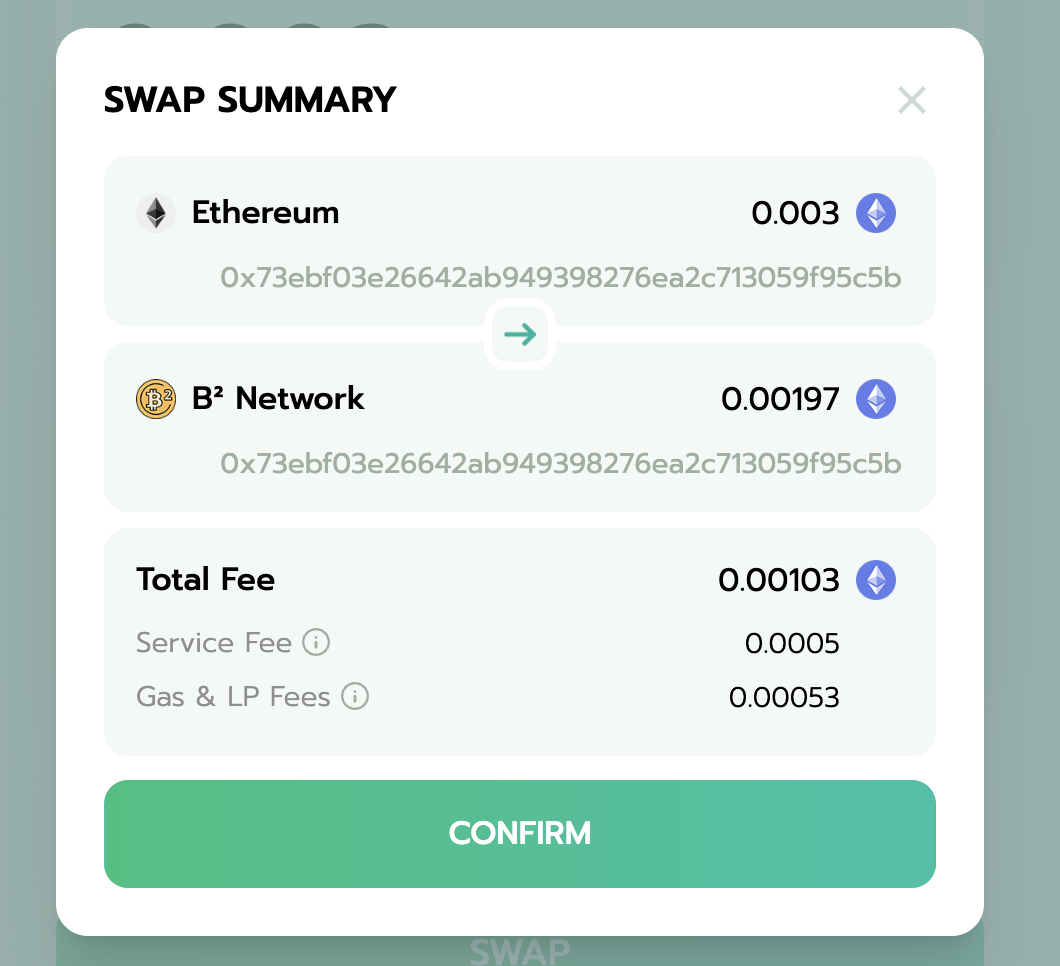
Step 5: After the swap is successful, click on the Wallet button in the upper right corner and you can view your current swap and historical swap records in the pop-up window.
If you encounter any issue, please find assistance at Meson Discord and open a ticket there.
#LearnWithBybit
Grab Up to 100 USDT in Rewards
Also, enjoy 555% APR on Bybit Earn products!