How to Complete Network3 Tasks for Bybit Web3 Airdrop Arcade
AI Summary
Show More
Quickly grasp the article's content and gauge market sentiment in just 30 seconds!
In this tutorial, we’ll explore how you can complete a series of tasks in Network3 for Bybit Web3 Airdrop Arcade.
Task 1: Register for a Network3 Account and Connect Your Bybit Wallet
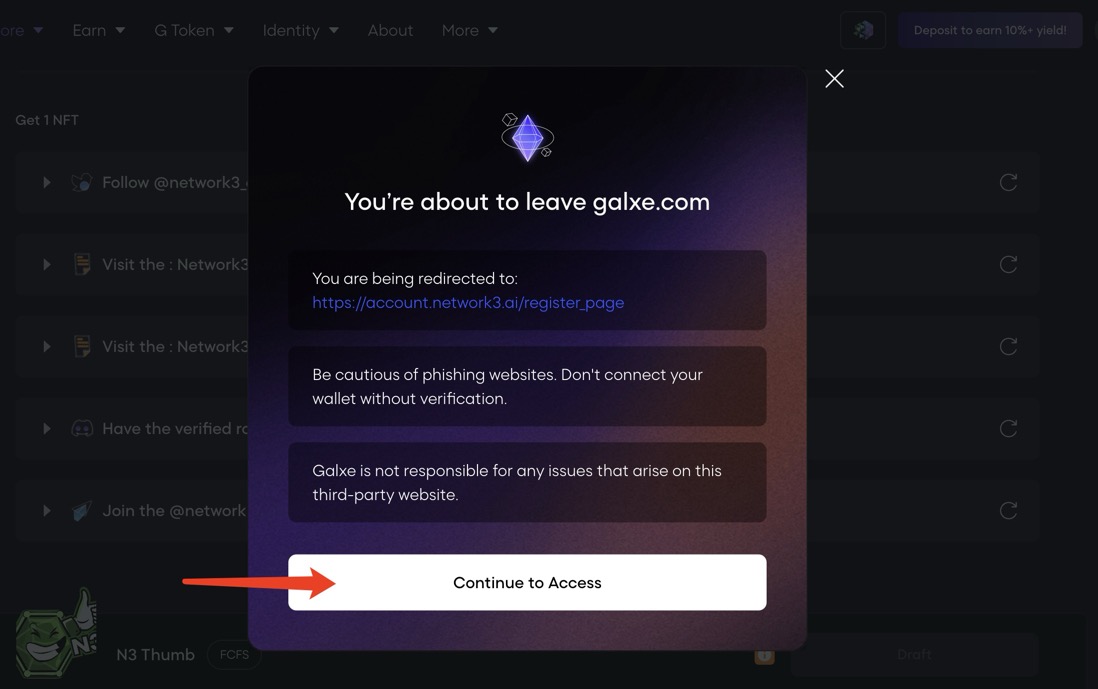
Step 1: Navigate to the campaign page and click on the Register for a Network3 Account task. Click on the task, and Galxe will ask to redirect you to the Network3 register page.
Step 2: Click on Continue to Access to be redirected to the Network3 Register page.
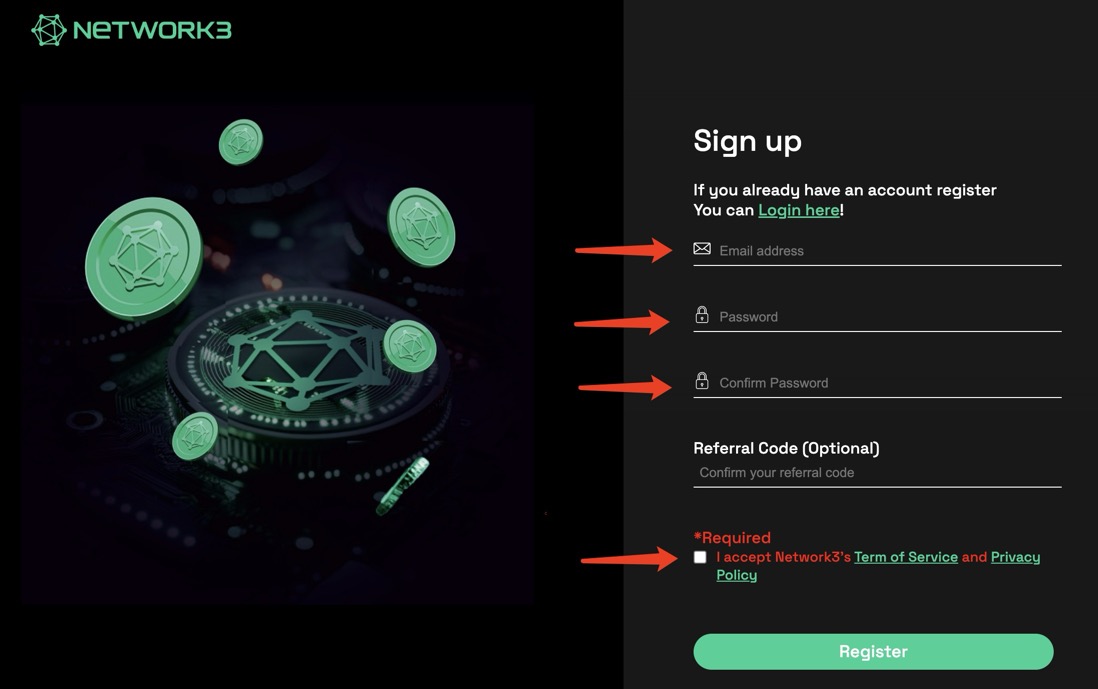
Step 3: Register for a Network3 account using your email address. You may indicate a ReferralCode if you have one.
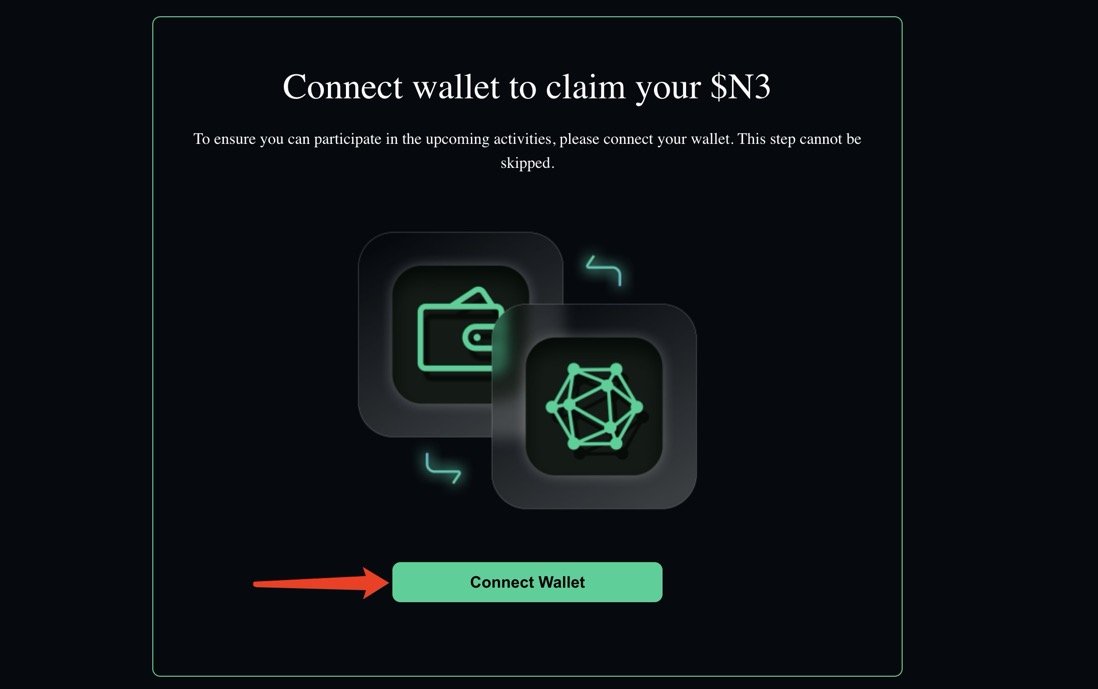
Step 4: Once you’re signed in, click on Connect Wallet.
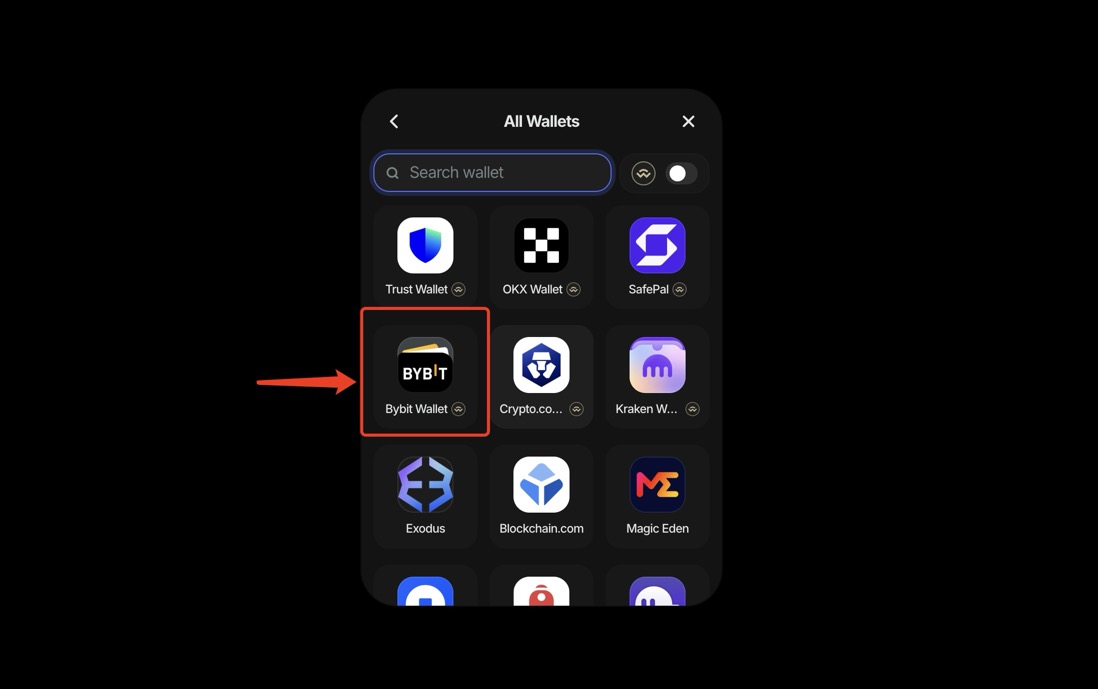
Step 5: Choose Bybit Wallet to connect your wallet.
Task 2: Download the Network3 App and Run a Node for One Hour
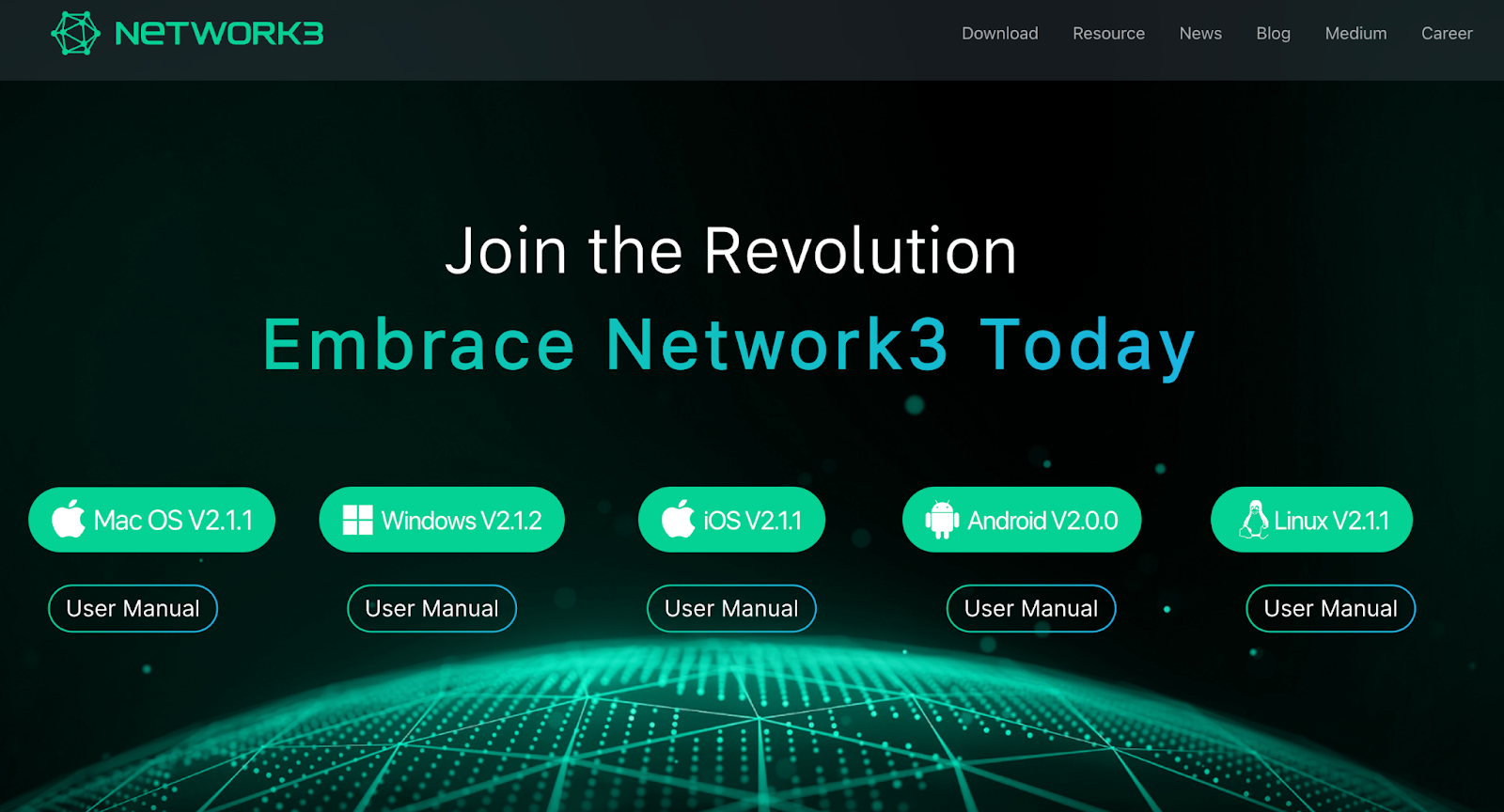
Step 1: Navigate to the Network3 homepage and choose your operating system to download the Network3 app.
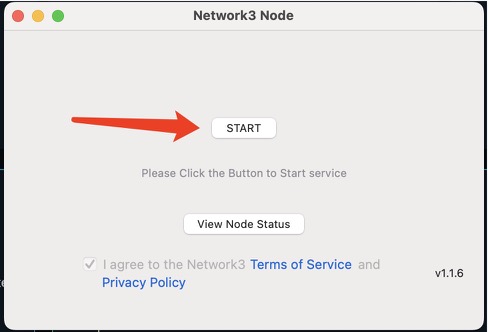
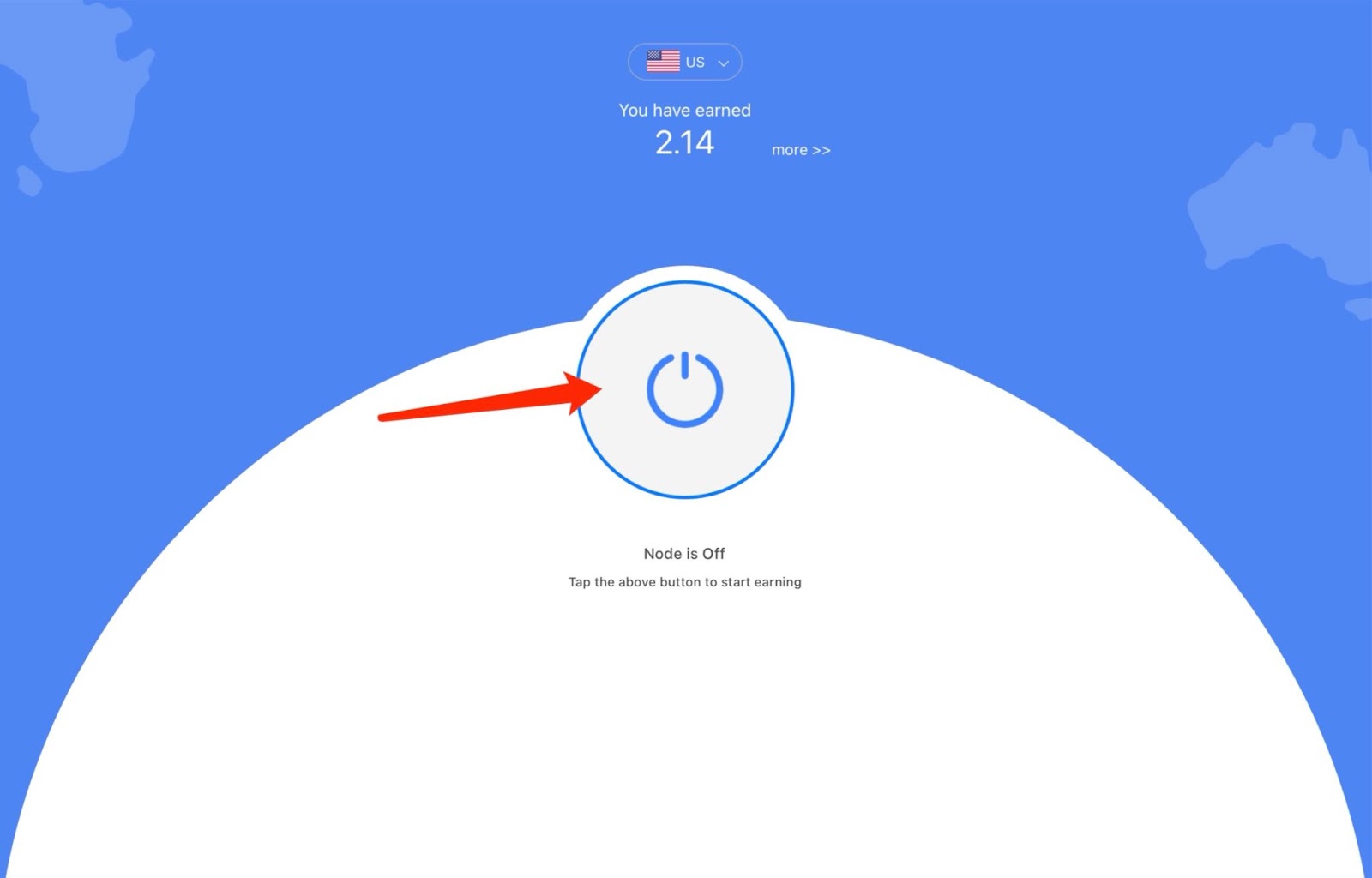
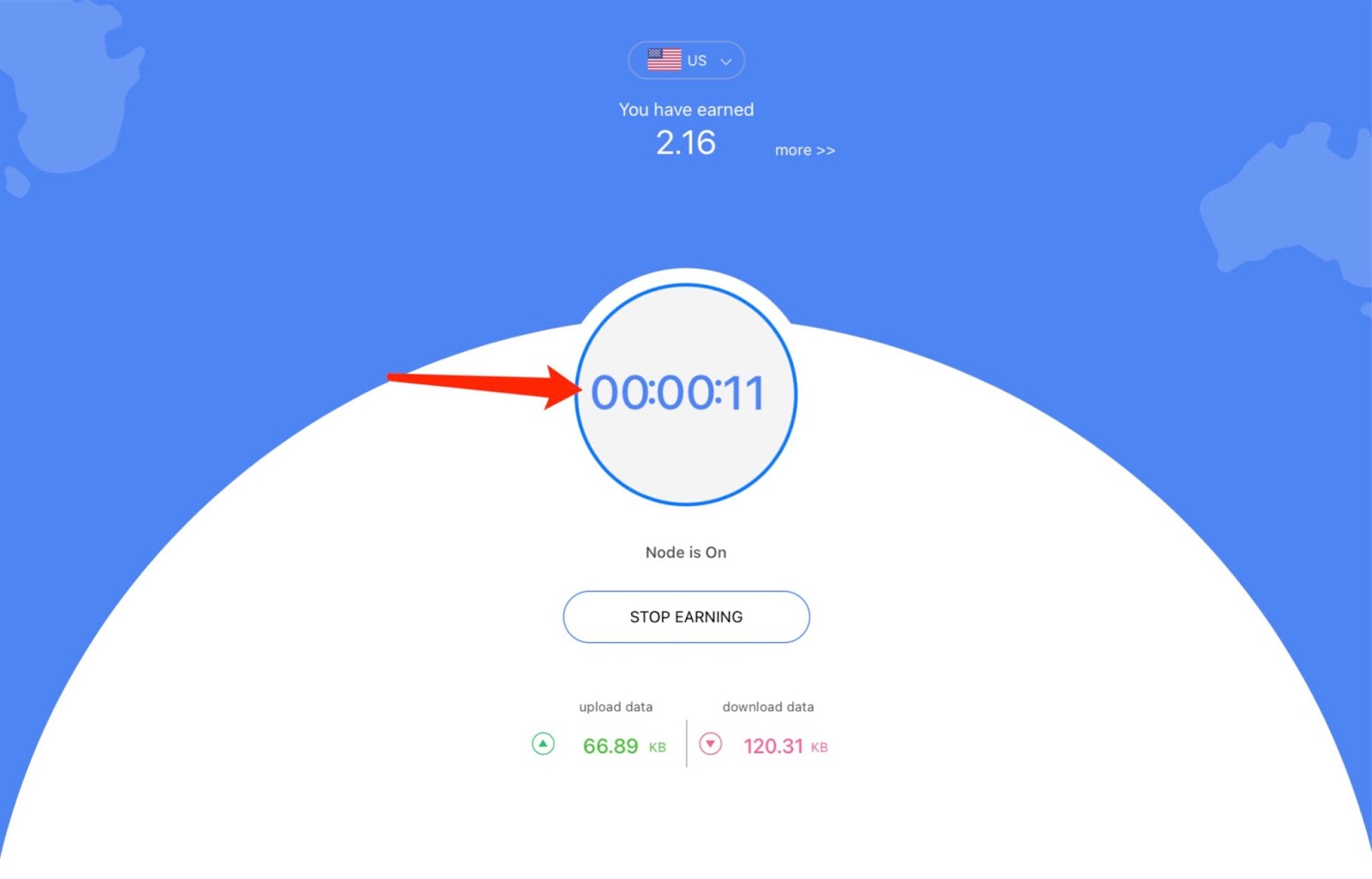
Step 2: Click on the Start or powerbutton, depending upon which operating system you’re using. For ease of reference, we’ve used macOS and iOS as examples below.
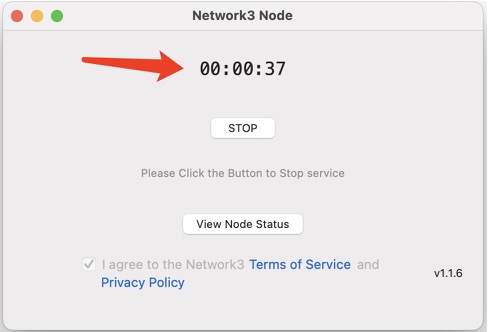
Step 3: Keep running the node until the timer reaches 01:00:00.
#LearnWithBybit
Grab Up to 100 USDT in Rewards
Also, enjoy 555% APR on Bybit Earn products!