
For Deposits
You need to complete the wallet address verification by entering the sender’s information.
Step 1: Go to your Deposit History, look for the deposit with Wallet Ownership Verification Required, and click on Go to process.

Step 2:
-
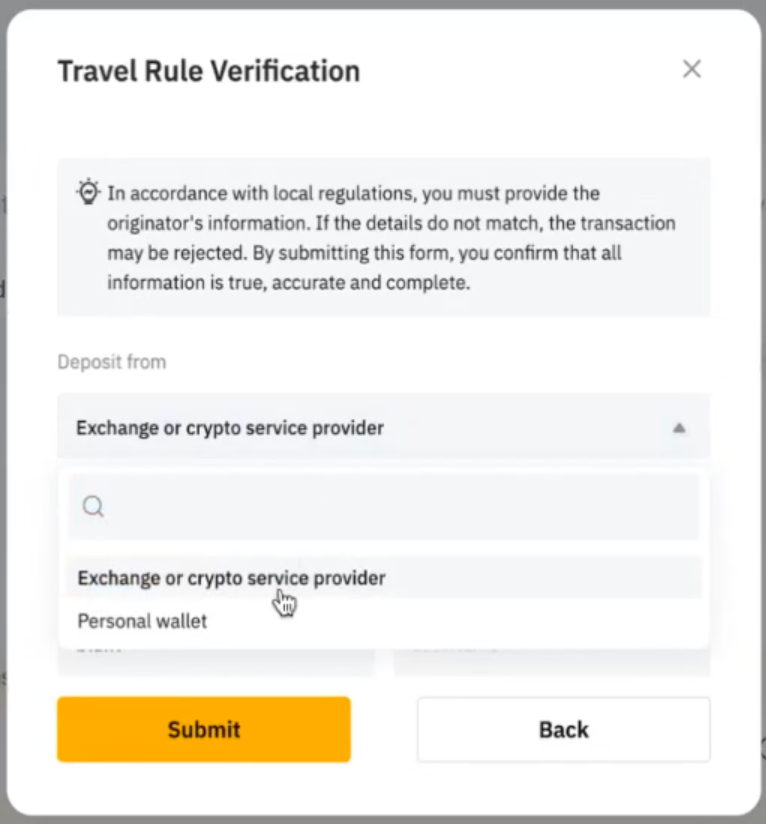
Select the source of the deposit
-
Exchange or Crypto Service Provider
-
Personal Wallet
-
-
Enter the sender's information and click Submit.
Step 3: If it’s from a Personal Wallet, connect your wallet to complete the verification.
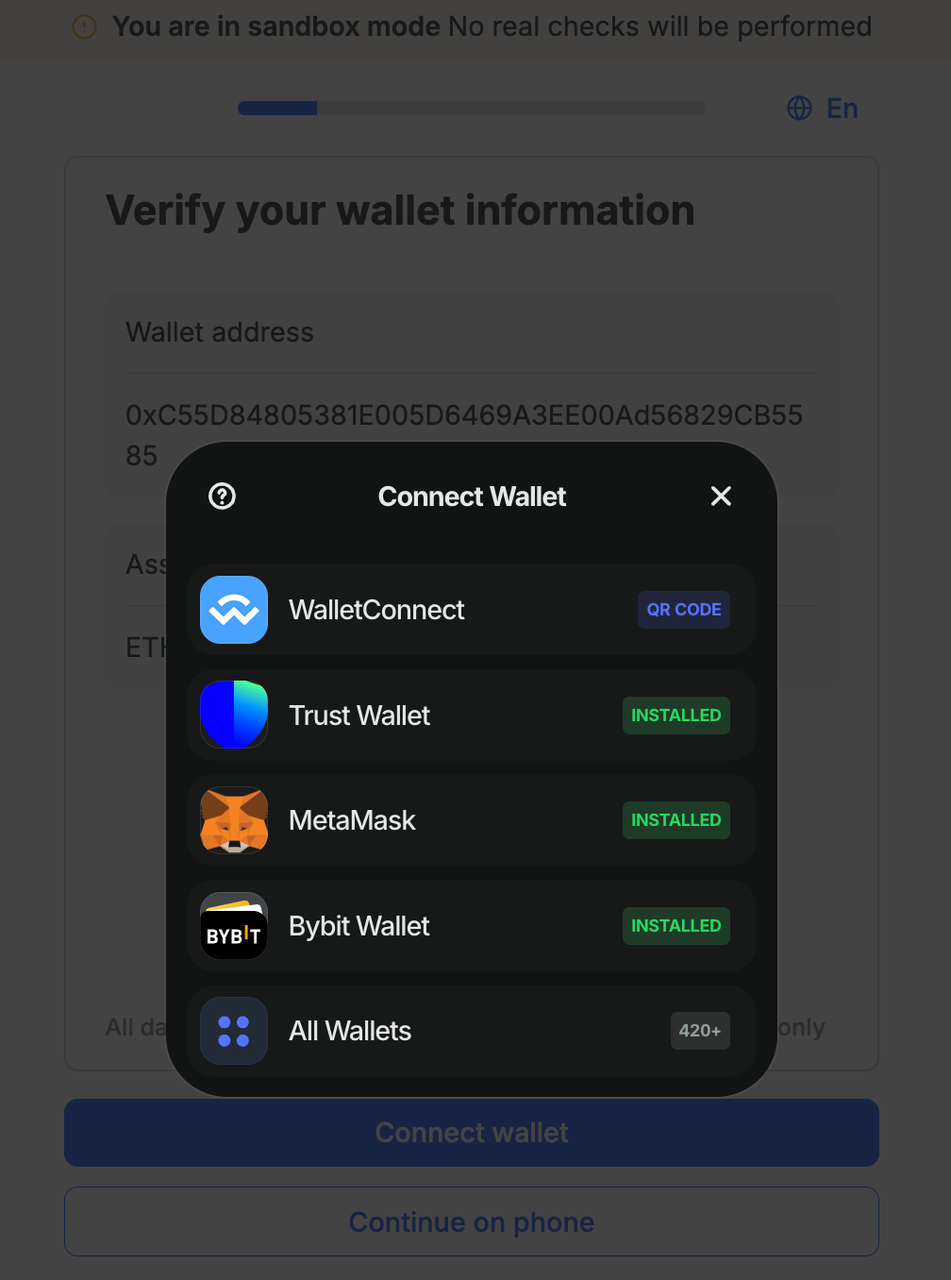
Step 4: Under special circumstances, you will need to complete a declaration form.
-
Enter the verification link and click on Continue to proceed.
-
Select Self-declaration.
-
Sign the verification transaction.

For Withdrawals
Before you can submit the withdrawal request, you will need to complete the wallet verification process as follows:
Step 1: Select the coin, address, and chain type for your withdrawal.

Step 2:
-
Indicate the wallet type
-
Exchange or Crypto Service Provider
-
Personal Wallet
-
Then enter the recipient’s full name (must match the destination account name).
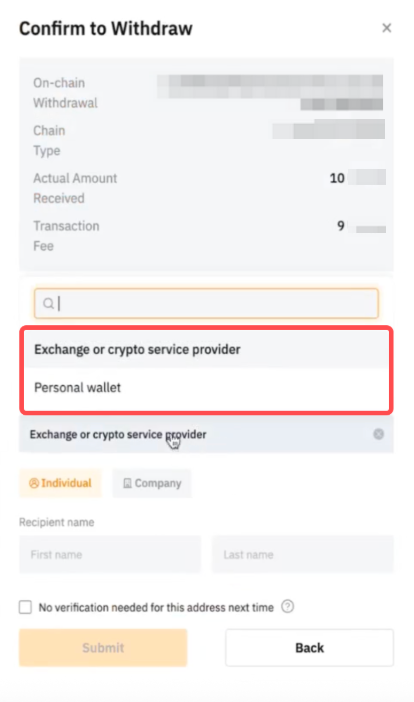
Step 3: If you make withdrawals to VASP, you may click on the Submit button to submit your withdrawal request. Once the verification is passed, your withdrawal will be processed.
However, please note that you may be required to submit a declaration form in special situations. Refer to Step 4 for the declaration process.
Step 4: If you make withdrawals to your Personal Wallet, you will need to do further verification. On the Withdrawal History page, look for the withdrawal that requires wallet ownership verification, and click on Go to process.

Follow the same wallet connection and declaration steps as outlined for deposits.
Once completed successfully, your withdrawal will be processed.