How to Complete DeepBook Tasks for Sui Wonderland 2024
AI Summary
Show More
Quickly grasp the article's content and gauge market sentiment in just 30 seconds!
In this tutorial, we’ll explore how you can complete a series of tasks in DeepBook for Sui Wonderland 2024.

Task: How to Deposit DEEP into Suilend
Step 1: Download and install the Bybit Wallet extension.
Step 2: Fund your wallet with DEEP tokens. If you don’t have DEEP tokens, you may purchase them on Bybit and transfer them to your Bybit Wallet.
Step 3: Navigate to the Suilend Dashboard page and click on the Connect Wallet button on the top right corner of the page.
Step 4: Select your wallet from the list and approve the connection in your wallet.
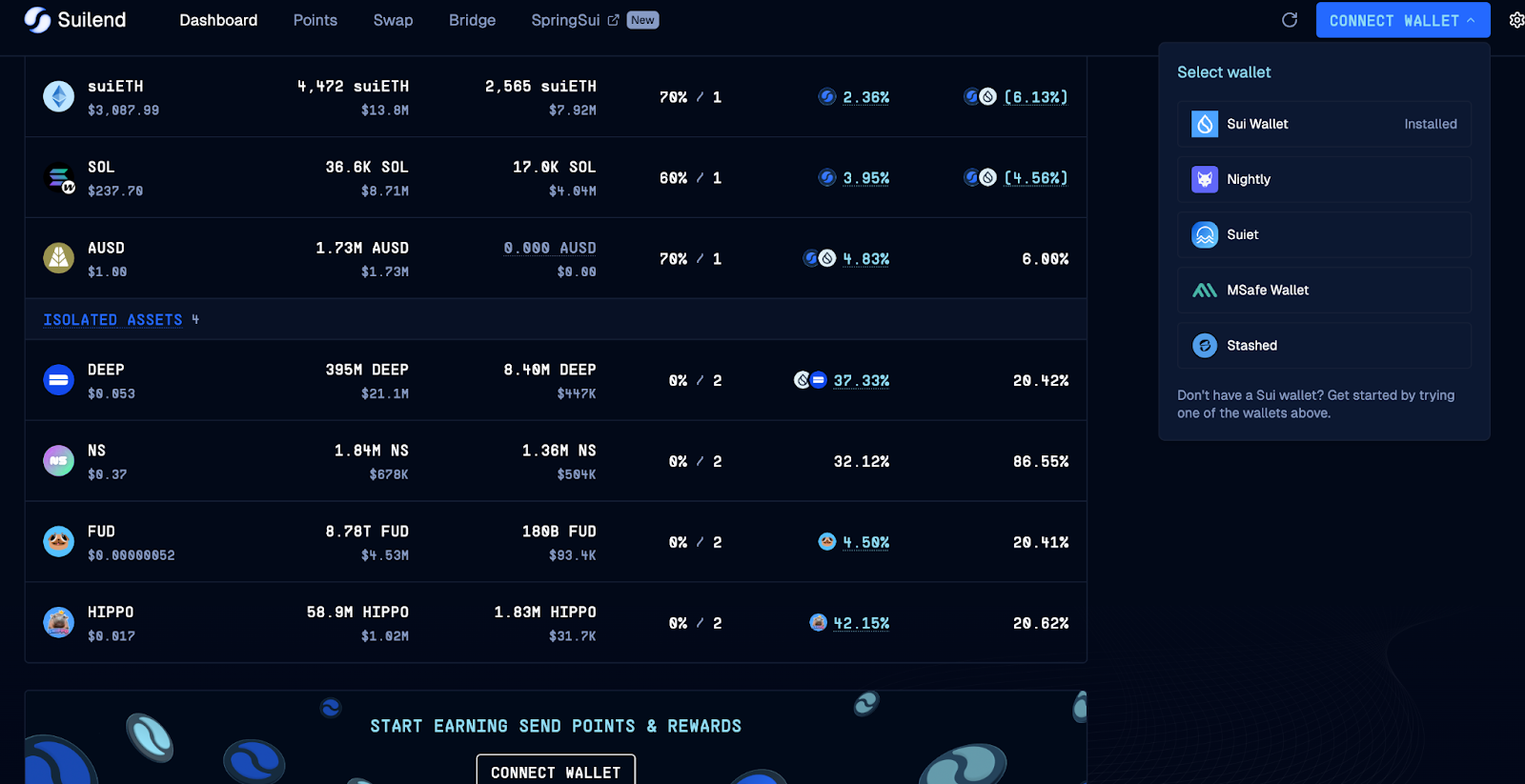
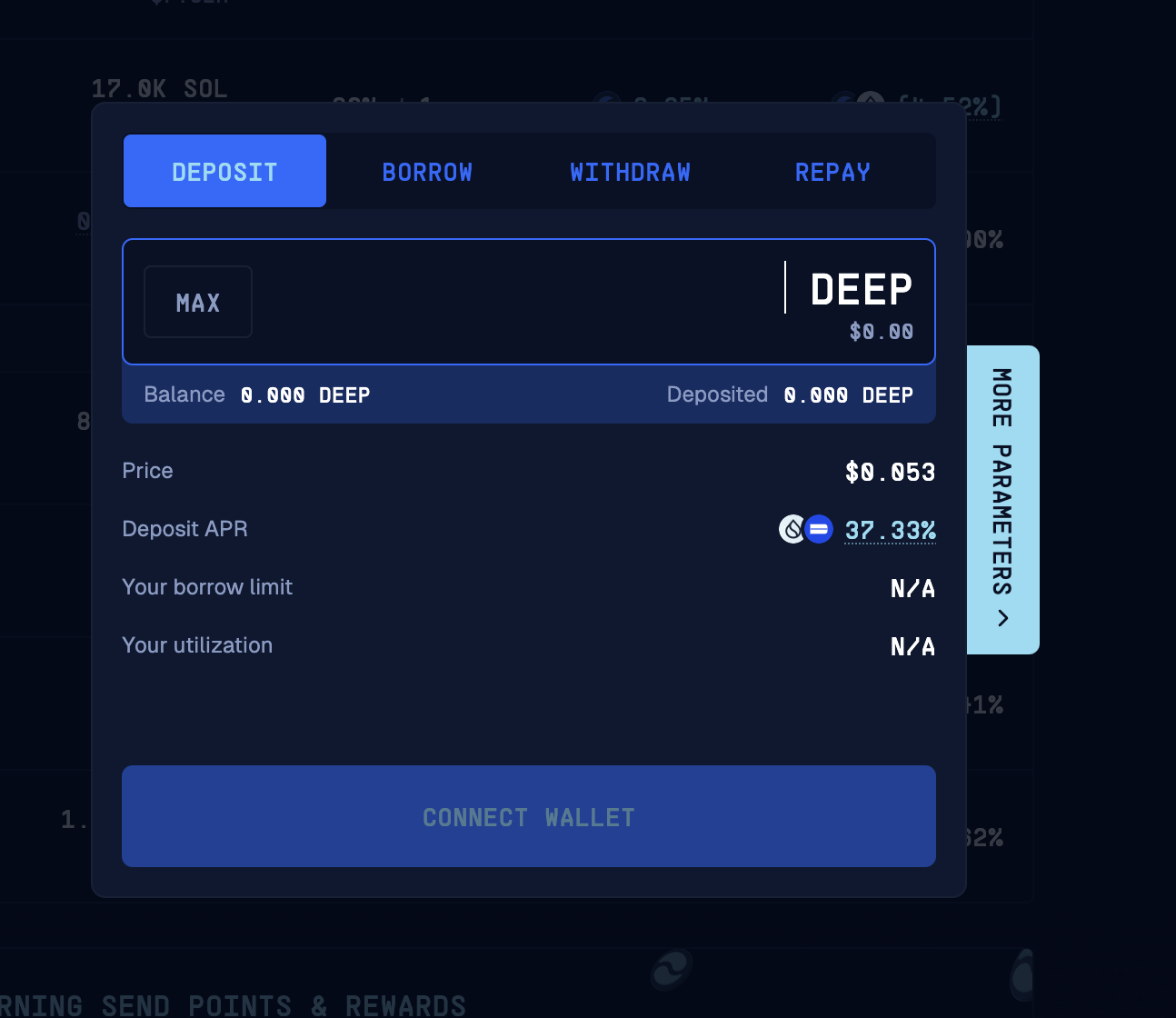
Step 5: Once your wallet has been connected, scroll down and click on the DEEP token in the list of supported assets.
Step 6: Deposit at least 1,000 DEEP, and click on Deposit.
Step 7: Approve the transaction in your wallet.

#LearnWithBybit
Grab Up to 100 USDT in Rewards
Also, enjoy 555% APR on Bybit Earn products!