How to Complete Elfin Metaverse Tasks for Bybit Web3 Airdrop Arcade
AI Summary
Show More
Quickly grasp the article's content and gauge market sentiment in just 30 seconds!
In this tutorial, we’ll explore how you can complete Elfin Metaverse tasks for Bybit Web3 Airdrop Arcade.

Task 1: opBNB Check In
Step 1: Navigate to the Elfin Metaverse platform and click on SIGN IN at the top right corner.
Step 2: Log in with your Bybit Wallet.
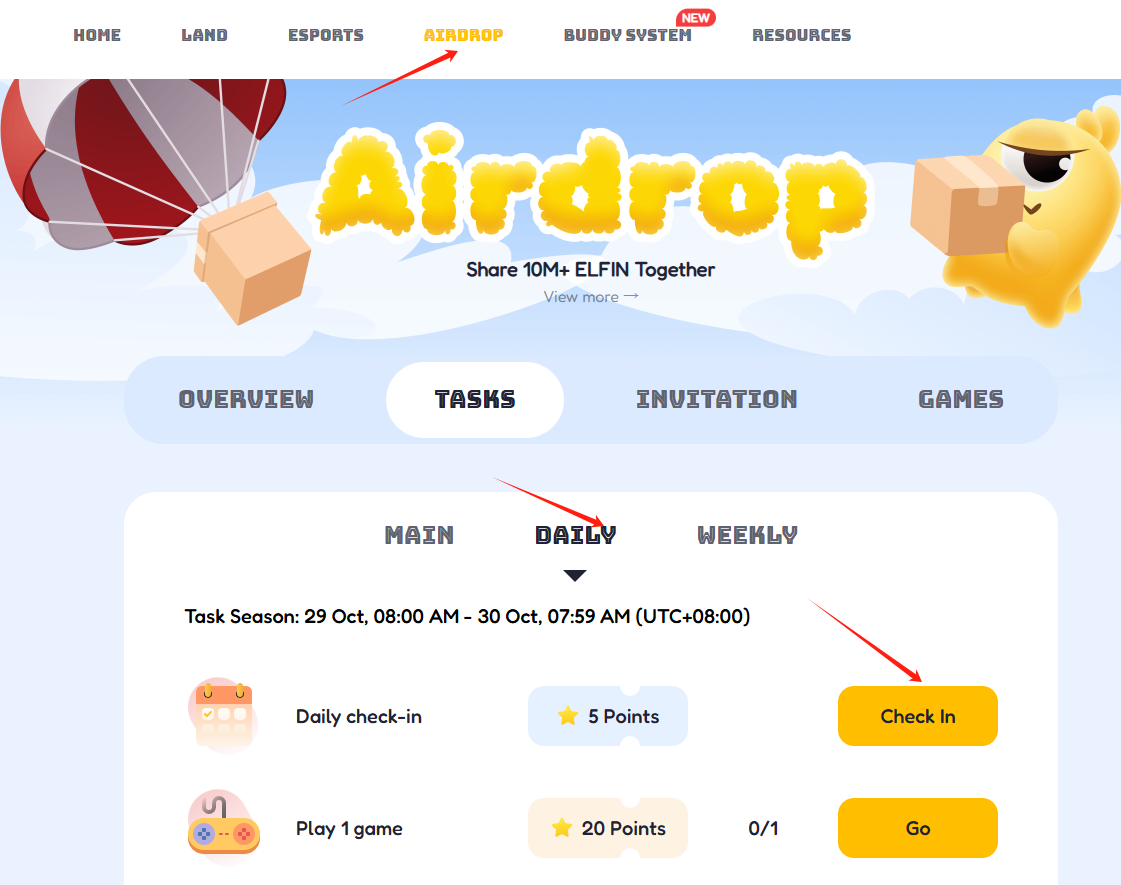
Step 3: Click on the AIRDROP tab on the Elfin Metaverse website, and select the DAILY tab.
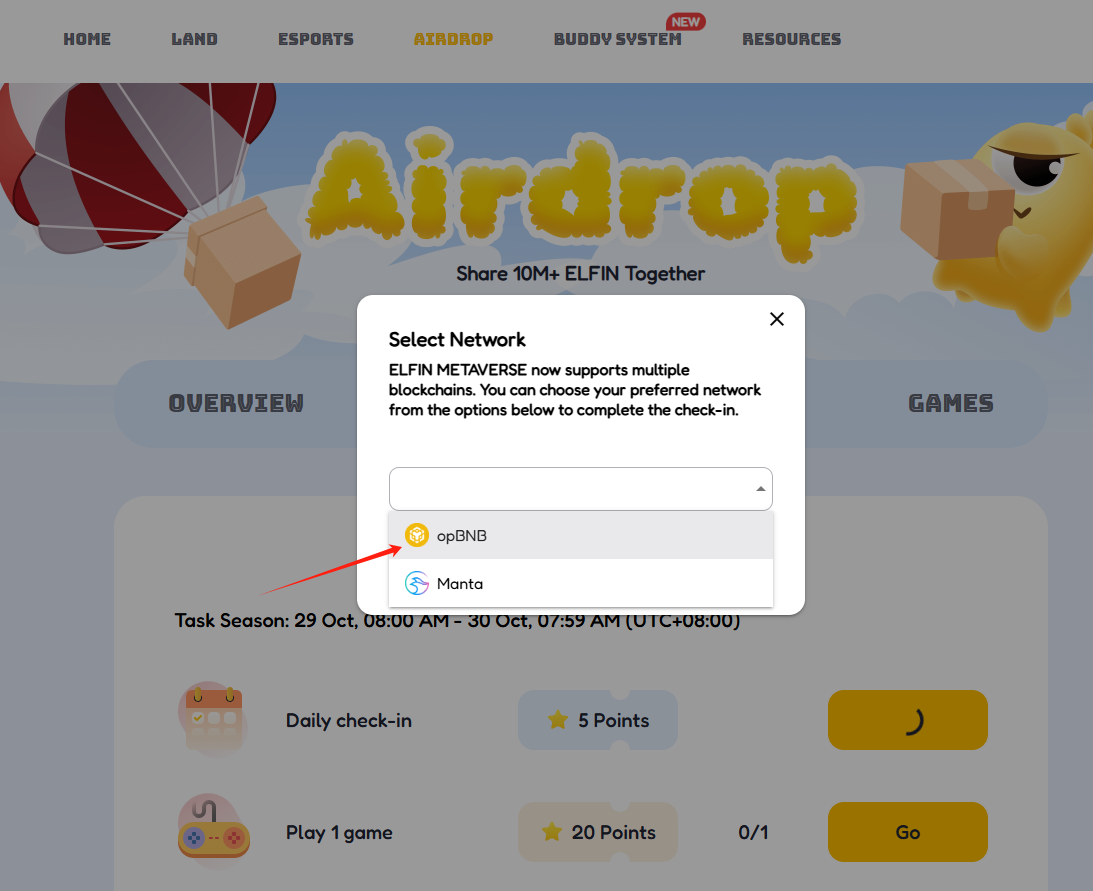
Step 4: Click on the Check In button, and choose the opBNB chain. Then, click on Check.
Task 2: Play 5 Boxing Games
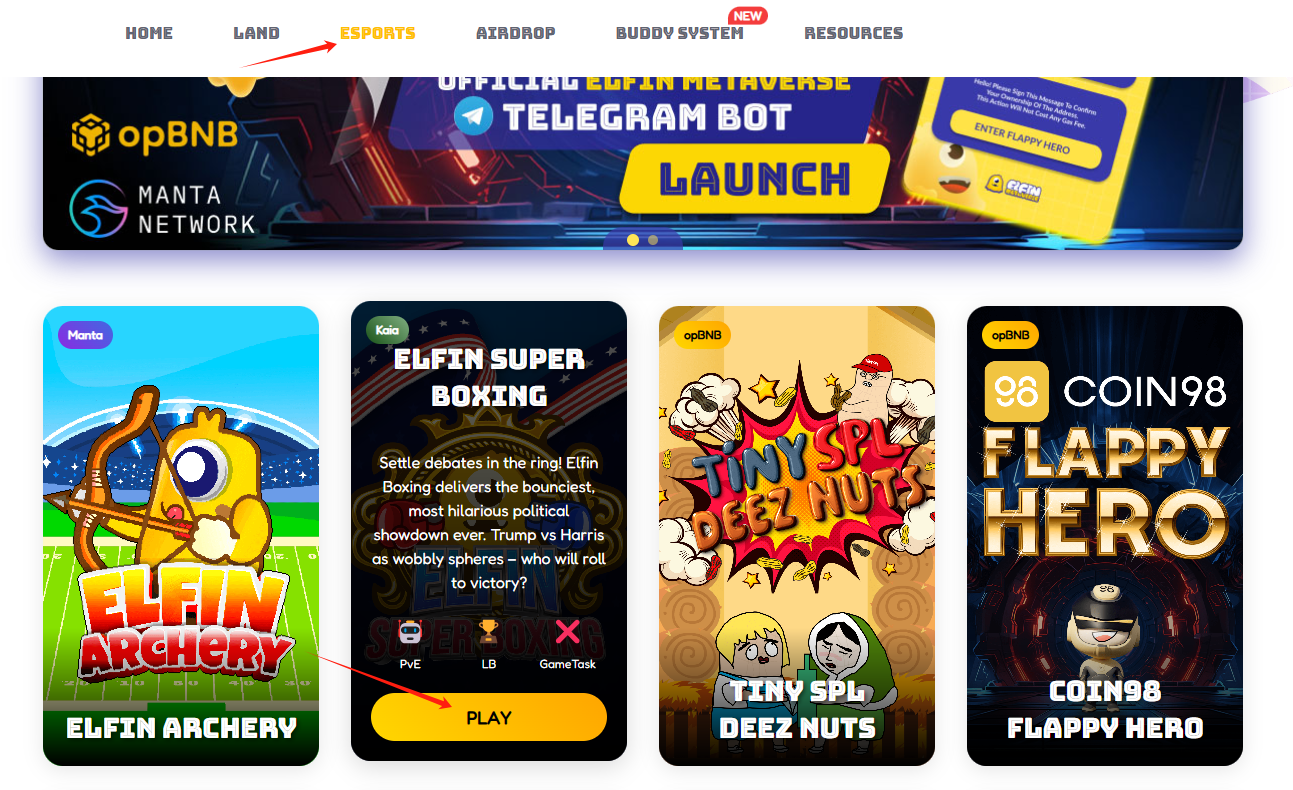
Step 1: Click on the ESPORTS tab on the Elfin Metaverse website, then click on the PLAY button of the Elfin Boxing game.
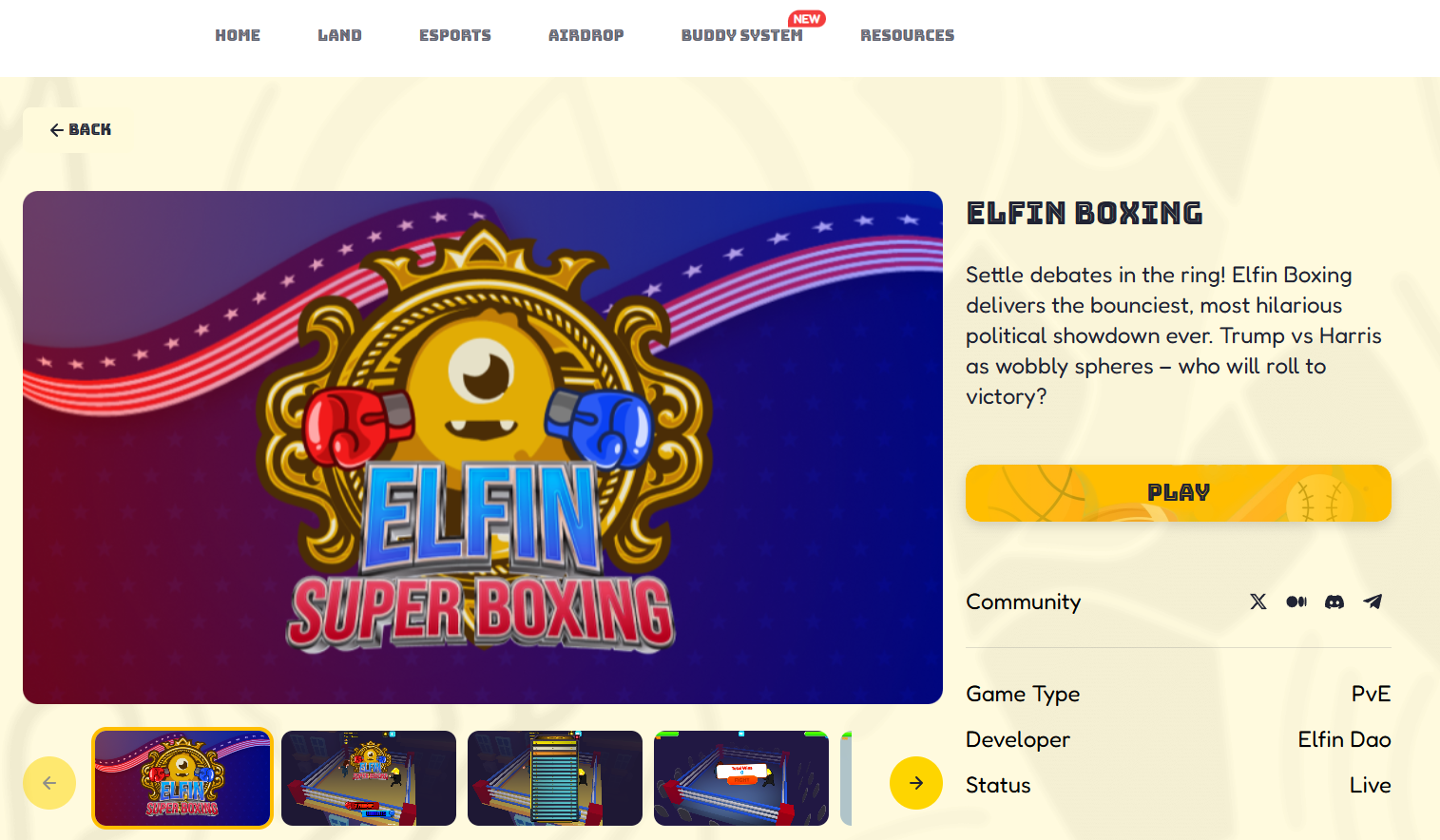
Step 2: Click on Play.
Step 3: Choose one of the characters, and fight with another character using W/A/S/D/mouse click.
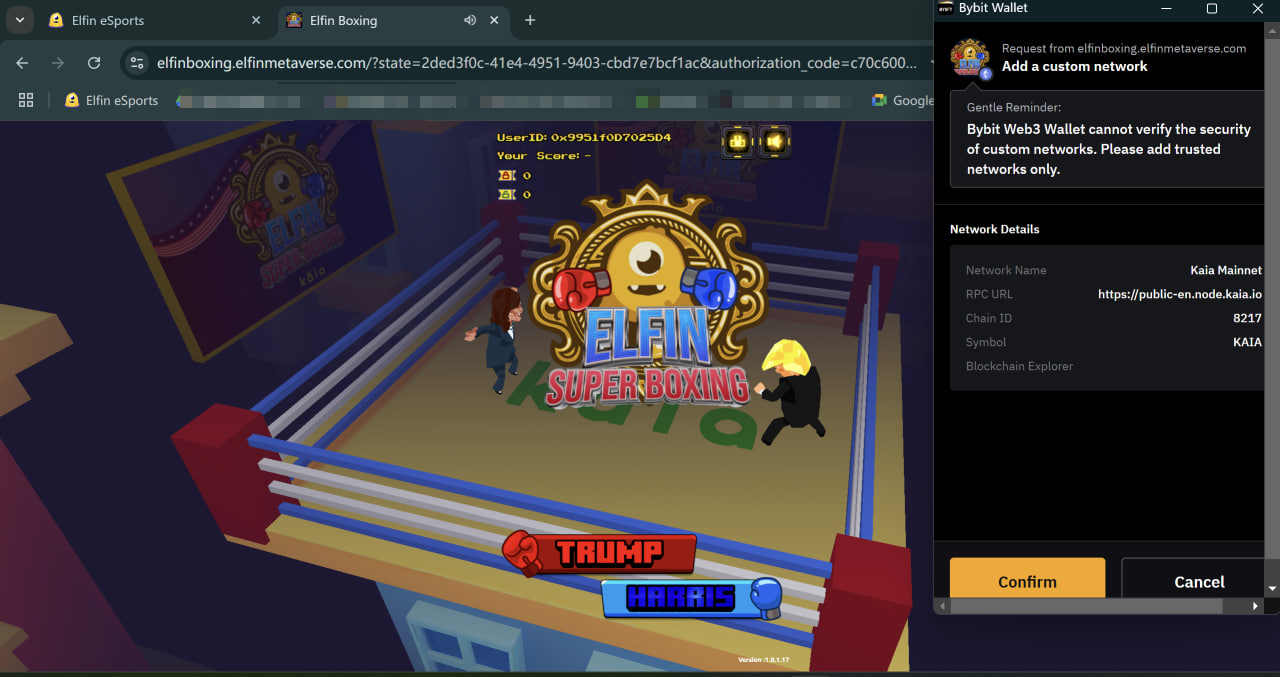
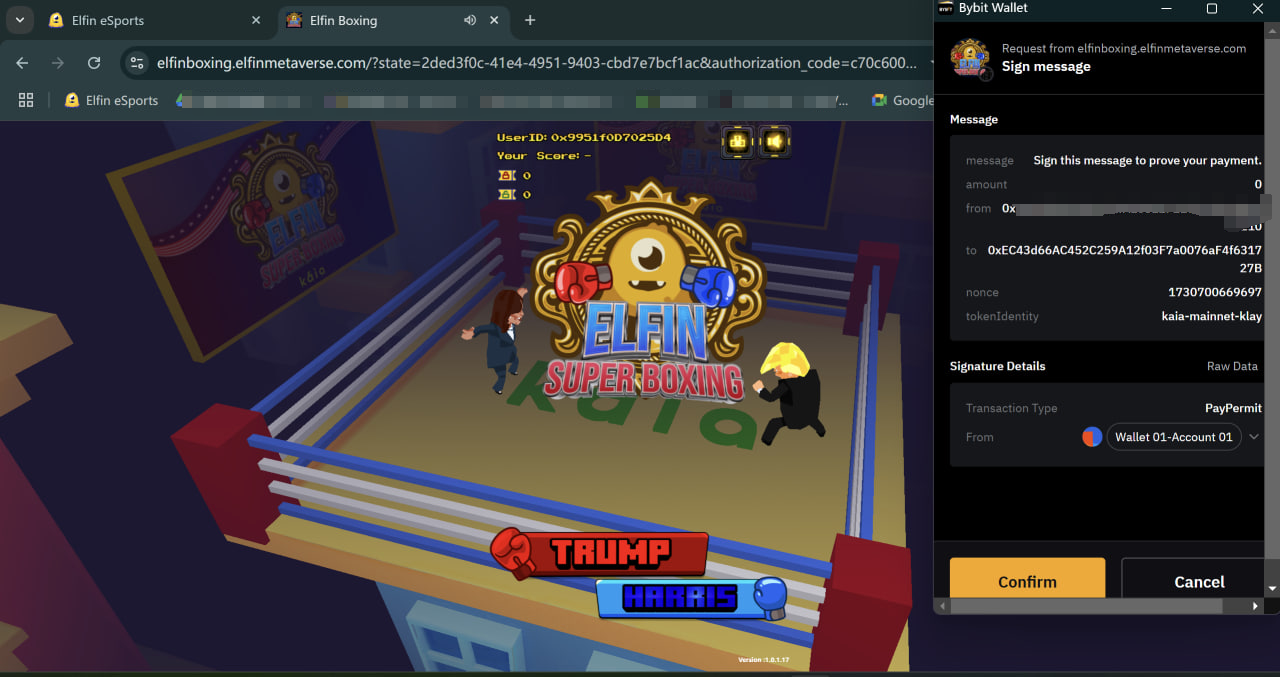
Step 4: The game will automatically add Kaia Chain as a custom network and you can sign the message in your Bybit Wallet to start the game.

#LearnWithBybit
Grab Up to 100 USDT in Rewards
Also, enjoy 555% APR on Bybit Earn products!