How to Complete Game7 Tasks for Bybit Web3 Airdrop Arcade
AI Summary
Show More
Quickly grasp the article's content and gauge market sentiment in just 30 seconds!
In this tutorial, we’ll explore how you can complete Game7 tasks for Bybit Web3 Airdrop Arcade.

Task 1: Create a Game7 Account and Create Your Avatar
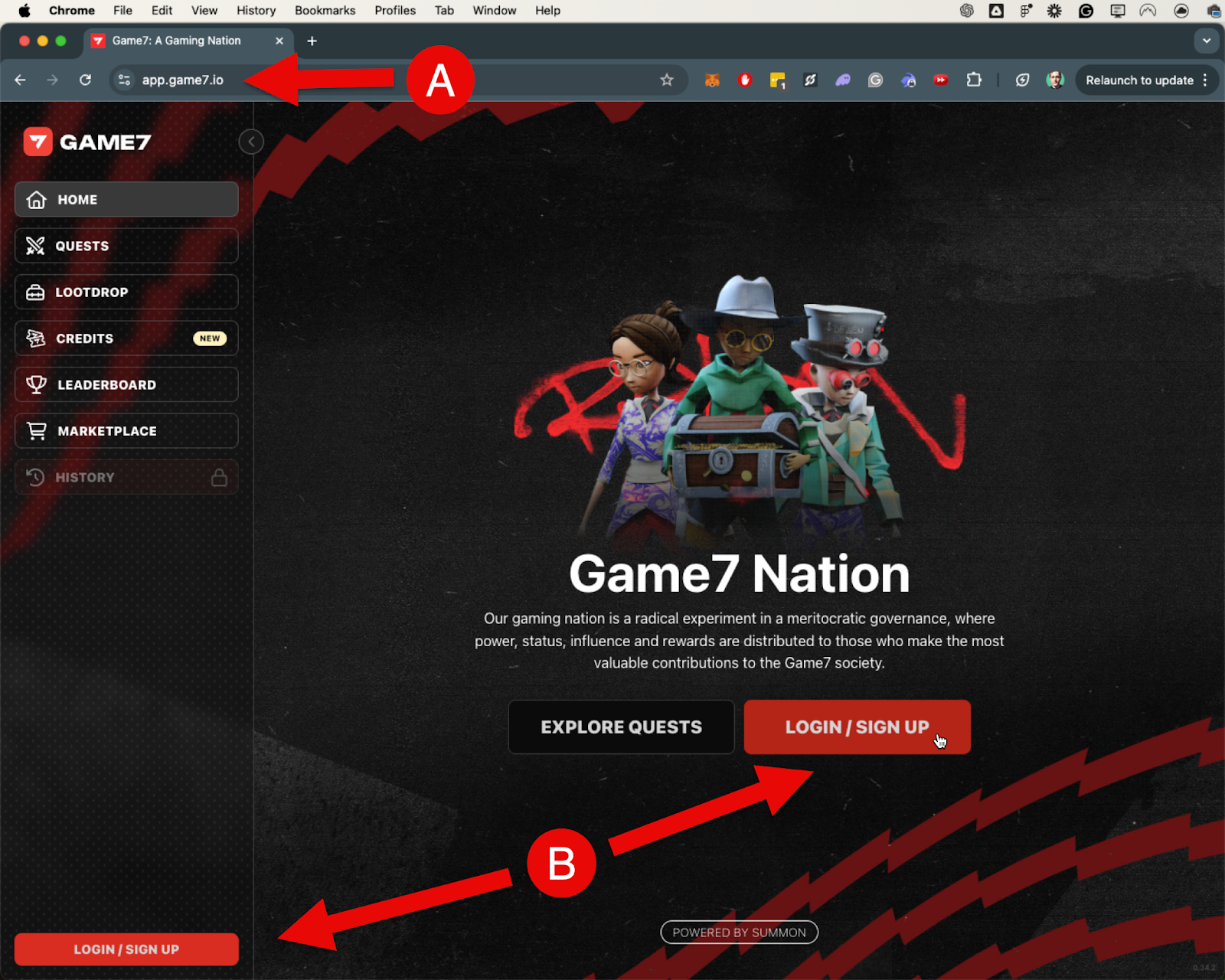
Step 1: Navigate to the Game7 website and click on the LOGIN/SIGN UP button. This button is located both in the middle of the homepage and at the bottom left corner of the screen.
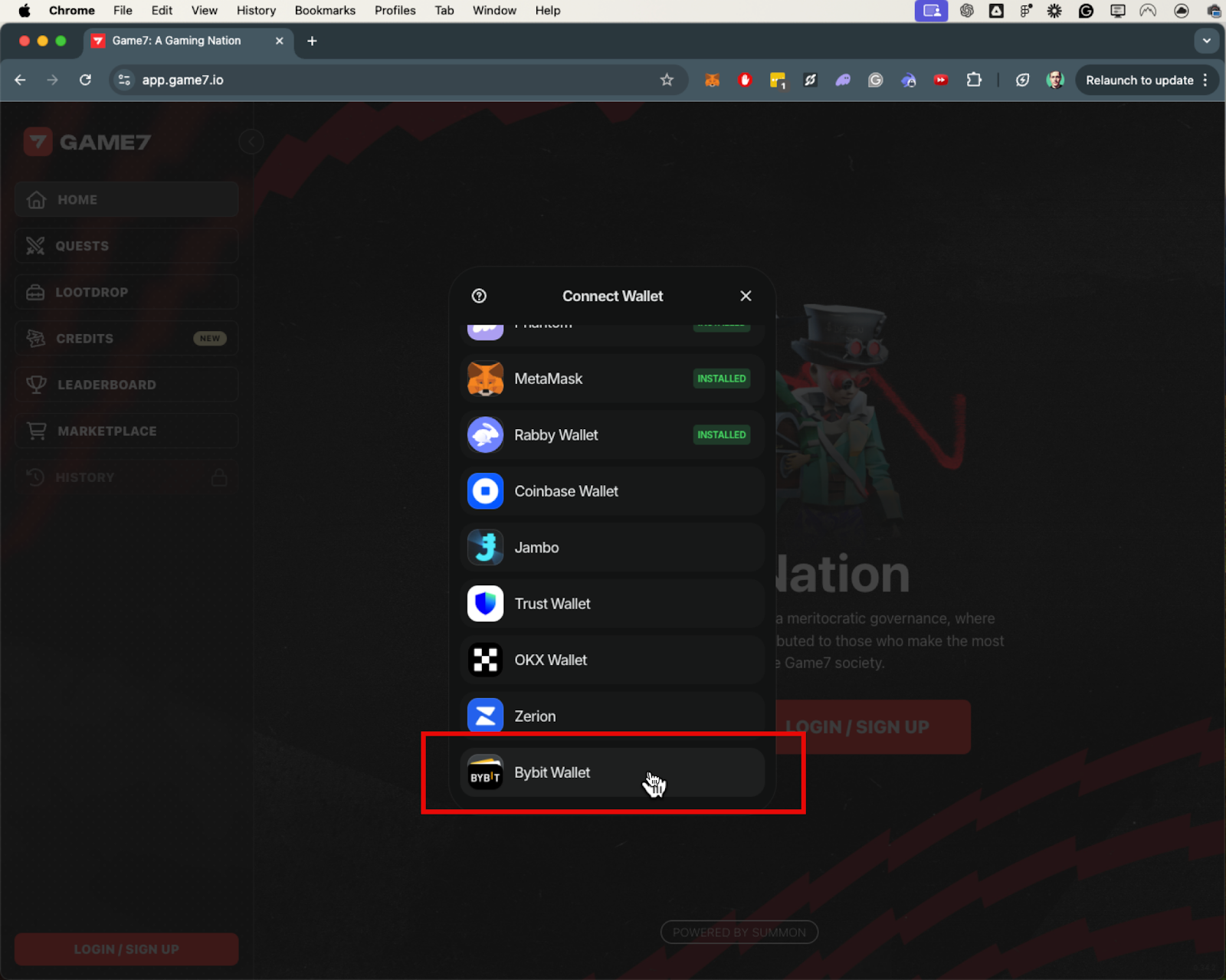
Step 2: Select Bybit Wallet to log in.
Step 3: Enter a Referral Code or click CLOSE to skip this step.
Step 4: Choose a Body for your avatar and click MINT to create it as your digital passport.
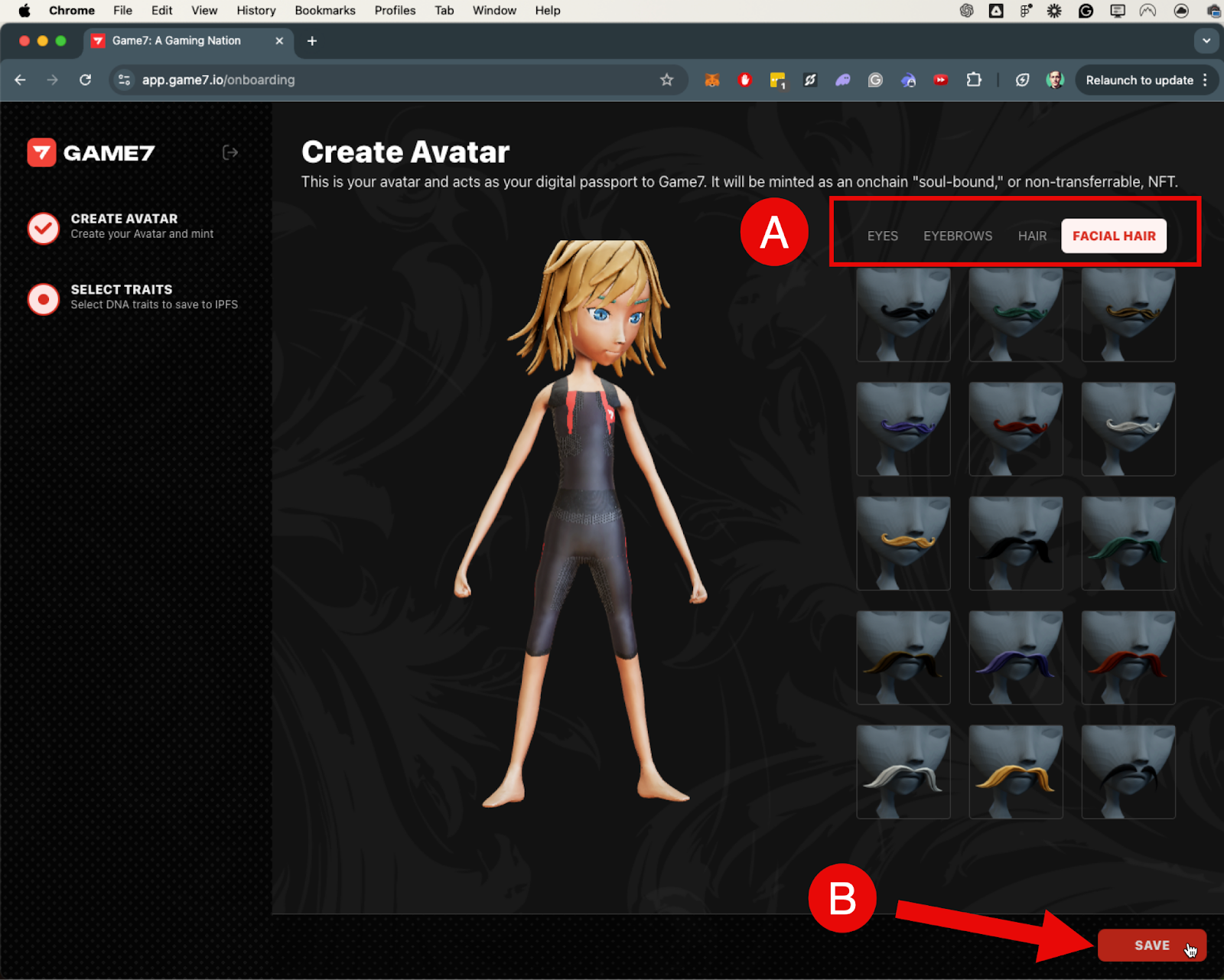
Step 5: You can customize your DNA Traits (Eyes, Eyebrows, Hair, and Facial Hair). Once you’re done, click SAVE to finalize. Please note that currently, DNA traits cannot be changed once saved.
Task 2: Explore the 6 Pillars of the Game7 Nation
Step 1: Visit the Game7 Manifesto page to explore the 6 pillars of the Game7 Nation.
Task 3: Follow Game7 on X
Step 1: Navigate to Game7’s official X page.
Step 2: Click Follow.
Task 4: Repost Game7 Campaign Post
Step 1: Navigate to the Game7 campaign post on X.
Step 2: Repost the post to show your support for the Game7 campaign.

#LearnWithBybit
Grab Up to 100 USDT in Rewards
Also, enjoy 555% APR on Bybit Earn products!