How to Create a Kollectiv Account
AI Summary
Show More
Quickly grasp the article's content and gauge market sentiment in just 30 seconds!
In this tutorial, we’ll show you how you can create a Kollectiv account.

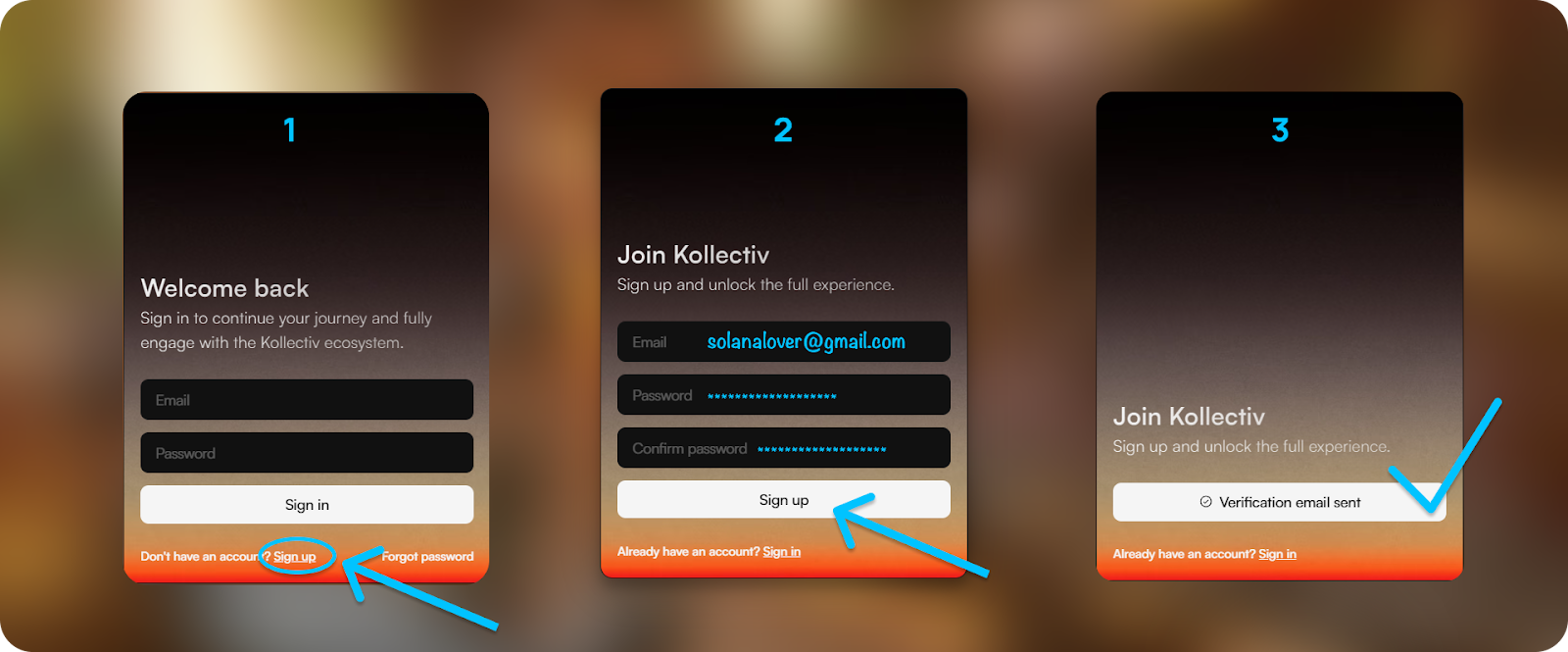
Step 1: Visit the Kollectiv website and click on the Sign up button.
Step 2: Enter your email address, create a password, confirm it, and click on Sign up.
Step 3: You should receive an email confirmation link for Kollectiv sent to the email address you’ve used to register for an account. Open the email titled Email Verification - Kollectiv and click on Confirm Email.
Note: If you can’t find the email in your inbox, please check your spam folder.
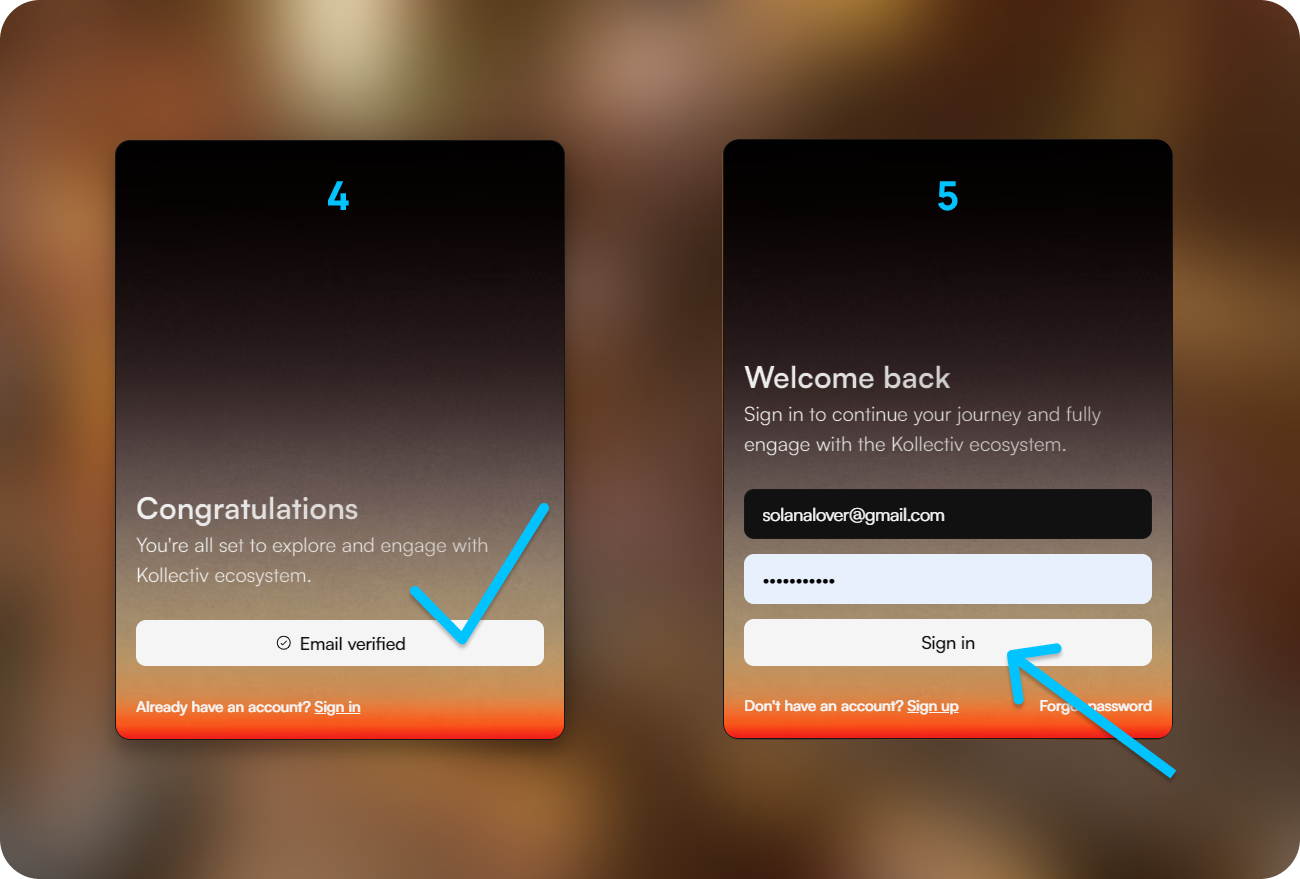
Step 4: Once you’ve successfully verified your email address, you’ll be redirected to the Kollectiv website. Then, click on Email Verified.
Step 5: You’ll be redirected back to the Sign in page. Enter the email address and the password you just registered with and click on Sign in.
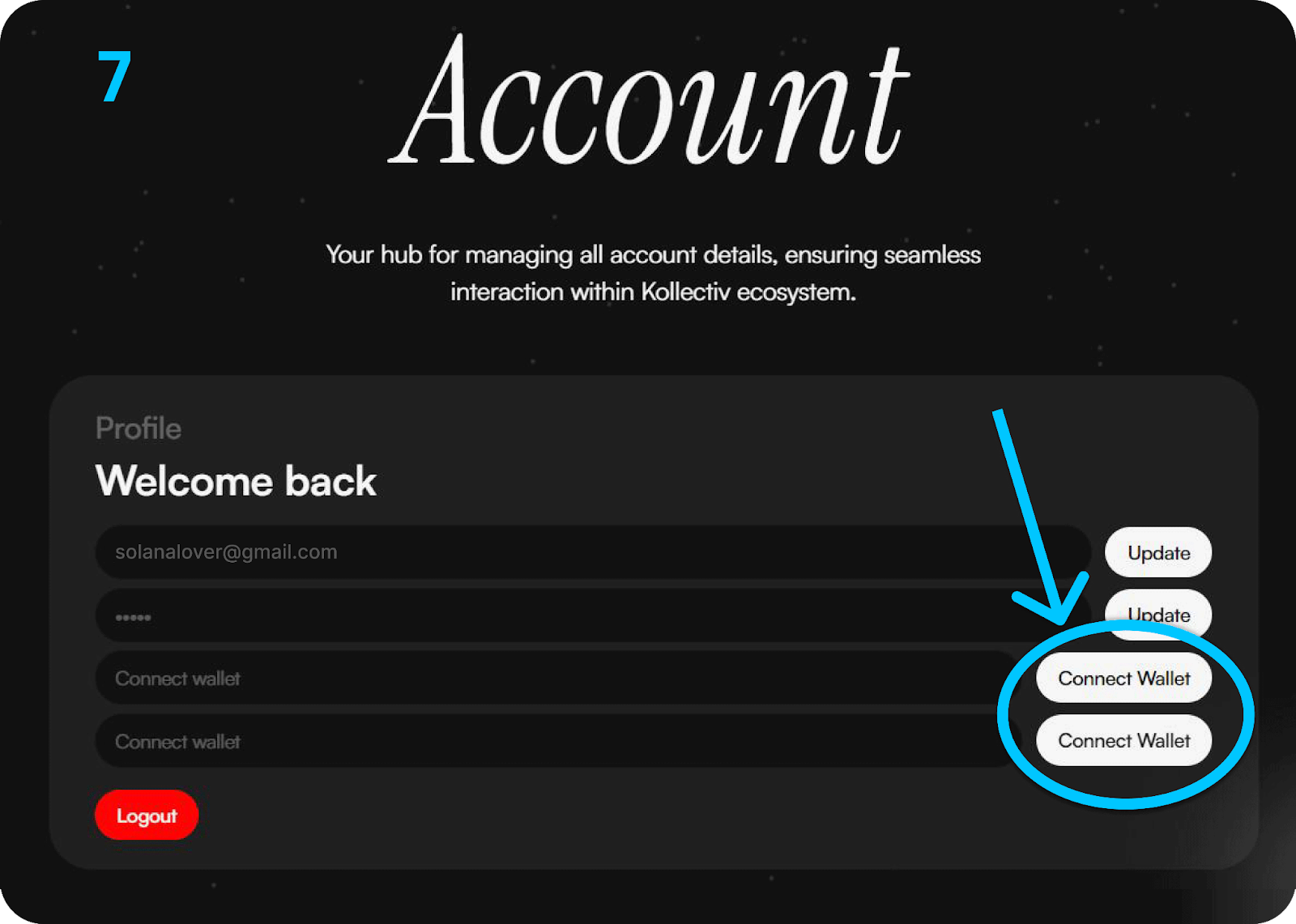
Step 6: After you’ve signed in, navigate to the Account tab.

Step 7: In your Account, click Connect Wallet to connect your Bybit Wallet. This will link your Bybit Wallet to your Kollectiv account and confirm your KOL token balance.
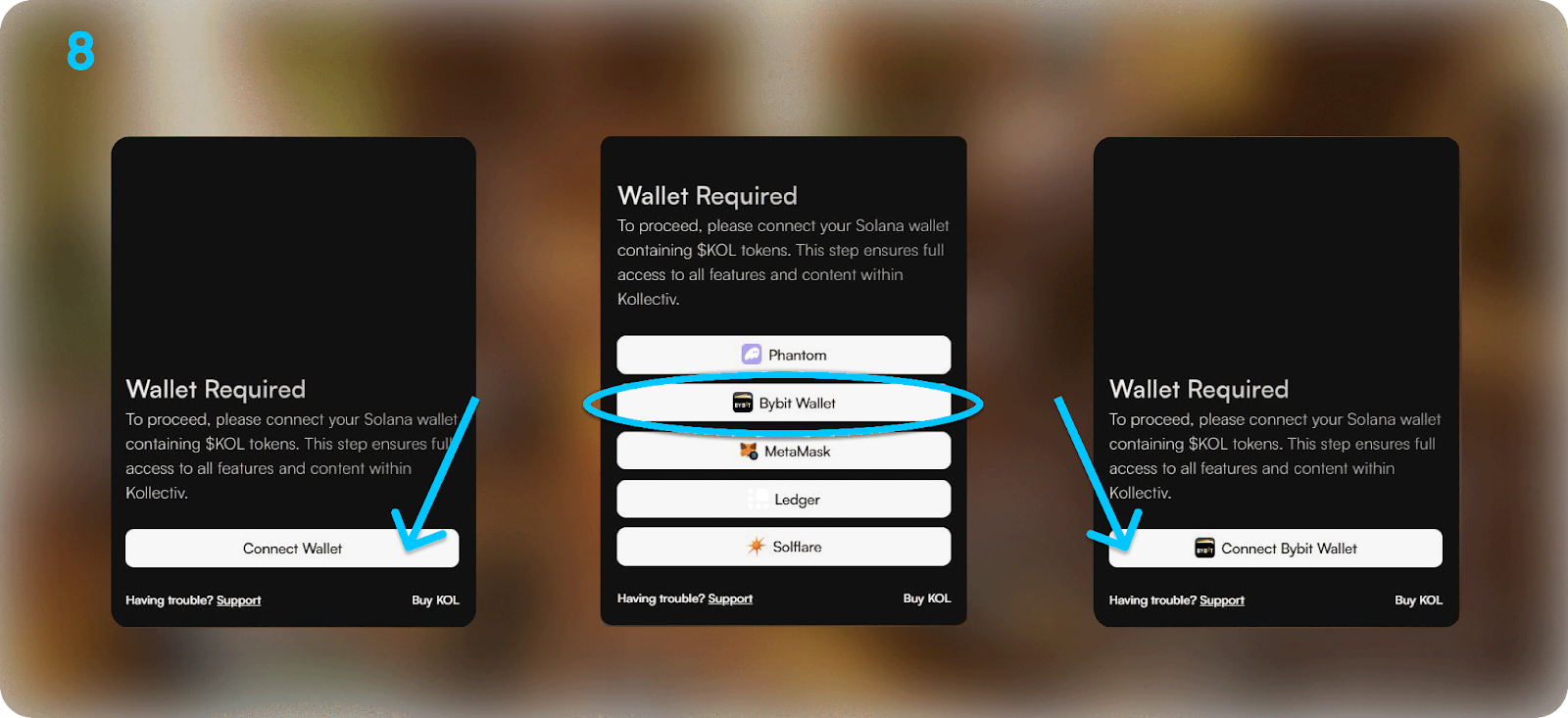
Step 8: Click Connect Wallet and select Bybit Wallet from the list of available wallets. Then, click Connect Bybit Wallet.
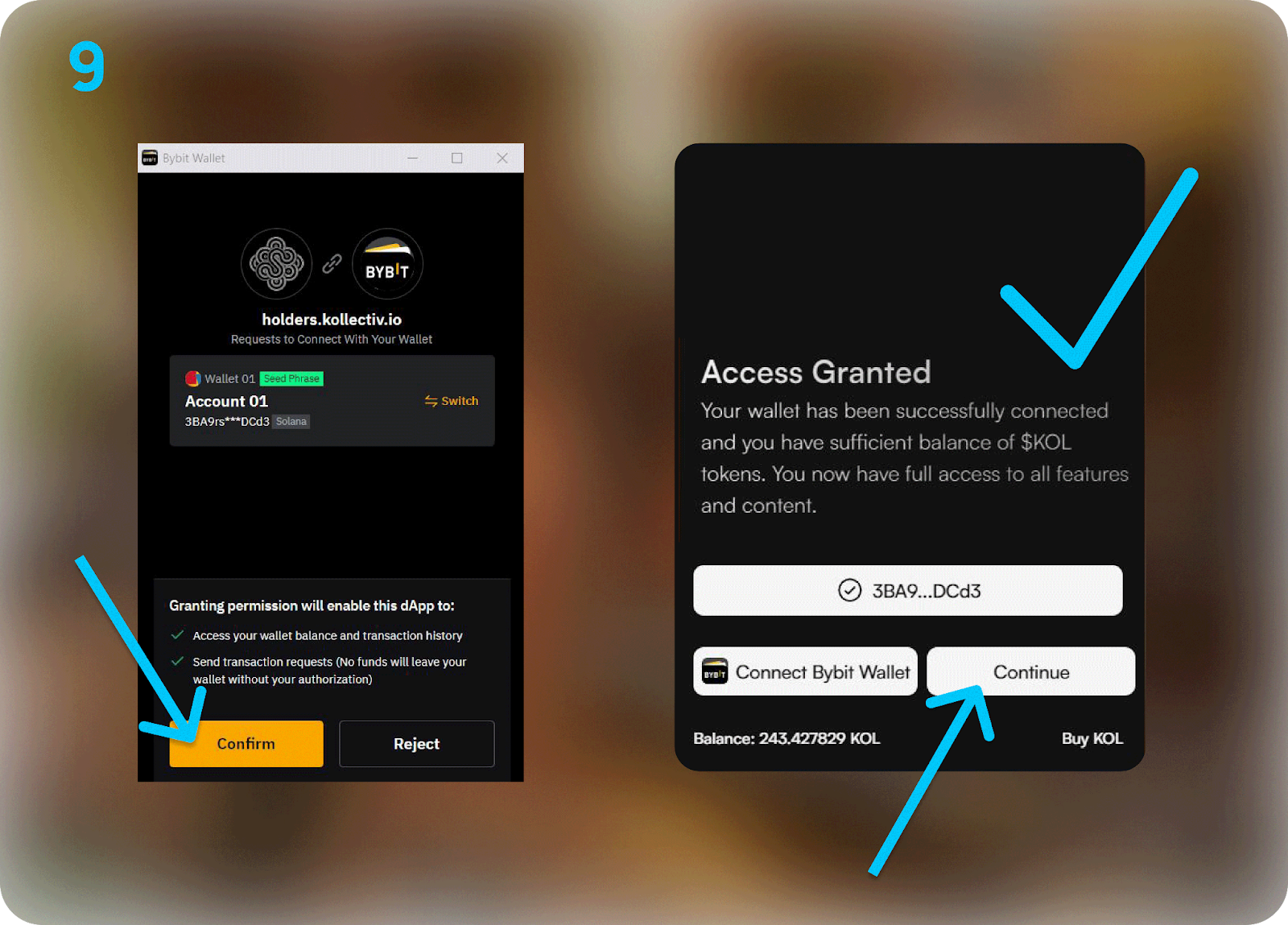
Step 9: Click on Confirm to confirm the connection request in your Bybit Wallet and click on Continue.
Step 10: Explore the Kollectiv!
#LearnWithBybit
Grab Up to 100 USDT in Rewards
Also, enjoy 555% APR on Bybit Earn products!