How to Complete Shoebill Finance Tasks for the Bybit x B² Network Event
AI Summary
Show More
Quickly grasp the article's content and gauge market sentiment in just 30 seconds!
In this tutorial, we’ll explore how you can complete a series of tasks in Shoebill Finance for the Bybit x B² Network Event, such as supplying 0.01 or more BSTONE as collateral and borrowing 0.003 or more BSTONE on Shoebill Finance.

Task 1: Supply at Least 0.01 BSTONE as Collateral
Step 1: Navigate to the Shoebill Finance page and select an asset to supply.
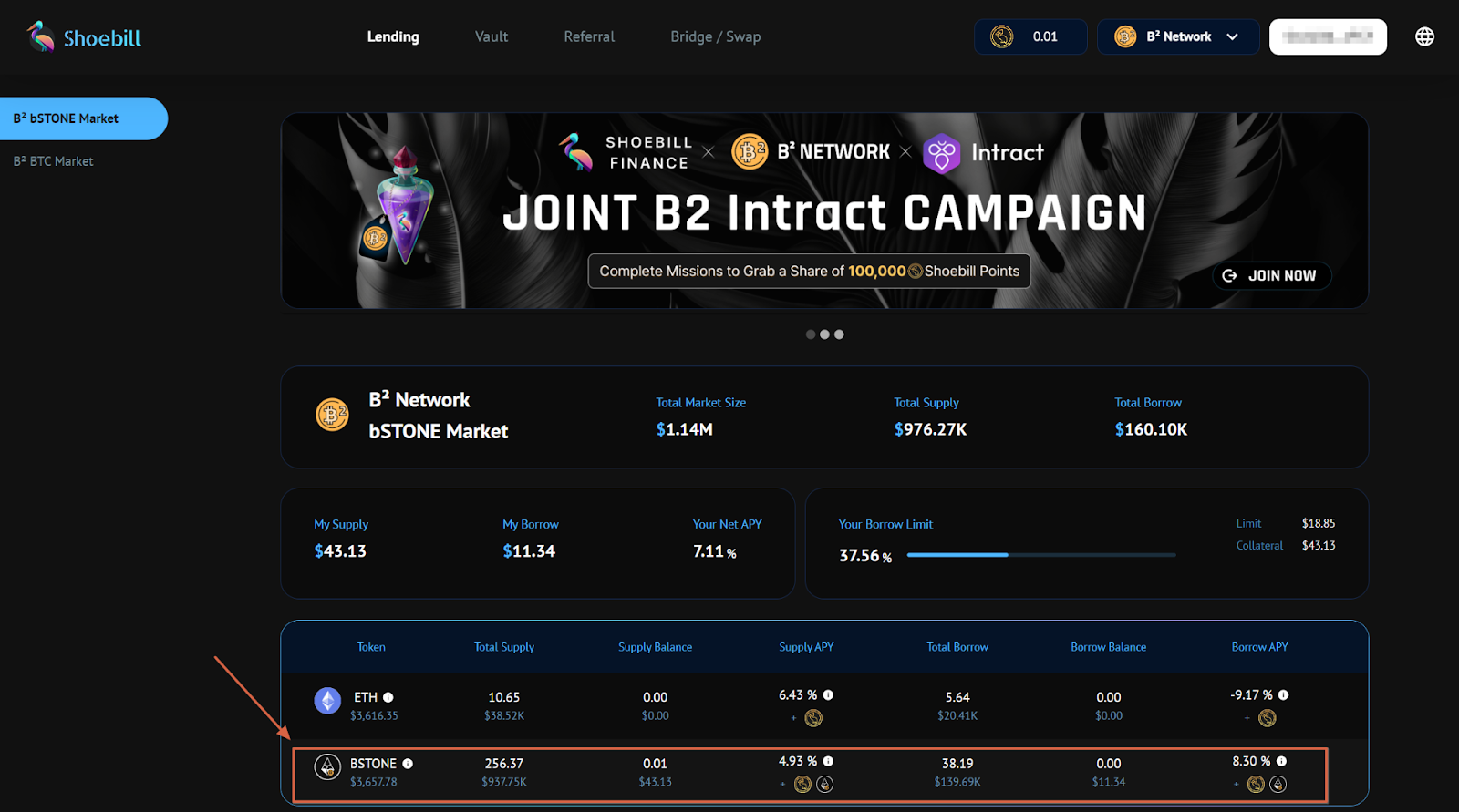
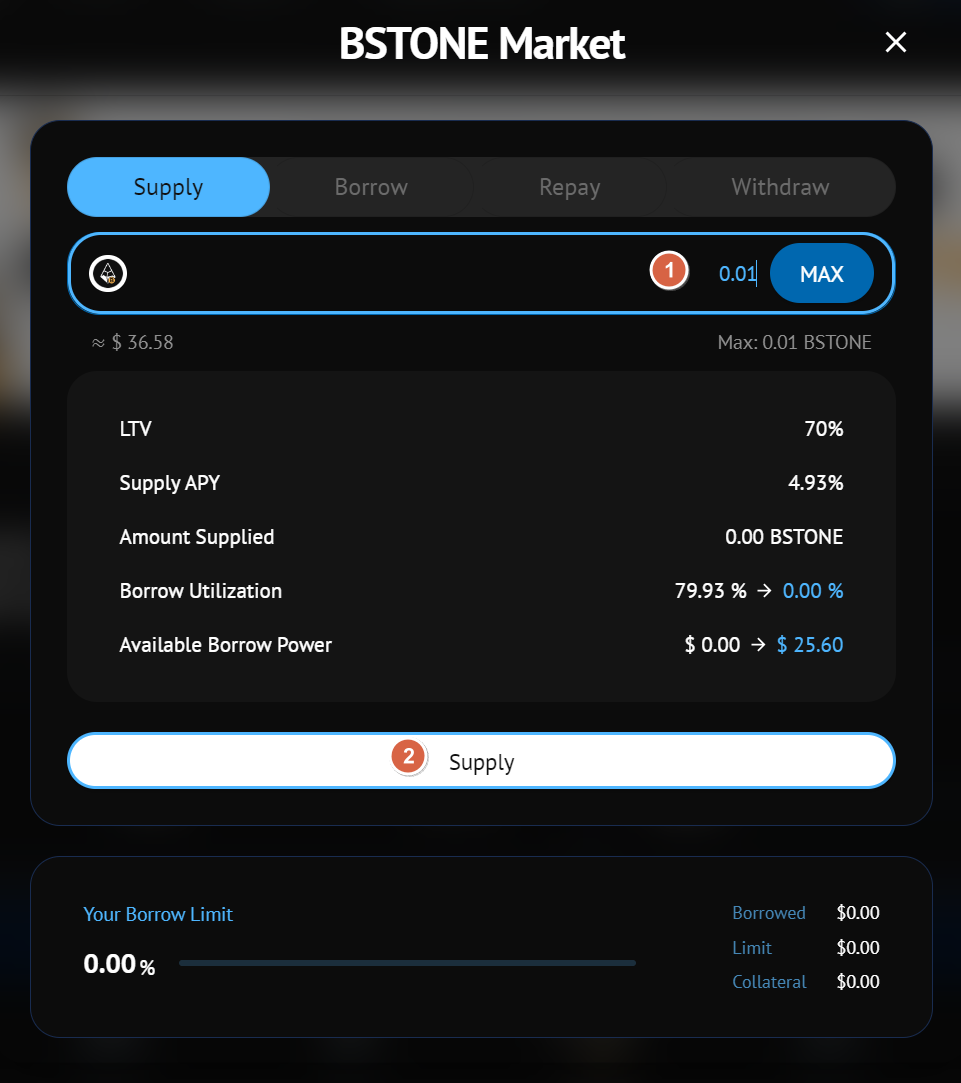
Step 2: In the Supply window, input the quantity of the asset you would like to supply. Be sure to supply at least 0.01 BSTONE. Then, click on Supply and sign your wallet. Please note that you need to approve the transaction of your assets by clicking on Approve in your wallet before supplying.
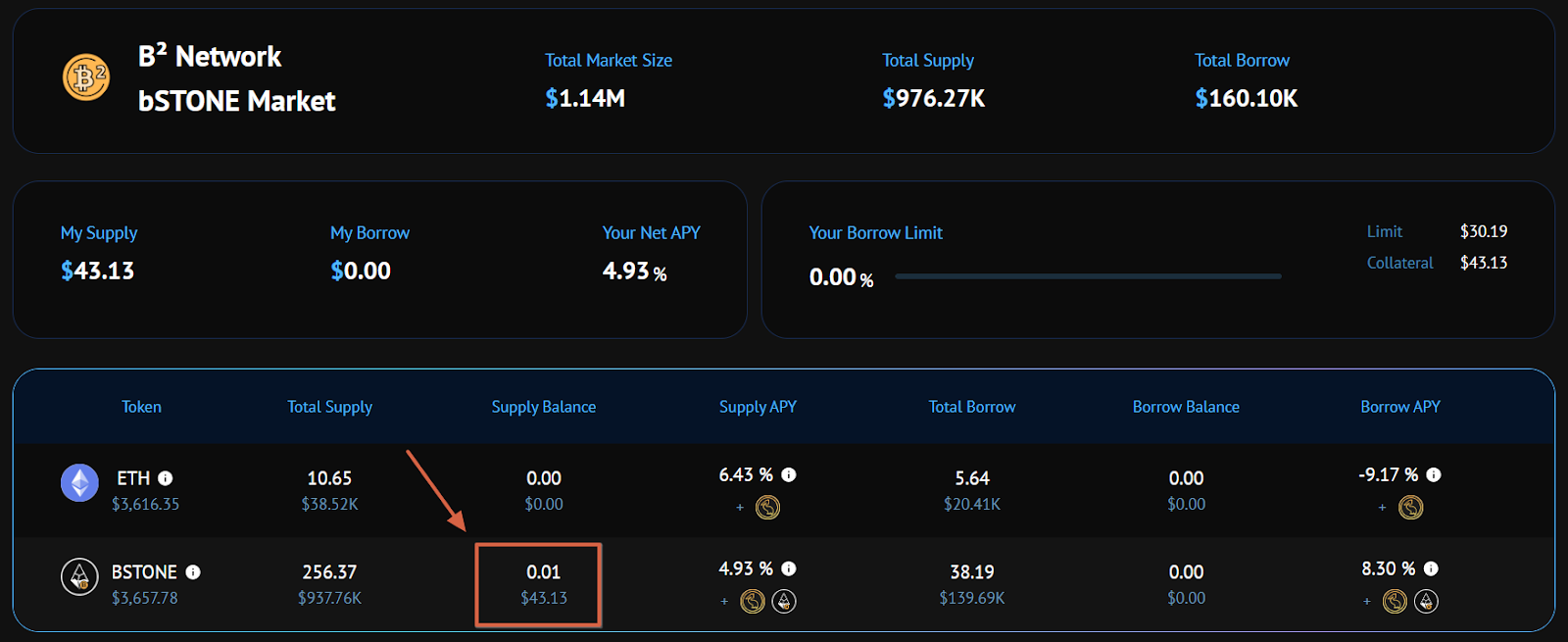
Step 3: After supplying BSTONE on Shoebill, you’ll see a message that reads “Your balance will update soon.” You may check your balance under the Supply Balance section.
Task 2: Borrow at Least 0.003 BSTONE
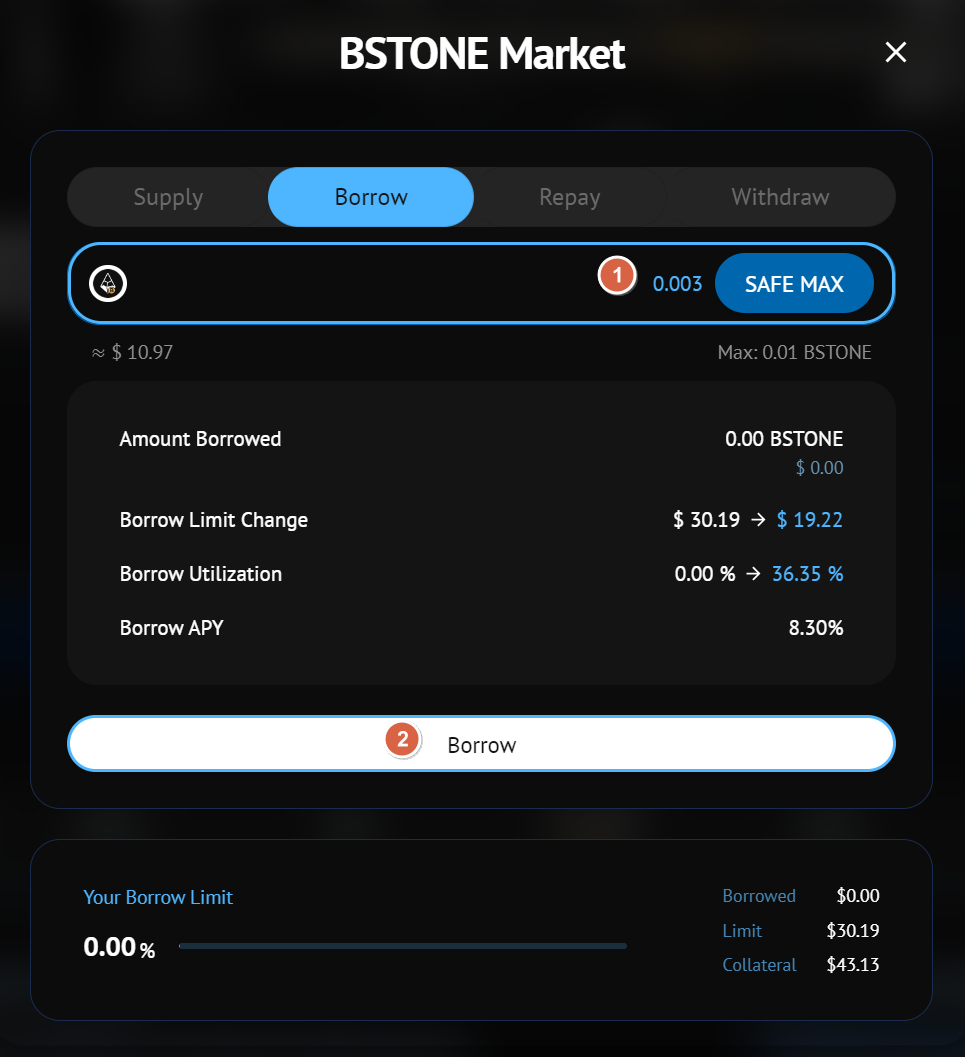
Step 1: Navigate to the Shoebill Finance page and select an asset to borrow.
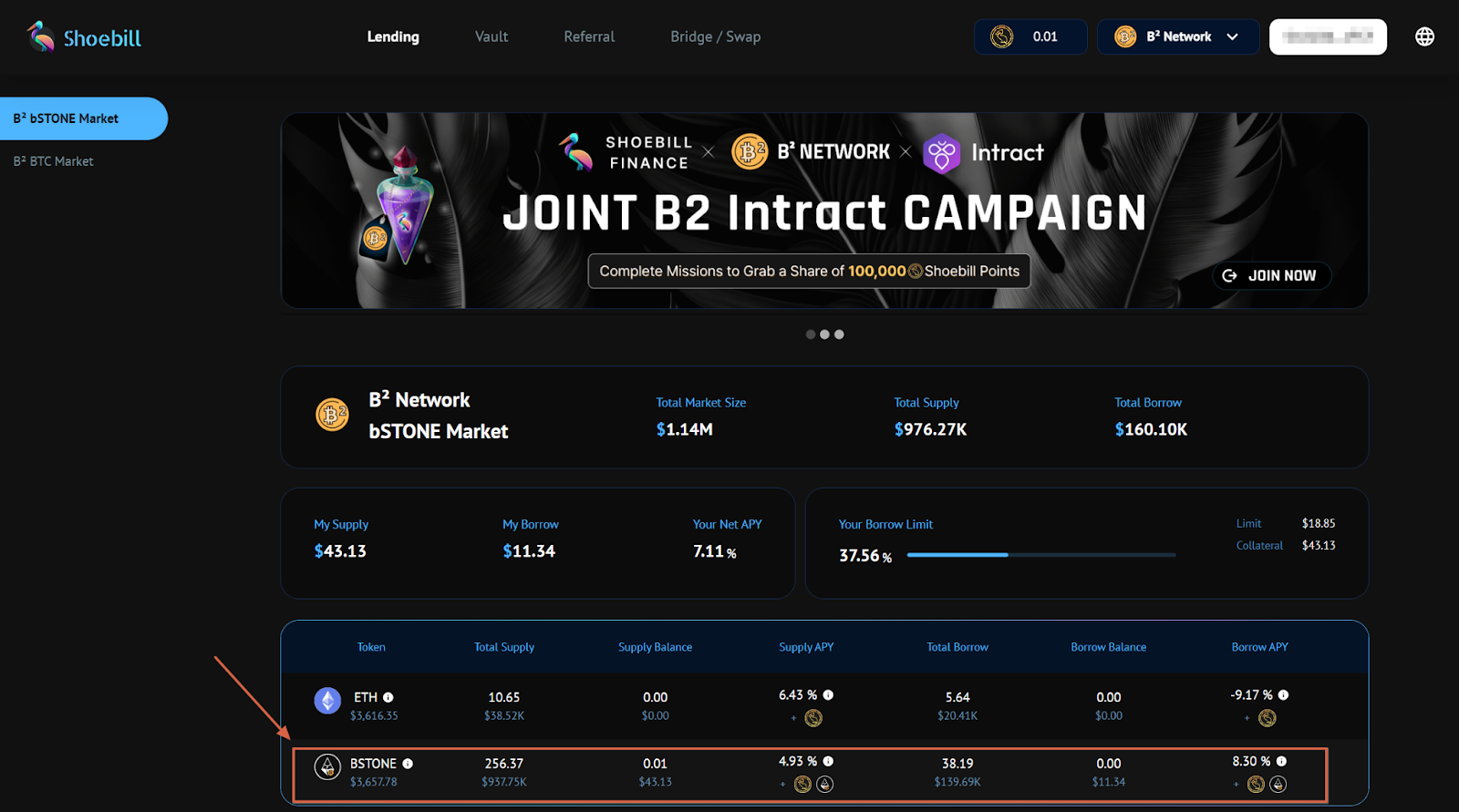
Step 2: In the Borrow window, input the quantity of the asset you would like to borrow. You need to borrow at least 0.003 BSTONE. Then, click on Borrow and sign your wallet. Please note that you need to approve the transaction of your assets by clicking on Approve in your wallet before borrowing.
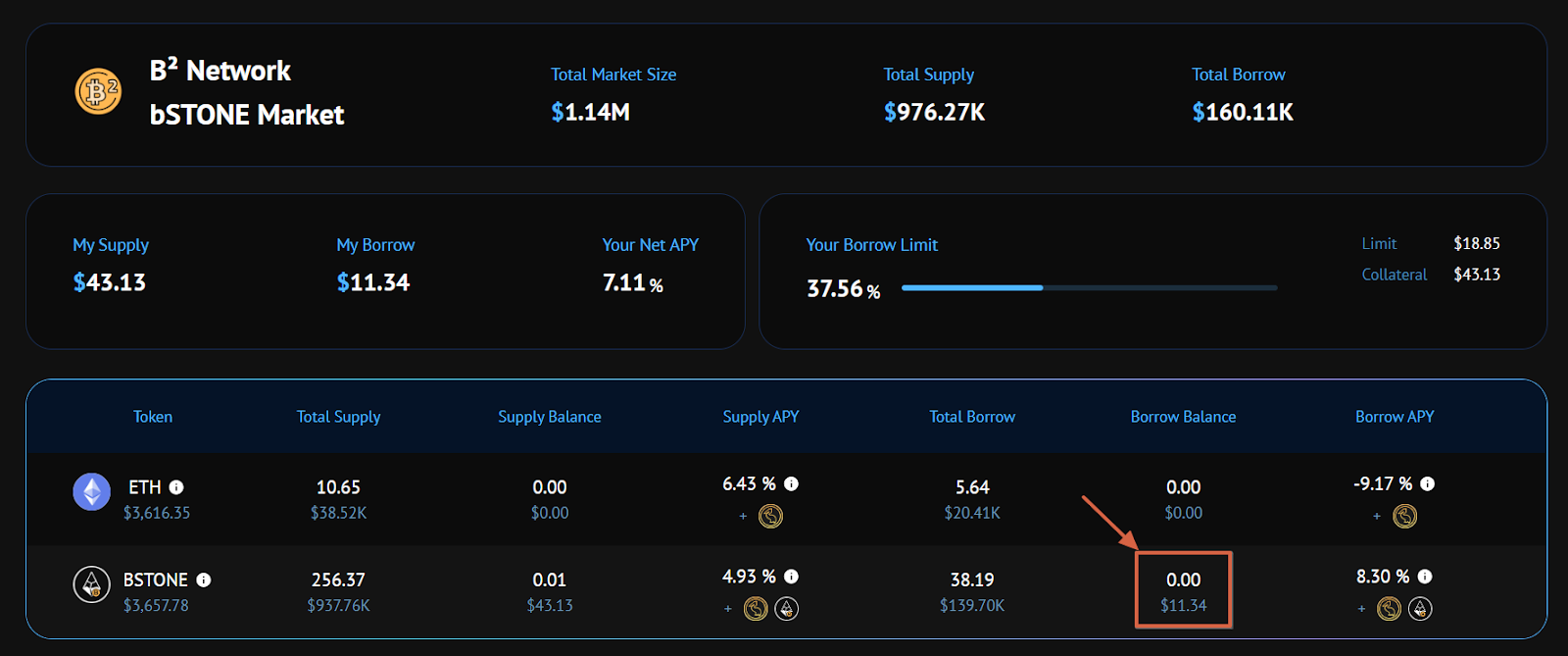
Step 3: After borrowing BSTONE on Shoebill, you’ll see a message that reads “Your balance will update soon.” You may check your balance under the Borrow Balance section.
#LearnWithBybit
Grab Up to 100 USDT in Rewards
Also, enjoy 555% APR on Bybit Earn products!